

 rxhanson
Constrained-width apps don't move flush to the sides of the screen
macOS version: 10.14.6 Rectangle version: 0.31 (36)
First off, thanks for Rectangle! I had Divvy for years but it never "clicked" with me, and Rectangle totally hasn't had that problem, I use it all the time.
Was a tough call as to whether this was a bug report or a feature request :-)
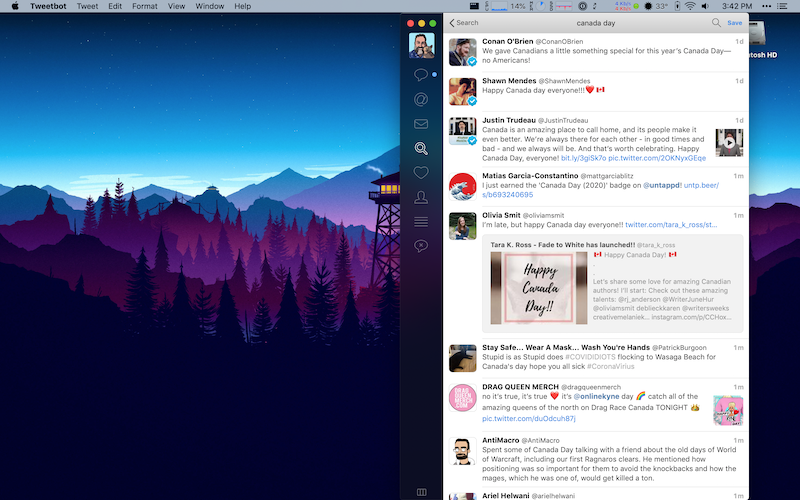
I noticed an unexpected behavior with apps that have a maximum width. When I take, say, Tweetbot (max width of 628px, apparently) and tell Rectangle to put it in the right half of the screen (720px wide), it obviously can't -- but what it does is anchors the window at the halfway point of the screen:
What I'd expect it to do is put the window flush with the right side of the screen at its max width:
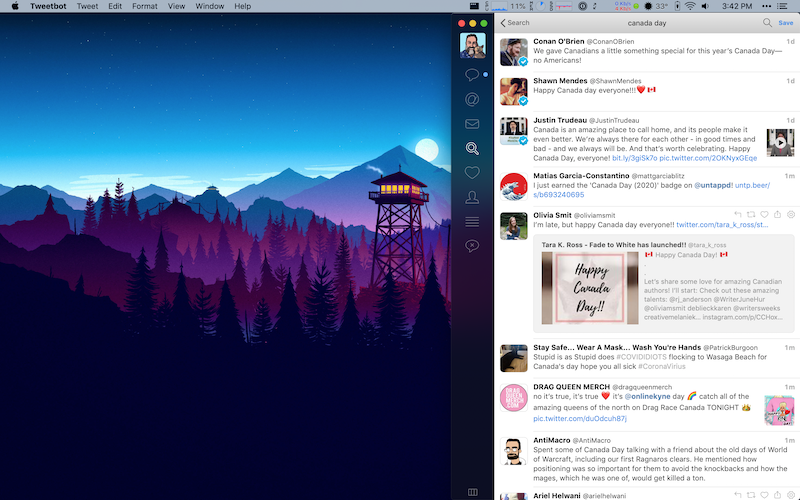
Looking at the logs (below), I guess that would mean that Rectangle would have to note the difference between the proposed and result sizing and offset the position by the difference. I suspect the same problem happens for max-height apps aligned to the bottom of the screen.
Not sure if this is feasible or not but I figured I'd ask!
2020-07-02T15:37:19-04:00: AX sizing proposed: (720.0, 877.0), result: (628.0, 877.0)
2020-07-02T15:37:19-04:00: AX position proposed: (720.0, 23.0), result: (720.0, 23.0)
2020-07-02T15:37:19-04:00: AX sizing proposed: (720.0, 877.0), result: (628.0, 877.0)
2020-07-02T15:37:19-04:00: rightHalf | display: (0.0, 0.0, 1440.0, 877.0), calculatedRect: (720.0, 23.0, 720.0, 877.0), resultRect: (720.0, 23.0, 628.0, 877.0)

Thanks for reporting. Totally valid to label this as a bug.
There's not a way to know up front what a resizable window's maximum dimensions are, and that's why this issue exists. However, it would make sense to me to auto-adjust the window after a move/resize when this scenario occurs. For windows that are non-resizable, Rectangle will center the window in the projected area. On one hand, it would be a little odd to have different behavior in this resizable scenario compared to non-resizable, but I think I prefer making it flush with the side of the screen for windows that have resized to max height.
