

 rust-lang
Slow startups - Opening Vscode blocks the target directory and cargo commands
I am unsure if I have to configure the rust analyzer in a certain way. Still, after opening a big Rust project, the rust-analyzer blocks the target directory and disallows running any Cargo command.
In the status bar, it stucks on fetching metadata or cargo check for a long time. This happens while the project has been already built, and if I run cargo check from outside the VSCode, it will run in seconds.

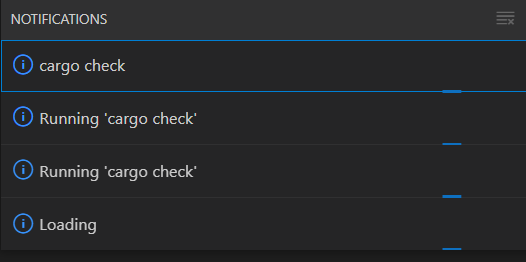
I sometimes just kill VSCode to be able to run a simple cargo run command for an already built binary.
I am on Windows 11.

@aminya try doing this:
- Close VSCode. Make sure
rust-analyzerdoesn't running via Task manager. - Delete
targetdirectory - Open VSCode, but don't run
cargo checkmanually - Wait till
rust-analyzerfinish initial analysis & runningcargo metadata&cargo check - Copy the whole
targetdirectory to e. g.target2, so you have bothtarget&target2 - Repeat step 1
- Now run
cargo checkmanually from the terminal (or whatever it's called on windows) - After
cargo checkis finished, compare the size oftarget&target2. After that look inside & compare the files inside both directories. Iftargetcontains the files which are not present intarget2, it meansrust-analyzerprobably passes some weird arguments tocargo checksocargo checkcan't reuse the build artifacts.
I tried these on the rust-analyzer project itself, and the folders were equal to each other. So I guess the problem isn't that. However, it took a long time for the Rust analyzer to finish this, which is understandable due to its complexity.
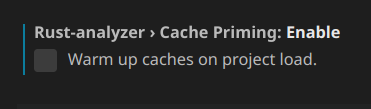
I realized that I had "Cache Priming" enabled. The description of the setting didn't explain enough that this is a bad setting and that enabling it can slow down the whole editor startup. By disabling it, the rust-analyzer becomes ready much faster.
I think the description of this setting needs to include a warning about the performance regressions.
This is an inherent issue with how cargo works. You can work around this by setting r-a's target dir to a different one at the expense of duplicating artifacts.
