

 rust-lang
Cargo check is not run for all crates in workspace
rust-analyzer version: ba3305480 2022-02-07 stable
rustc version: rustc 1.60.0-nightly (a00e130da 2022-01-29)
I have a workspace with 2 crates:
crates/
├── log_analyzer/
│   ├── src/
│   ├── Cargo.toml
├── terminal_ui/
│   ├── src/
│   ├── Cargo.toml
├── Cargo.toml
Workspace Cargo.toml
[workspace]
members=["crates/*"]
rust-analyzer settings (I've tried enabling disabling certain of these features)
"rust-analyzer.cargo.runBuildScripts": true,
"rust-analyzer.lruCapacity": 1024,
"rust-analyzer.procMacro.enable": true,
"rust-analyzer.cargo.allFeatures": true,
"rust-analyzer.experimental.procAttrMacros": false,
"rust-analyzer.inlayHints.enable": true,
Only the log_analyzer crate shows cargo check analysis, when saving a file I can see the files under this crate blinking as being processed by rust-analyzer but not on the terminal_ui crate:

Whereas the same code setup out of a cargo workspace folder is properly analyzed (actually copied out of the workspace, opening the problematic crate folder on vscode doesnt work neither):
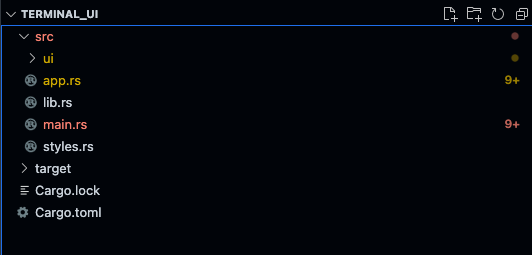
Any ideas of what can be going on?

Can confirm. inlay hints exist, but diagnostics are gone. auto completion, auto import seem to work. ~~Seems like VSIX's bug.~~
Turns out cargo check is broken when some parts are compiled with another version of Rust. cargo clean fixed it.
