
RunwayML-for-Unity
 RunwayML-for-Unity copied to clipboard
 runwayml
Runway "Start Model" option does not run the model.
Hello Runway team!
I'm using the Runway/ Unity starter project and the runway preview does not seem to work. While using the example scene, I open the runway window in the unity options. My parameters are as follows :
MODEL SELECTION: Fast-Style-Transfer (and others). SETUP OPTIONS: Cubist. INPUT: Main Camera (or any image/sprite included in the project, neither works). OUTPUT: Preview is blank. RUN OPTIONS:
- RUN LOCATION: Remote or Local (neither works).
- RUN CONTINUOUSLY: Checked OR unchecked (neither works).
The "Start Model" button greys out for a second, and then comes back to normal without any changes in the runway window.
I am using:
Windows 10 Home Version 1903, Intel Core i9-8950 @2.90Ghz Nvidia GTX 2070 32 gb Ram
Thank you very much.
Edit:
Unity version 2019.2.9f1( and just to test went down to most recent previous version available on the hub : 2019.2.2f1)
Hi @lacouture100, Thank you for reporting the issue!
Did you have your Runway app open and signed in, and you have some credit left for running the model remotely?
Just curious, you can run models inside of the Runway app without any issue, right?
Could you send me a screenshot of the Unity app to help us debug?
Thank you!

Hi Yining,
I have the Runway software open while I sign in, and at the moment I had credit in my account. I was also able to run a model in the Software individually!
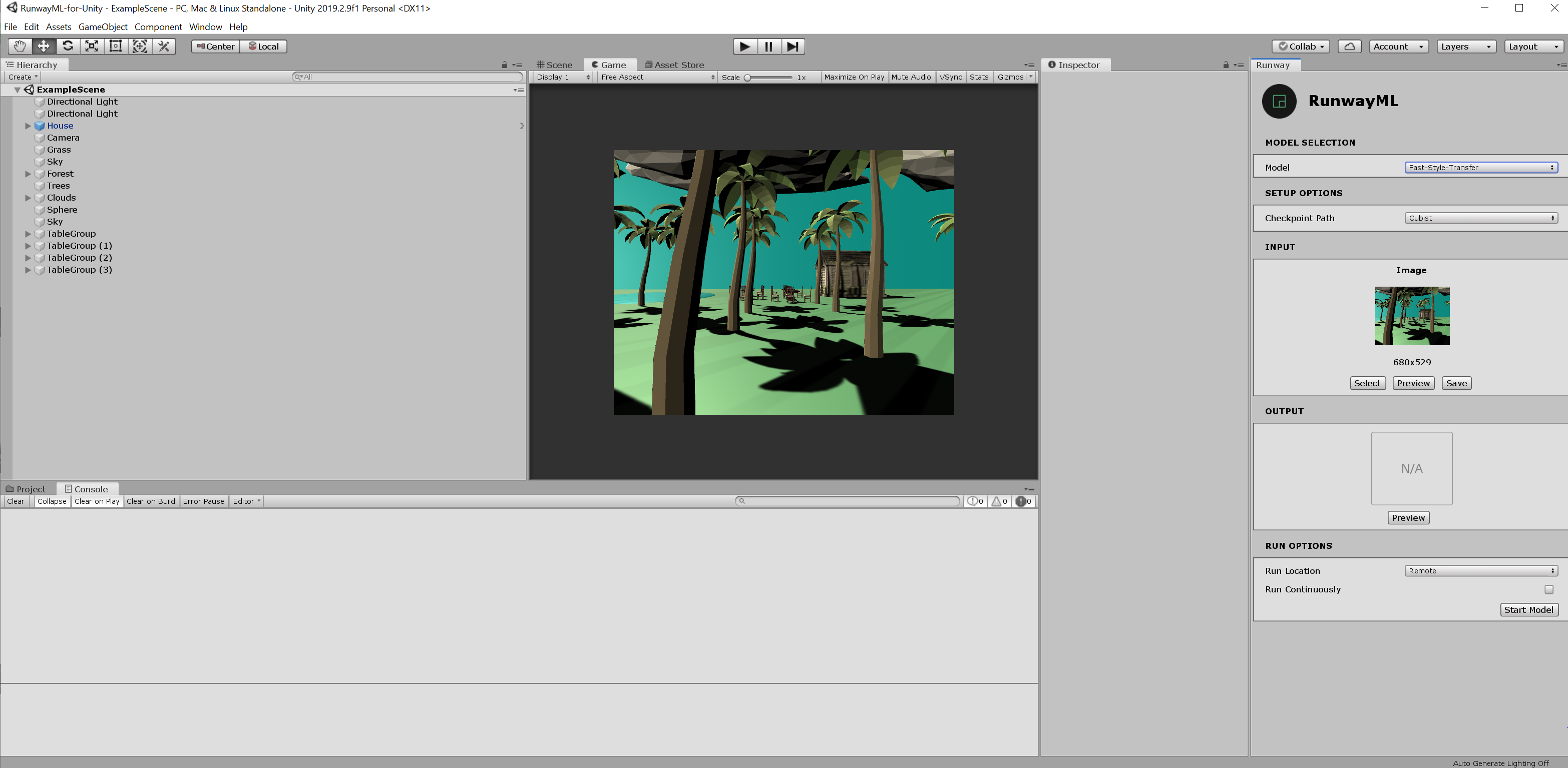
Here is a screenshot of the GUI. If you need anything more speceific let me know!
Thankyou.
Thank you for sending the screenshot.
Everything looks good from the screenshot, I'm adding @agermanidis to help debug.
Just tried with the new version, 2019.2.10, and it doesn't seem to work either.
There is an update, though! Everytime I press the "Start Model" button in Unity, 5 cents are removed from my available credits in Runway.
UPDATE!
I logged in and out of my Runway account in the software and reinstalled Unity version 2019.2.10f1. It seems to be working just fine for now, at least for the preview and while unity is not in "play" mode.
Folowing that train of thought, Is it supposed to work in Play mode?
Thank you!
Hi @lacouture100! The plugin should work both in Edit and Play mode. Are you getting any errors when running it Play mode?

Hi! @agermanidis, I apologize for the late reply. I do not get any error messages at all in the console.