

 ruffle-rs
Text Not Displaying Right
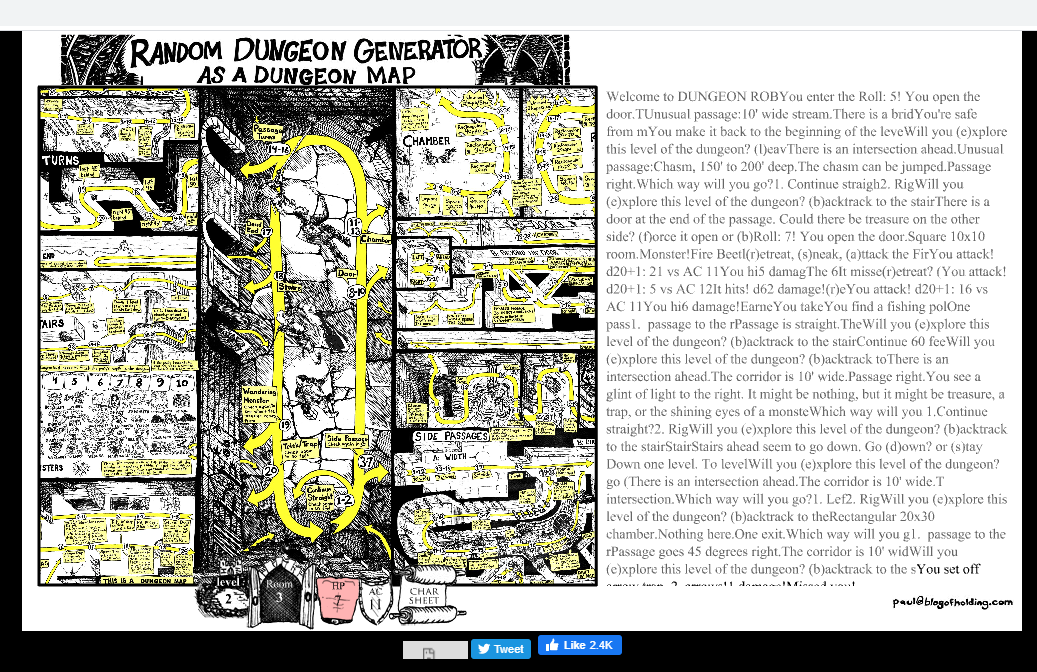 https://blogofholding.com/dungeonrobber/index.php
It's one of those text-based adventures where it gives you options, you press a button, and it tells you what happens as a result. The issue is that the text log quickly fills up and the text window doesn't scroll down, so it's stuck only displaying the first few lines. Pretty easy to recreate. If you play around with it for minute, you'll see the problem.
I'm using the Ruffle browser extension (2021-01-31), Google Chrome, Windows 10.

@3mcee,
many thanks for your report.
I’m afraid it might be not as easy to recreate as you imagine (for people who never played similar games before).
If you could provide a concise list of steps on how to reproduce the issue, this might help to get it fixed sooner.
Link to SWF file: https://blogofholding.com/dungeonrobber/randomdungeonmap14.swf.

Sorry, but from your description it isn’t clear what the actual problem is: text not displaying right or text window not scrolling down?
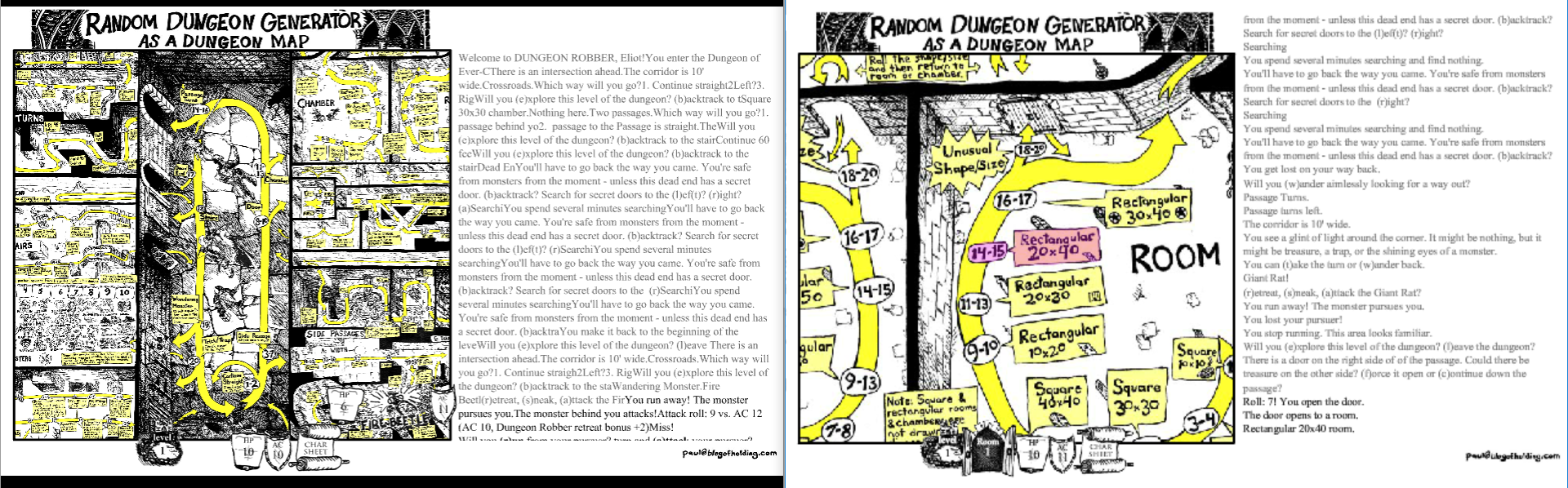
Sorry I don't know how to explain it any better than that, but if you go in and play around with it, you'll quickly see what the problem is as it makes the game unplayable after the text builds up. Looking back at the screenshot, I also noticed the text gets cut off. The game is called Dungeon Robber, and when you first enter the game, the first piece of text is "Welcome to DUNGEON ROBBER, player name." but if you look at the screenshot, it says "Welcome to DUNGEON ROB" and then it just immediately continues printing another piece of text on the same line.
Ruffle demo version 2021-02-01 running in Chrome on left, Flash Player on right:
"What the heck is this?"
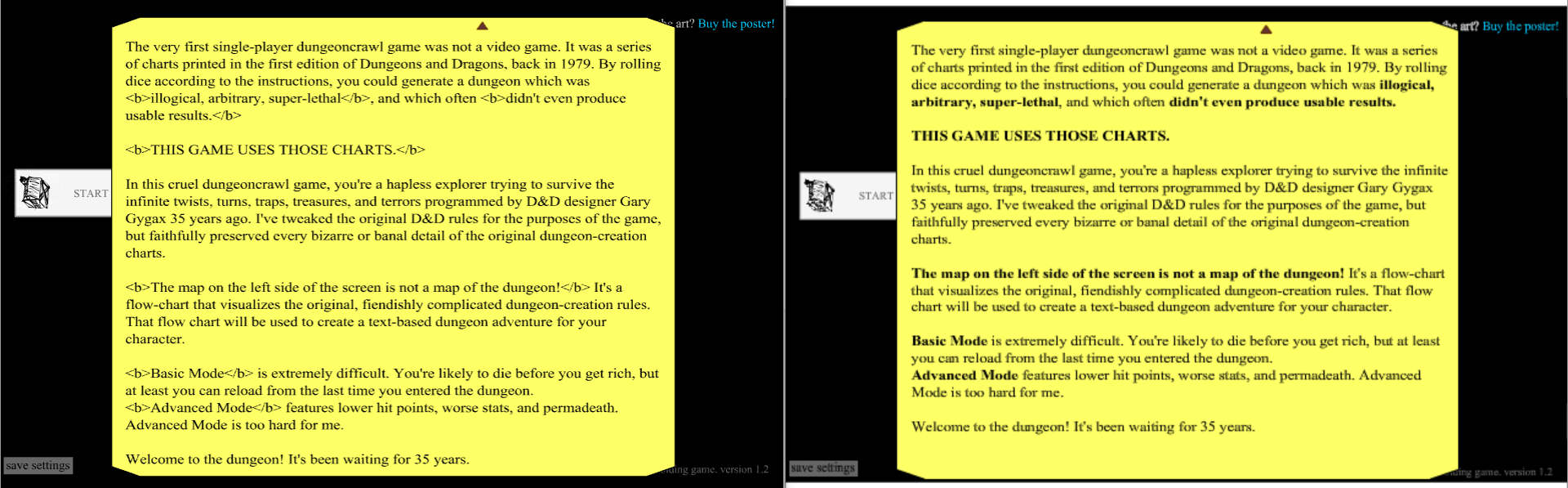
Note: don't judge how the text is rendered with my screenshots. Flash Player will always look bad because I have a high DPI screen.
Pressed "start new game" on main screen. Attempted to edit name in Ruffle to match Flash Player's default randomly generated name. Cursor won't go away after clicking outside of Chrome, while clicking outside of Flash Player makes its cursor disappear. The name was not actually edited.
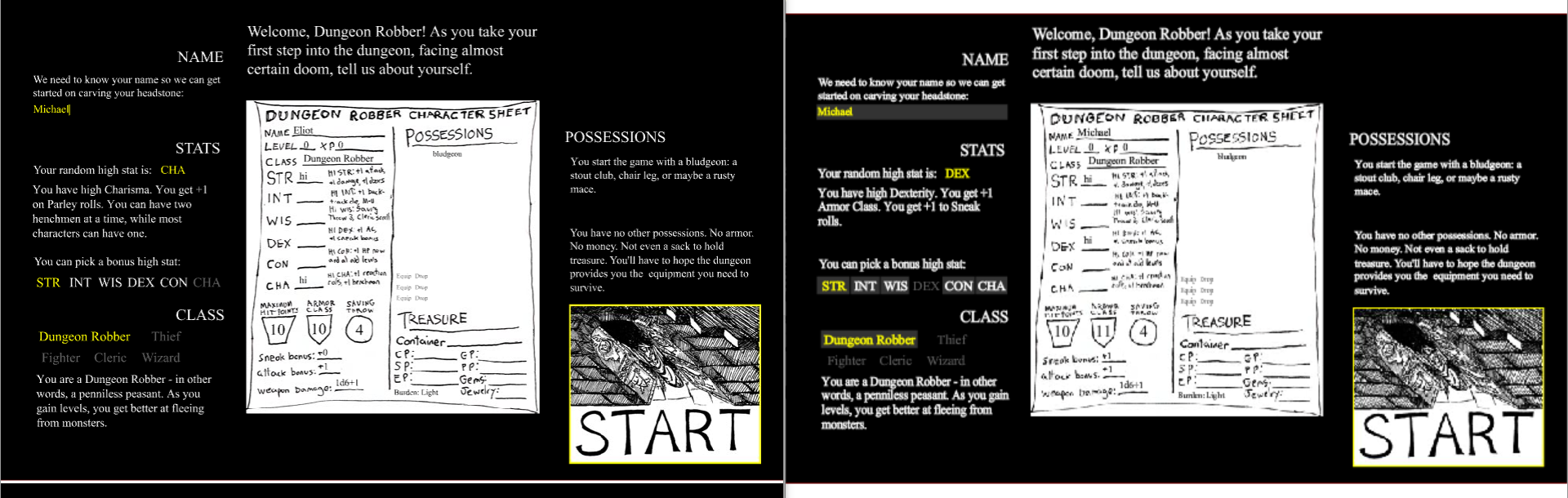
I can't see the buttons to keep or reroll the die.
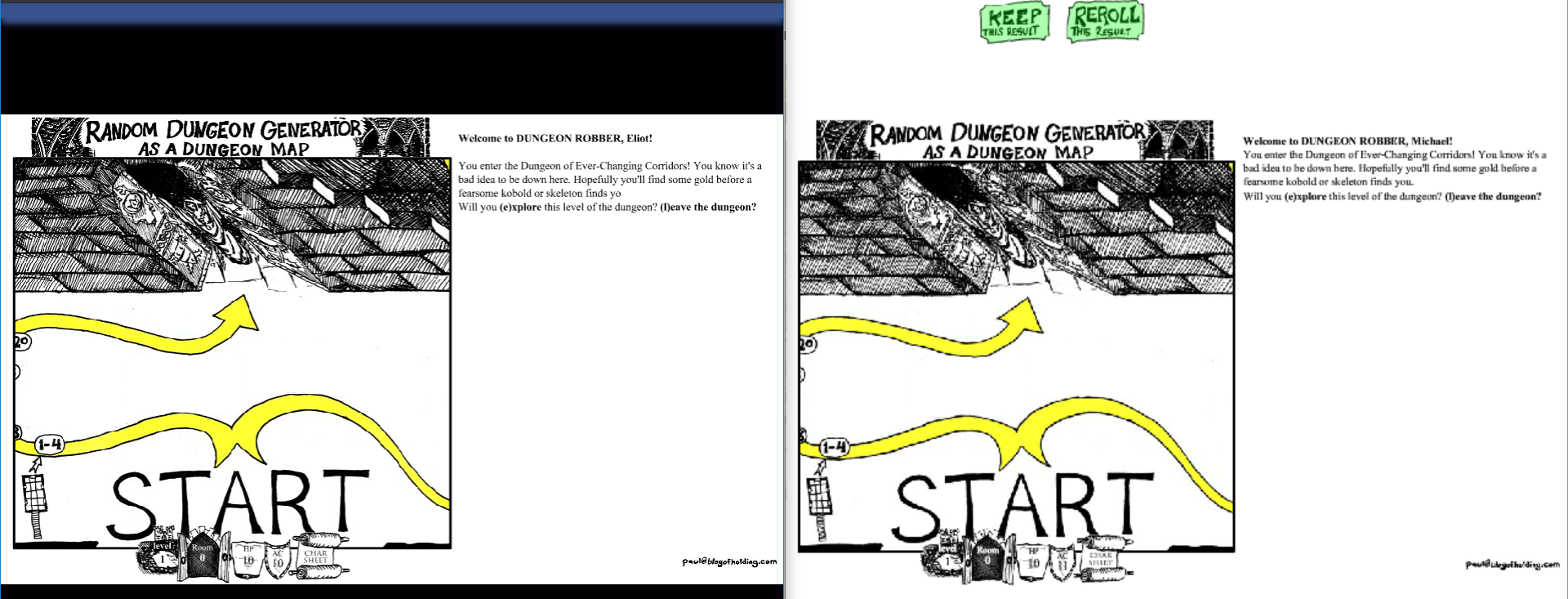
Text that should start on a new line doesn't. The text should automatically scroll down when new text is added, but is instead cut off on Ruffle. Text cannot be selected in Ruffle, while it can be in Flash Player.

All of these problems seem to be fixed now, except that editing the player name still doesn't actually change it in Ruffle. The "Keep" and "Reroll" buttons are outside the bounds of the stage so I don't think they're supposed to be visible. When playing the game on the website, I don't see the buttons in Flash Player or Ruffle.

