

 rstudio
Discrepency between HTML and Slidy when using tabset
I screenshotted my actual results not the example code
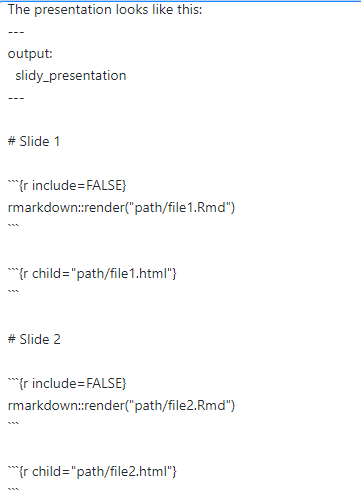
both Rmd files look like this:

How the tabs look in the HTML document:

The presentation looks like this:
How the tabs look in Slidy document:
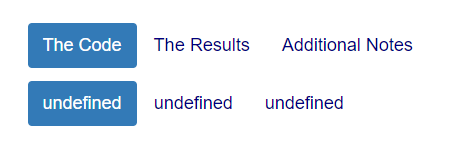

the amount of extra rows generated depends on how many times you call the render function in the slidy presentation code. If i render an empty Rmd file and then include it in a slide, I will get an extra row (even though there is no tabset in the empty code).
the reason I need to render the document and then set the child to the generated html is because if I set the child to the Rmd file then slidy will not recognize the tabset delimiters and use them as slide delimiters within the presentation. Setting the tabset delimiters within the HTML documents to more pound signs makes it so that slidy treats them as headers. Furthermore, theres a limit to the amount of pound signs one can use before they become text and tabset does not recognize unique tab delimiters such as "&".
using something like:
<div class="section level1 tabset">

<div id="first-tab" class="section level2">
<h2>The First Tab</h2>
I'm the first tab
</div>

<div id="second-tab" class="section level2">
<h2>The Second Tab</h2>
I'm the second tab
</div>

</div>
does not work either. the extra rows still appear
okay... appears I was wrong about the cause of the extra rows. It does not depend on how many times rmarkdown::render was called but rather how many times {r child="path/filename.html"} is called. Since I already had the htmls rendered from before I figured I'd try taking the render step out and I still got extra rows.
I made sure that my files were in the same directory and that did not resolve it.
okay... getting closer to the source! The extra rows are exactly dependant on how many times specifically HTML files are called as children. i.e {r child="path/filename.html"} .
Calls to {r child="path/filename.Rmd"} does not produce extra rows. But also does not create tabs in the slidy document. Quite a catch 22
@Yevean did you make more progress on this? If you could sum up what you have and what you're still missing, we could probably provide some helpful input.

I encountered the same problem as @Yevean did. Did you find any solution to this problem yet?

Is it still the case that it is not possible to have tabset working in ioslides_presentation or slidy_presentation?

Hi, I'm also looking forward to a solution on this. Besides calling child I tried pasting HTML directly and it only works (no undefined rows produced) when there is one html document with tabset pasted. Nothing worked so far.
