

 rsms
rsms
Uppercase I with ss02 has slighlty incoherent height on Firefox
Describe the bug
With a modern version of Firefox (89.0 on Linux Mint) we're seeing slightly incoherent height for the capital I with ss02 enabled, depending on the font size and weight.
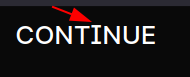
(using the Lab: https://rsms.me/inter/lab/?feat-ss02=1&letterSpacing=-0.1&lineHeight=0&size=29&weight=500)
Our production website:
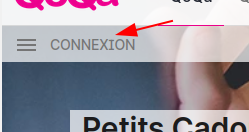
(ref: https://www.qoqa.ch/fr)
This issue isn't seen on Chrome Desktop for instance.
To Reproduce Steps to reproduce the behavior:
- Open the sandbox with Firefox 89
- Set the font-weight to 500
- Enable
ss02 - Increase the font-size until the issue is visible
Expected behavior
The height of the I glyph should be consistent across modern browsers and font-sizes with ss02 enabled
Screenshots See description
Environment
- OS: Linux Mint 20.1
- Firefox 89
- Version 3.18 (and I assume 3.19 if the Lab is running this version)

This also happens in Chromium-based browsers on Android 10-11, at least since Inter v3.15. Similar behaviour in VF mode and/or Italic style.
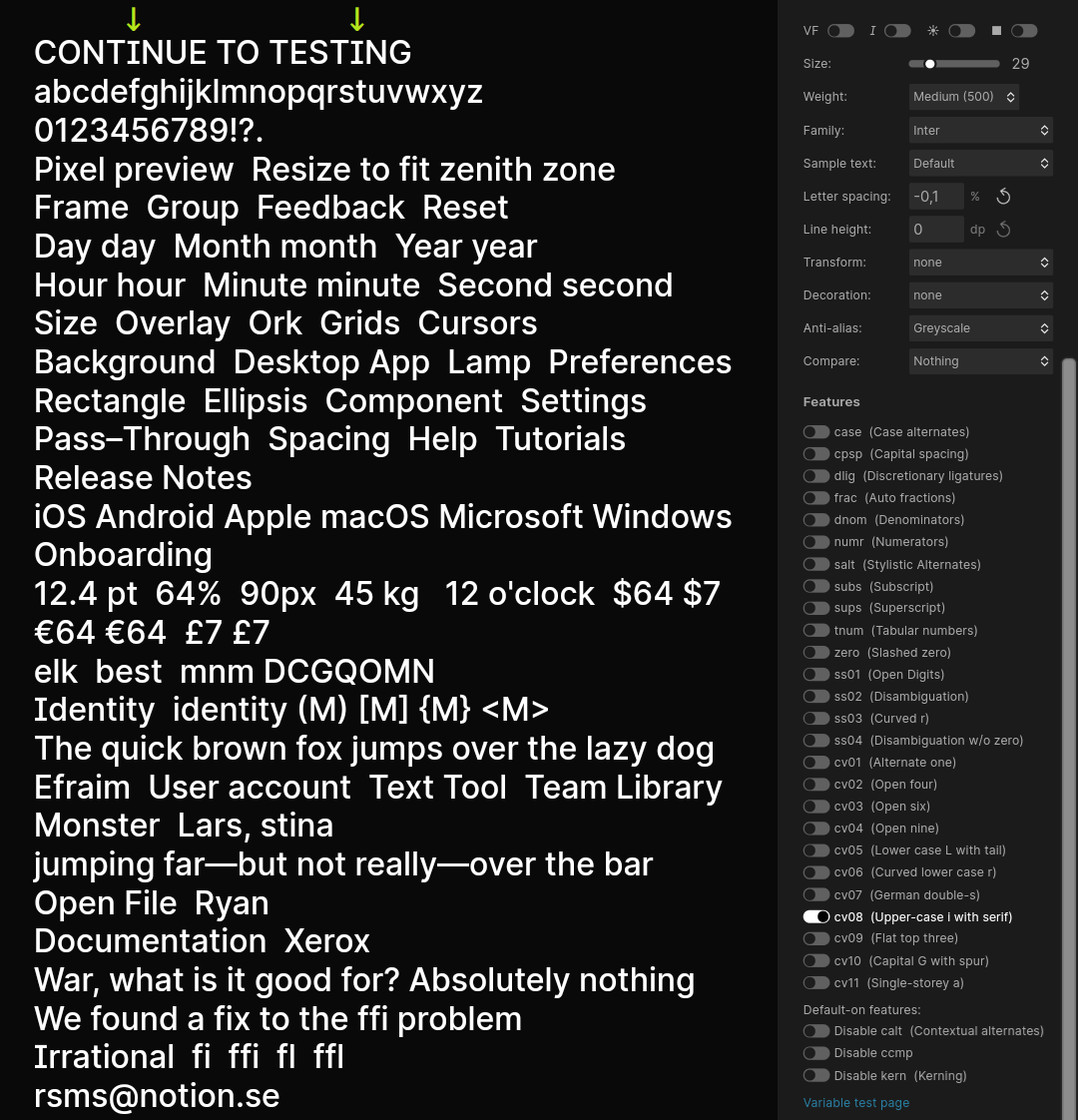


That's wild. This does not repro in other font renderers for me so it must be something specific to the font renderer and its specific configuration you are using. Could you see if your OS has font hinting enabled? (aka "ClearType" and sometimes incorrectly labeled "sub-pixel antialiasing")
Here's what it looks like in Firefox 89 on macOS: (correct and as expected)
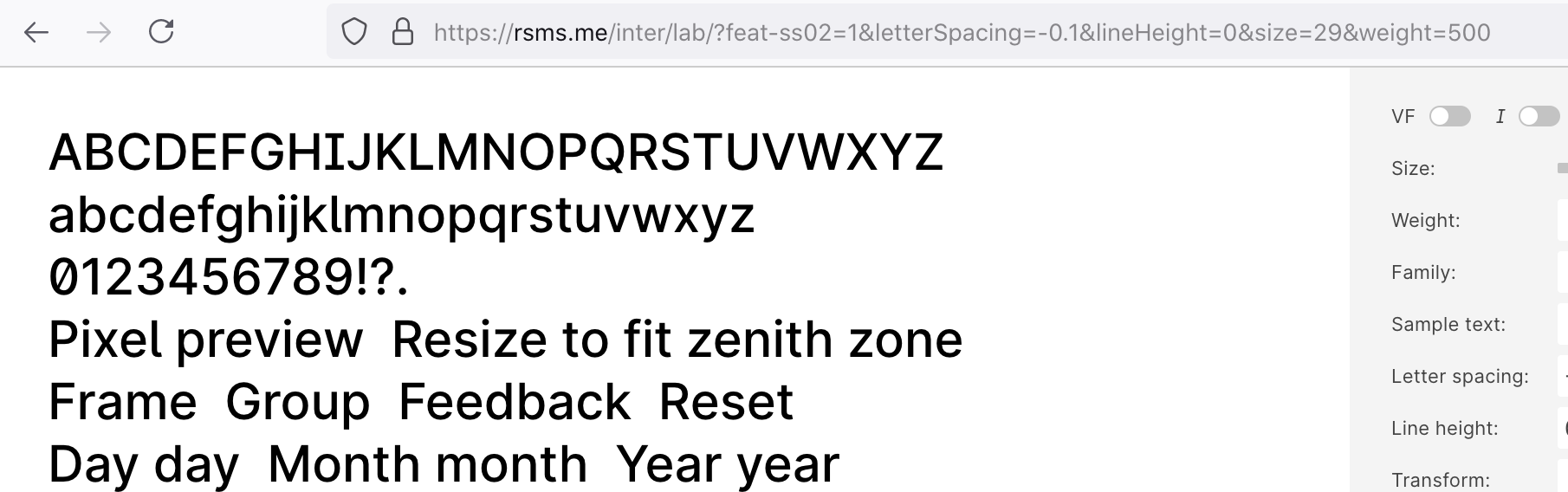

Looking at the font's glyph data, the "I.1" glyph looks correct:
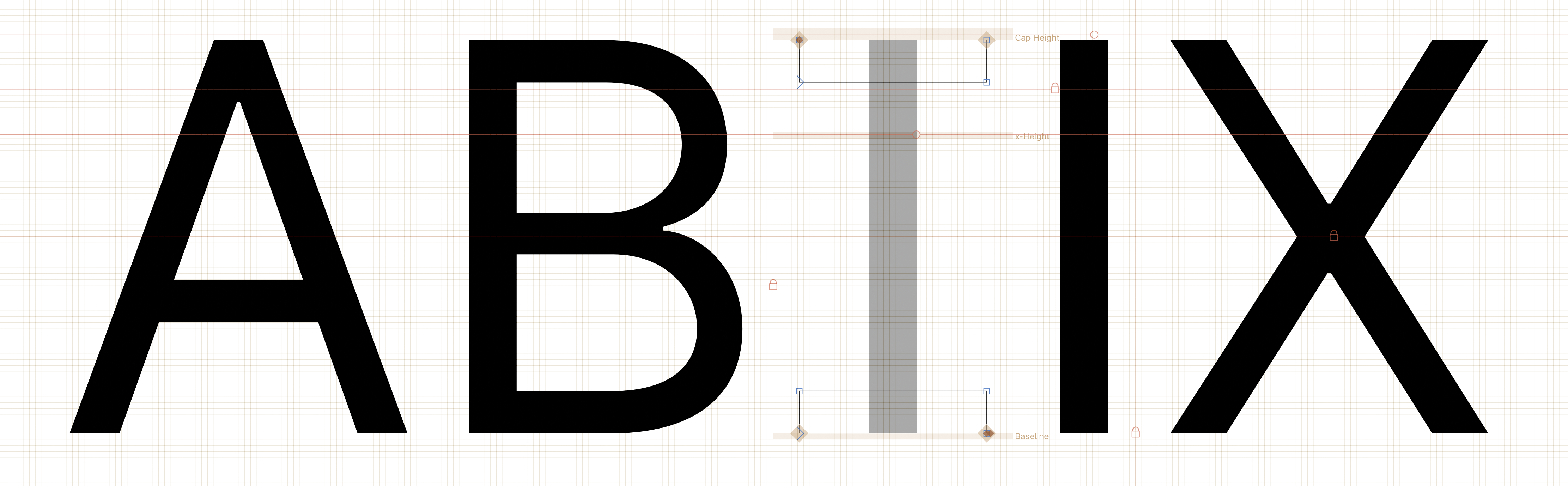
My best guess is that this is an issue with TrueType hints. However, the lab page does not use fonts with TrueType hints, so that leaves your OS and/or Firefox. It may apply just-in-time auto-hinting and then use those guesstimated hinting programs to inform something like FreeType's ClearType-inspired hinter (which isn't great.) That would explain why the top bar of the "I" is raised sometimes and lowered other times.
Upon closer inspection I noticed that the "i" and "j" have a similar issue in your screenshot:
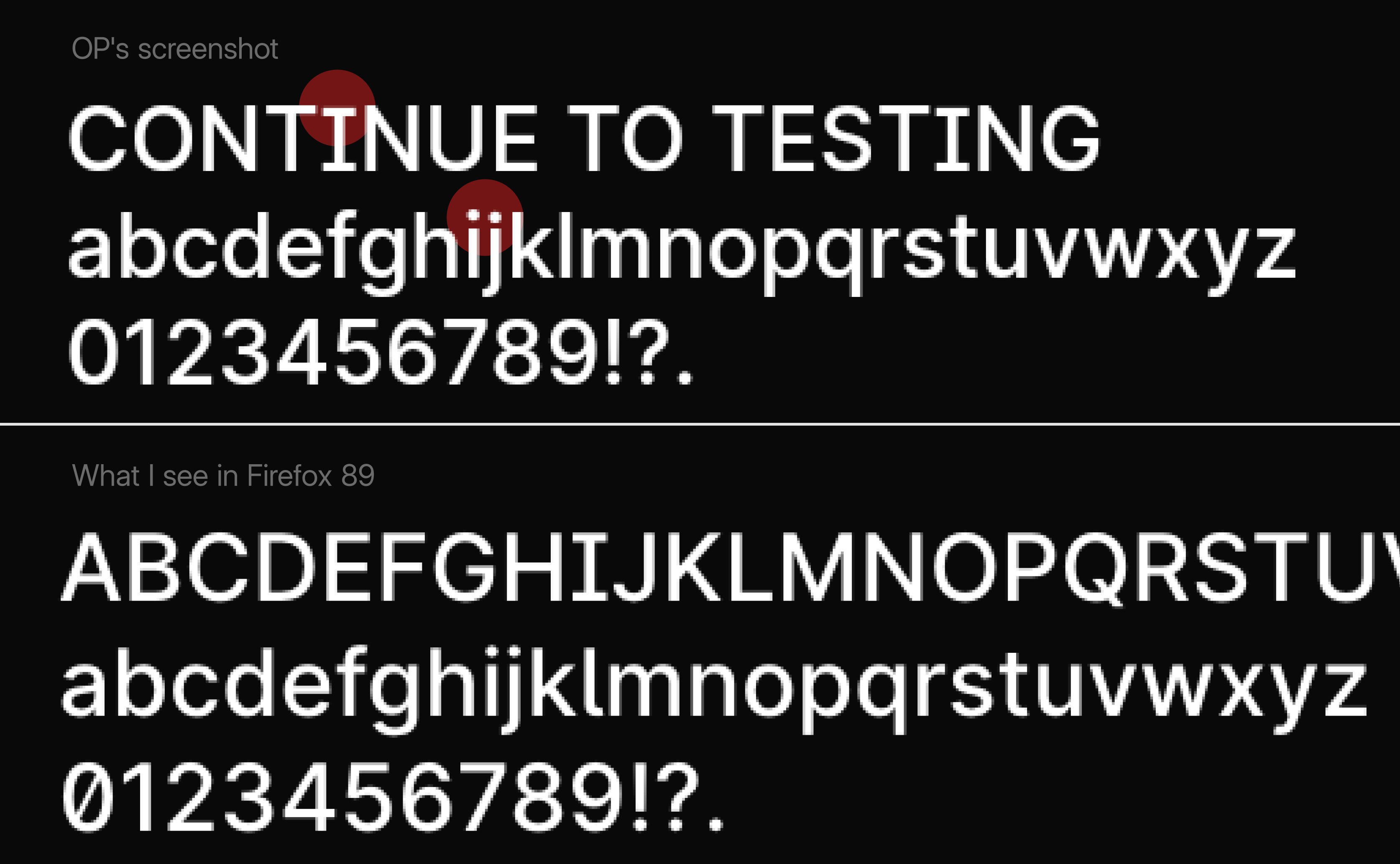
@VladWinner Interestingly the font you are comparing Inter with in the second screenshot also has a incorrectly-rendered "I".
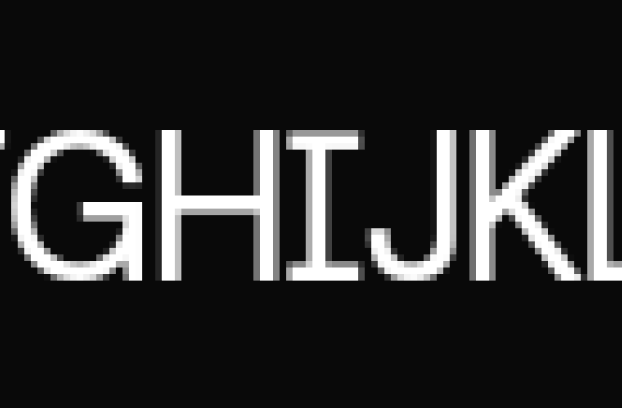
I suspect this is an issue with the font renderer indeed as I can't repro this with either Chrome, Safari, Firefox on Mac, Sketch, Figma or anything else I've tried (that covers the following font renders: Apple ATS, FreeType, Harfbuzz, Adobe.) I really have no idea how to debug this and it might not even be related to Inter (since a similar issue is present in a different font.) Maybe worth filing an issue with the Android and Mozilla teams.
However, the lab page does not use fonts with TrueType hints, so that leaves your OS and/or Firefox.
I also can't repro this with latest Firefox (Windows 10) or any other browser in Windows 10:
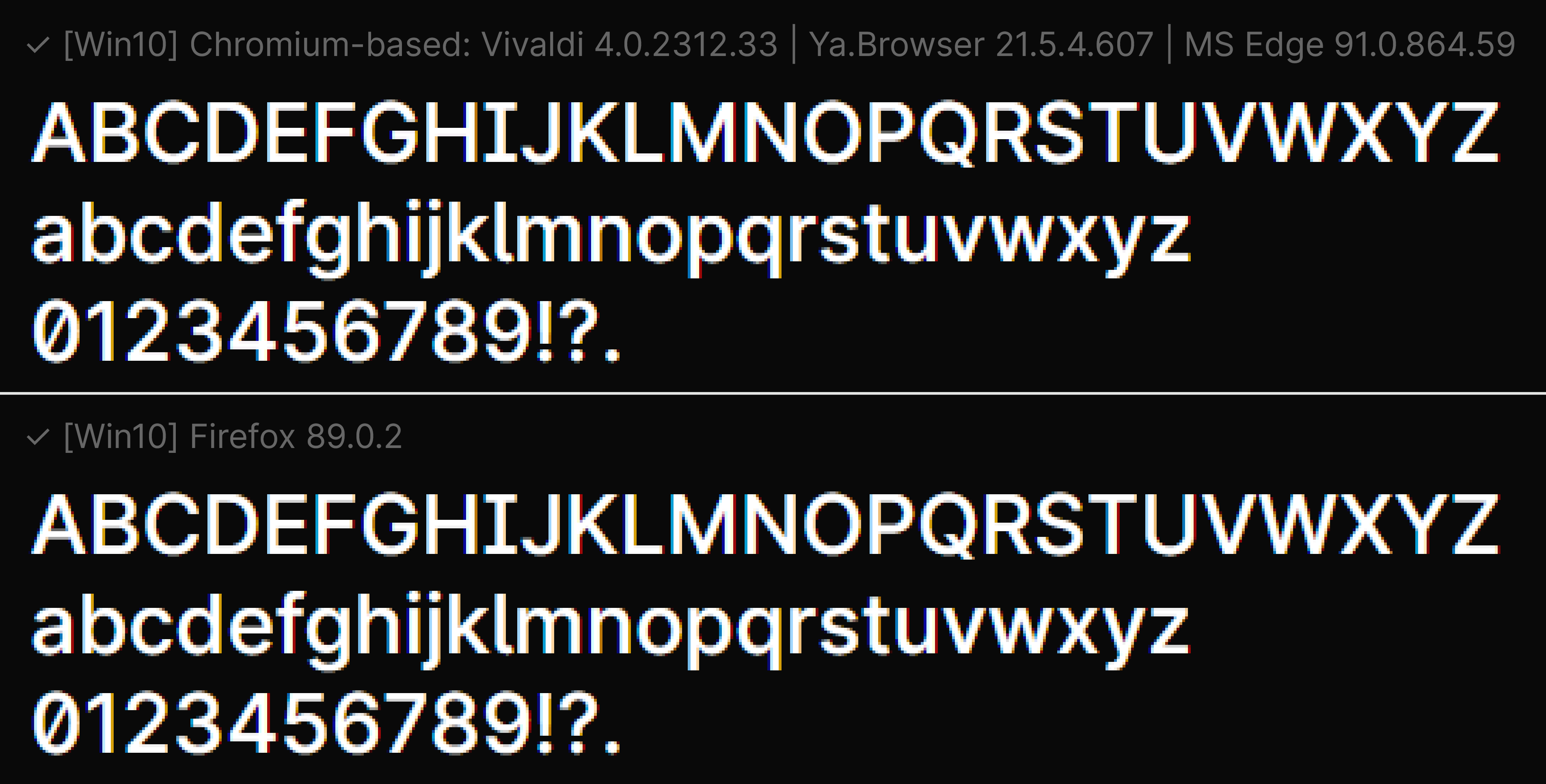
So most likely this problem occurs only with Android and Linux font renderer:
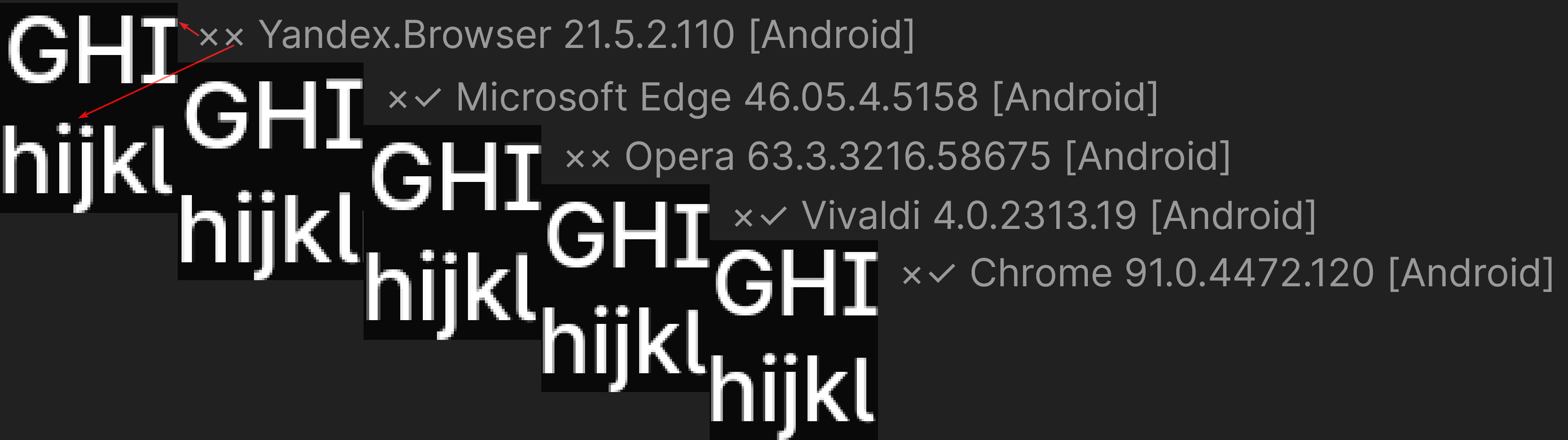
So most likely this problem occurs only with Android and Linux font renderer
I concur, I haven't been able to reproduce it on Windows or macOS (using Browserstack) and I do not see the issue either on Chrome or Opera on my GNU/Linux system.
I've also played a bit with Firefox font settings without being able to pinpoint the culprit. It does seem to be some Firefox weirdness as pointed out by @rsms (thanks for the replies and investigation BTW mate!).