

 rsms
rsms
" " (space) is not compatible with Microsoft Publisher
Issue When using the font in Microsoft Publisher the whole text box disappear when a " " (space) is typed.
To Reproduce Type a " " (space) in Microsoft Publisher.
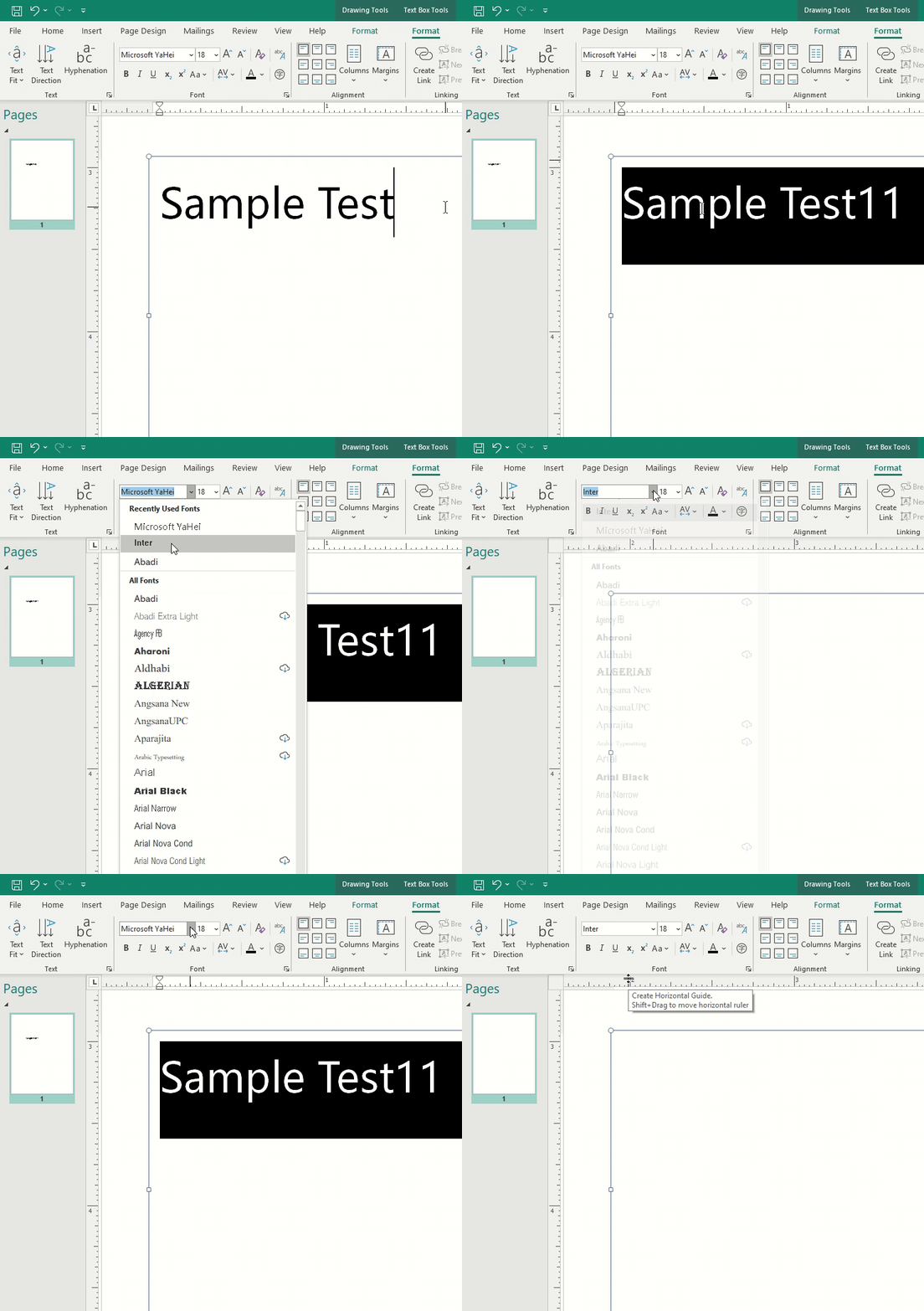 Thanks to Arck Tang on the Microsoft Community forums for providing the gif.
Temporary Workaround
Using alt+255 will create the desired result. This is however not a solution.
Environment
- OS: Windows 10 Pro
- Microsoft Publisher (Office 365)
- Version 3.15

This is bananas! I can't even guess what bug might be causing this. I really doubt this is it because it would be such a dumb implementation, but if the program maps glyph names in the font metadata to some predetermined names like "space" it would not be found in Inter since glyph names are generated by ufo2ft and has names like "uni0020".

After some digging the following has been found:
- The Google Fonts version of Inter is working. https://fonts.google.com/specimen/Inter However, since this is a slimmer (older, perhaps?) version it doesn't fully solve the issue. It can hopefully help someone figure out the underlying issue though.
That's good to know! Thank you for trying that. So that rules out the "space" glyph name theory. Good. Recently some issues affecting Microsoft products have been addressed but a new release has not yet been cut with those changes. Here's a build with these fixes. @Drufsen would you mind trying these font files and see if that makes it work for you?
Inter-3.15-text-034e568938.zip
I'm sorry I can't help. If someone using Microsoft Publisher who has experience debugging font issues could help, that'd be great.
@Drufsen
I can't confirm this bug in the latest version of Microsoft Publisher (Office 365, 18.2104.12721.0).
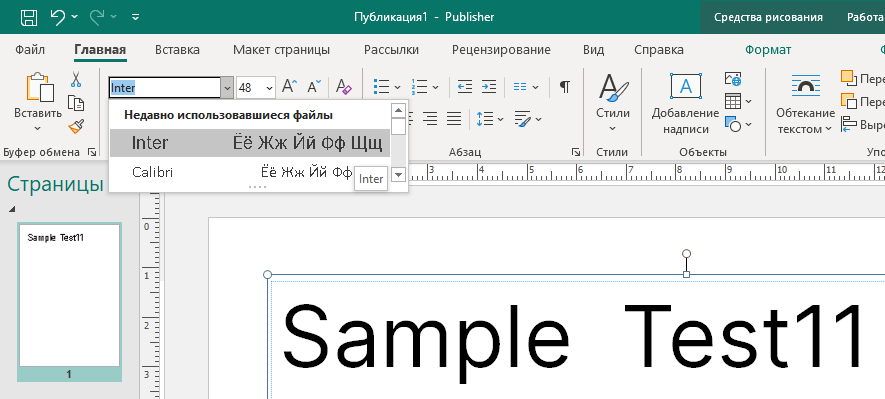
According to your GIF, Inter font is not loading correctly from fonts system folder, which may indicate that you installed several versions using "dirty install":
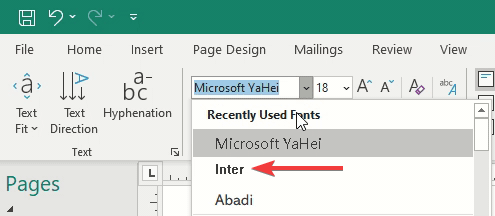 So this can happen if you install a new version of the font after the old one. Try using a clean install (with pre-removal of old versions).
If my theory is correct, then this issue can be closed.
So this can happen if you install a new version of the font after the old one. Try using a clean install (with pre-removal of old versions).
If my theory is correct, then this issue can be closed.

I ran into this problem today after I installed the font family for all users (by selecting all fonts inside the unzipped folder > Inter Desktop).
After some tinkering, I was able to solve this problem by uninstalling all Inter fonts from the Fonts section in the Control Panel, then returning to the Inter font zip from the official site.

Now instead of installing all the fonts the way the readme.txt says to, install just the .ttf from the Inter Variable folder. I did this by double clicking and hitting Install instead of the right click menu, but maybe that works too.
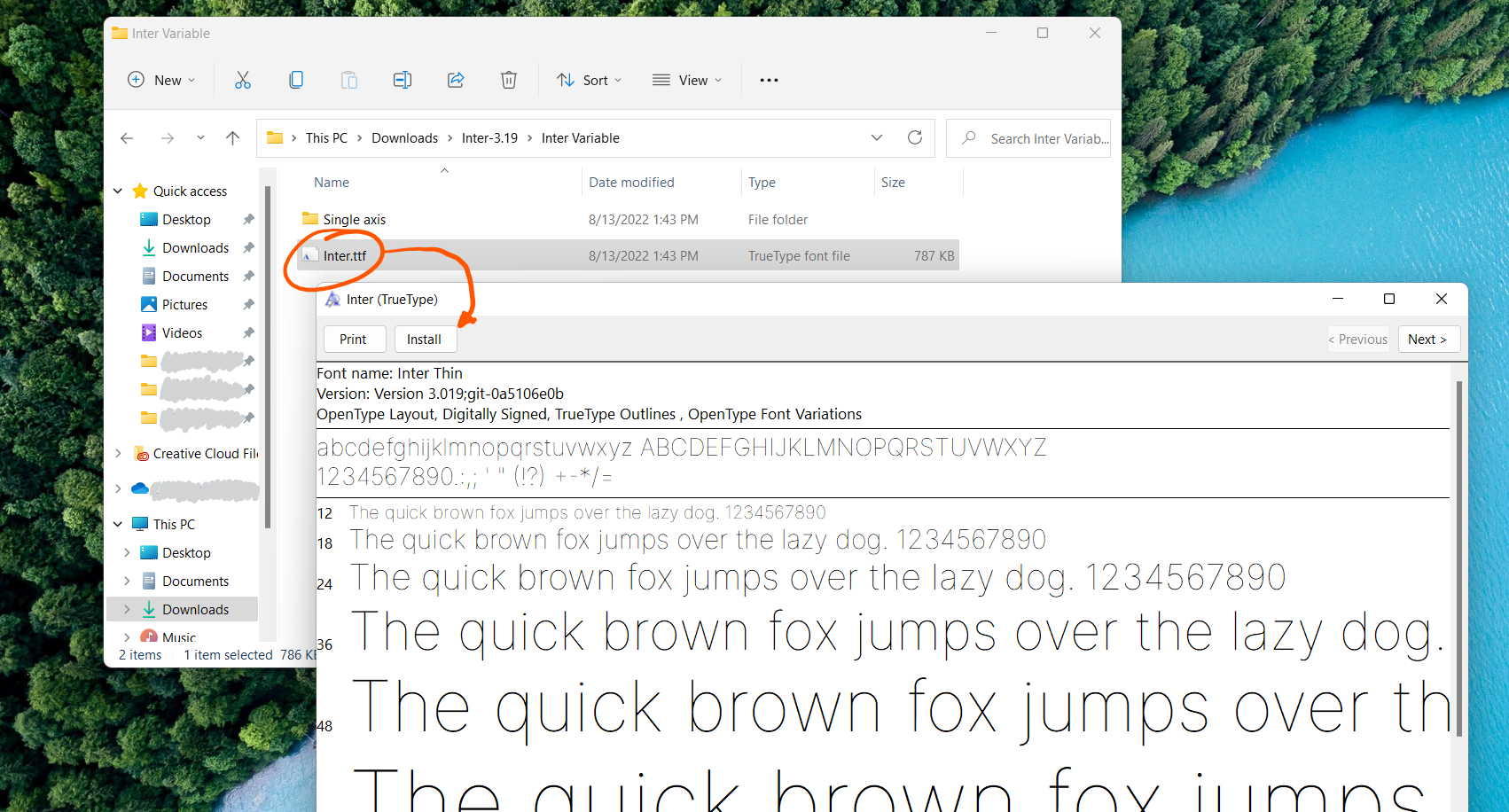
I'm not sure if this may have other issues (this method doesn't install the Inter V fonts, I'm not bothered by that though), but it made this space problem go away for me when I reapplied the Inter font to my text in Publisher. If this solution works for anyone else, let me know!
