

 roy2220
Loading paths from /etc/paths and /private/etc/paths
Thank you for this workaround! I love it.
I've noticed that when I set the "shells open with" command to /bin/zsh in terminal.app > preferences > general, paths in /etc/paths and /private/etc/paths are loaded, as is expected on macOS.

However, if I change the "shells open with" command to /full_path_to/osc52/pty /bin/zsh, shells open correctly as expected, but the paths from /private/etc/paths are no longer in my $PATH. I don't know how or when these paths are added to $PATH, and it's easy to duplicate them in a .zshrc file or something, but I'm wondering if there's a more elegant solution.
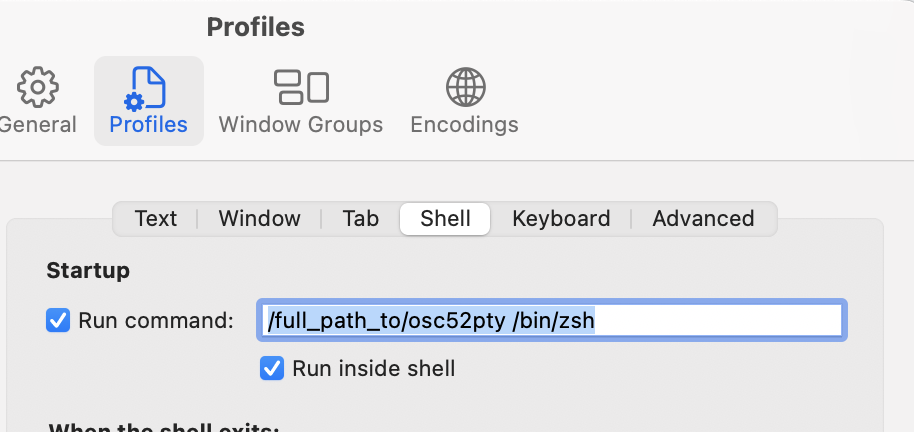
As a workaround, I can instead choose use default shell, and in settings > profiles > shell set startup run-command to /full_path_to/osc52pty /bin/zsh, with run inside shell checked. However, this opens zsh twice.

Thank you for this workaround! I love it.
I've noticed that when I set the "shells open with" command to
/bin/zshinterminal.app > preferences > general, paths in/etc/pathsand/private/etc/pathsare loaded, as is expected on macOS.
If you want to start up your shell this way, you may want to specify -l for a login shell instead. That way, you keep your normal settings.
~/go/bin/osc52pty /bin/zsh -l
Personally, I only need this when connected remotely. So I can use osc52pty ssh ... to only wrap the ssh session.
