rougier
Refactor theme to be used with `load-theme`.
The main nano theme has been converted to a macro and the code moved to a new nano-theme-support.el file. That macro is now used to generate the light and dark theme. Those can be now loaded using M-x load-theme RET nano-light and M-x load-theme RET nano-dark.
A new nano-theme has been added that will automatically choose the light or dark style according to the frame background mode. It can be loaded using M-x load-theme RET nano.
This should fix PR #8.

Thanks. Does that mean I still can have one frame using dark theme and another frame using light theme? Also, would that be possible to use 'git mv nano-theme.el nano-theme-support.el` such as to have a lighter PR? Last question, did you signed the Emacs copyright assignment (sorry for asking, but I don't know if there's a public registry).

Does that mean I still can have one frame using dark theme and another frame using light theme? I just tried that and there are some issues with that, it would be nice if you could give it a shot, maybe you'll spot what's wrong in the theme faster then me. Also, would that be possible to use 'git mv nano-theme.el nano-theme-support.el` such as to have a lighter PR? Sure! Last question, did you signed the Emacs copyright assignment (sorry for asking, but I don't know if there's a public registry). Yup I did.
So wait a bit, I'll do more testing with different frames :)
Hello,
I rebased this pull request and cleared up the frame vs global theme switching. There are now two types of functions:
-
nano-theme-frame-toggle,nano-frame-darkandnano-frame-lightthat switch theme only for the current frame -
nano-theme-toggle,nano-darkandnano-lightthat changes the global theme and update all frames that have not switched using the previous frame function. So if you open 3 frame, and donano-theme-toggle, the 3 frame switches. Then if you donano-theme-frame-togglein one of those, only that one will change. Then if you donano-theme-toggleagain, only the 2 frames that have not been manually switched will change.
The M-x load-theme commands now works as expected.
All theme have to be defined in files named <theme-name>-theme.el which explains why I had to create the new nano-theme-support file.
I have signed the Emacs copyright assignment.
Seems to work nicely. Only problem is initial loading of the theme that does not seem to enforce the font settings (I get 'bold for bold instead of 'medium). If I applied the theme or toggle it, then weight is correct.
It seems to be working here:
emacs --debug-init -q --eval '(add-to-list '"'"'load-path "~/.emacs.d/pkg/nano-theme/")' --eval '(setq custom-theme-load-path '"'"'("/home/dam/.emacs.d/pkg/nano-theme/"))' --eval '(setq nano-fonts-use t)' -l ~/.emacs.d/pkg/nano-theme/nano-theme-support.el --eval '(load-theme '"'"'nano t)'
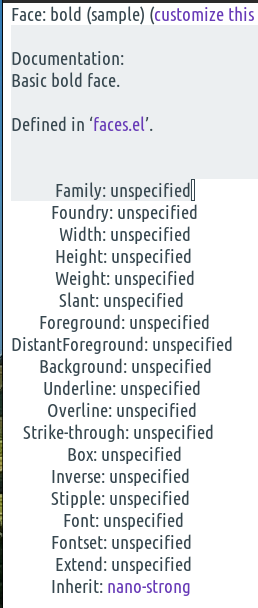
Then M-x describe-face bold:
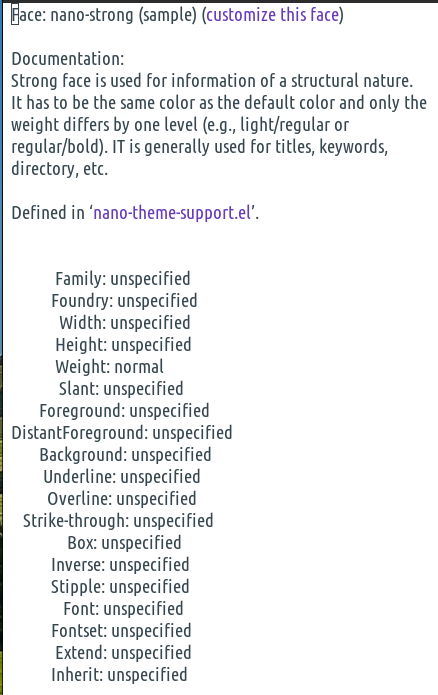
Then M-x describe-face nano-strong: