

 root-project
See "full" geometry
Hi @linev!
I have exported a geometry created with Geant4 and I'm able to see all of it (wireframed, haven't been able to get it filled) using regular ROOT with something like:
import ROOT
g4 = ROOT.TGeoManager.Import("g4.gdml")
g4.GetTopVolume().Draw()
ROOT.gGeoManager.SetVisOption(0)
ROOT.gGeoManager.SetVisLevel(10000)
g4.GetTopVolume().Draw()
Now, I can save the geometry or the canvas in a .root file, but when opening it with JSROOT I'm not able to see the full geometry, no matter the drawing option used. I'm not sure if JSROOT supports the SetVisOption attribute, or if it does how it could be set by clicking around. Would it be possible to expose the gGeoManager object somewhere just as it's done with the gStyle one?
Thanks!

Strange. Can you provide g4.gdml file?
By default JSROOT tries to use same settings which are applied for normal geometry drawing. Try to export geometry to ROOT file after your draw it in ROOT session.
Also there are many draw options which can be specified for the geometry drawing. See:
https://github.com/root-project/jsroot/blob/master/docs/JSROOT.md#geometry-viewer

I've been playing around a bit more and it turns out that this is a problem with only some of my implemented geometries, as others I can see fully after exporting them to a ROOT file. I'll try to find out what's the problem with those geometries and report back!
Here's a sample GDML file. (I had to change its extension to .txt to be able to upload it.)
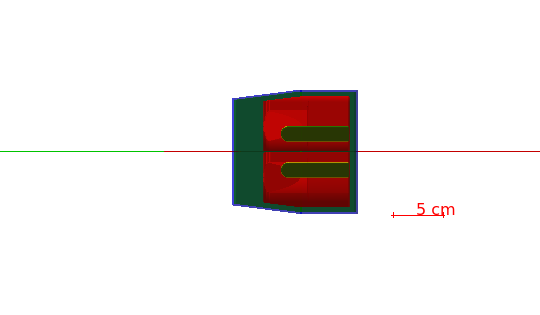
Here's the visualization with Geant4 (Qt):
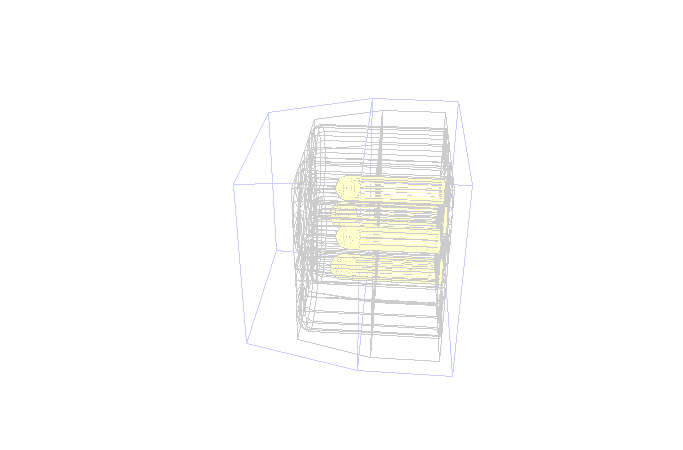
Here's the visualization with ROOT (with fVisOption = 0 and fVisLevel = 10000):
And here's the visualization with JSROOT (with all option and clipping):
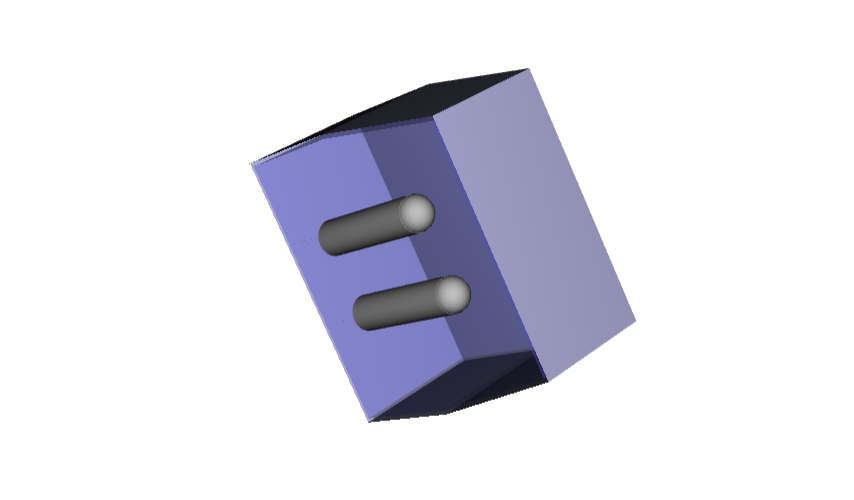
With JSROOT I can't seem to find a way to see the Clover leafs no matter the option used to draw the geometry. The closest I got is the picture above. I have other problems with other geometries, but I think this is the simplest one. To clarify, the file I loaded with JSROOT is the one resulting from running the g4.GetTopVolume().Export("g4.root") command after performing the steps mentioned in https://github.com/root-project/jsroot/issues/244#issue-1337314655.
I see problem. It is wrong assumption in JSROOT - if volume has subnodes shape shape is simply ignored. I will try to fix it
Now I start understands difference.
JSROOT follows logic which is implemented with geometry GL viewer.
You can see it when calling g4.GetTopVolume().Draw("ogl")
In such case JSROOT will reproduce drawing if specify draw option: "&opt=vislvl10" in url.
Or if you export geometry after drawing - JSROOT will use "kVisOnScreen" bits and show only volumes which were drawn by GL.
Seems to be, plain geometry drawing always draw bounding volume as mesh. Maybe such option can be implemented in JSROOT extra.
And last point - composite shape used in the geometry not always can be handled by JSROOT. It is combination of sphere and cylinder. Most probably there is lost of floating precision plays the role.
Ok, I see, thanks for the help! It would be really nice to be able to visualize a full geometry (all nodes and sub-nodes at once) with JSROOT.
I checked again your example.
One can produce output like your first picture using wire (wireframe) draw option:
https://jsroot.gsi.de/dev/?file=../files/tmp/g4.root&item=Default&opt=wire
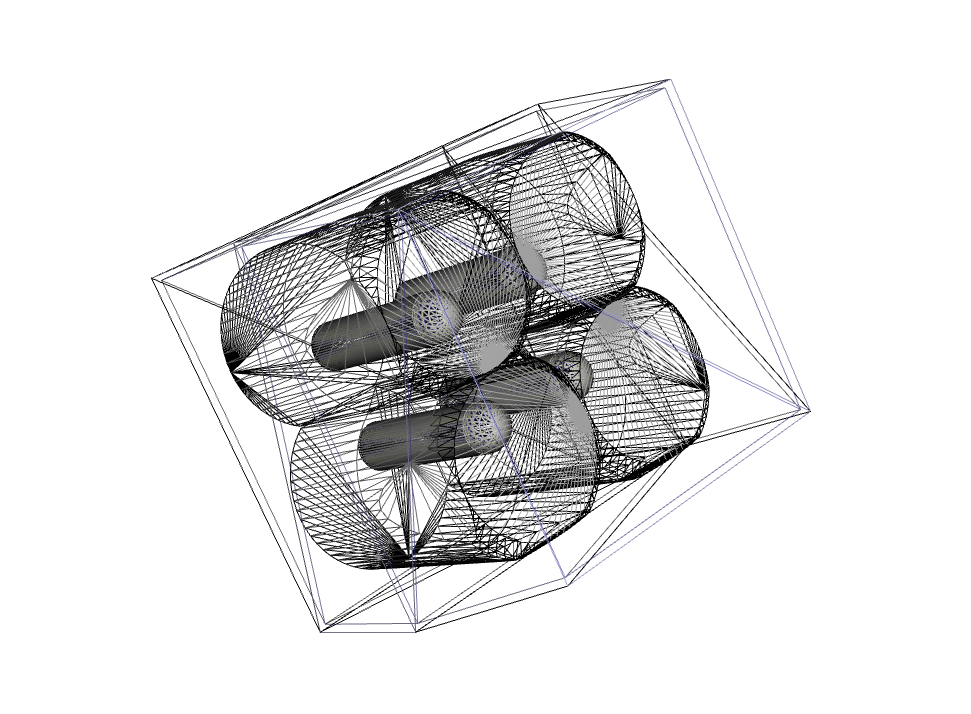
With normal drawing one just not able to see embedded volumes - only by clipping them:
https://jsroot.gsi.de/dev/?file=../files/tmp/g4.root&item=Default&opt=clipx_ctrl
I guess this is the only option we have.