

 rome
rome
glob argument behaves inconsistently
Environment information
Rome 11.0.0-nightly.fab5440
What happened?
If I run this from terminal:
node_modules/rome/bin/rome ci client/src/**/*.ts --colors=force
I get lots of errors, which is correct as it traverses the directories properly according to the ** part of the blob:
Checked 336 file(s) in 466ms
Found 456 error(s)
But I run the same thing from child_process.exec in a node script, based in the same directory, I only get:
Checked 13 file(s) in 20ms
It's like it's ignoring the recursive part of the blob, as 13 files would have been correct if the blob was client/src/*/*.ts
Expected result
It should behave the same way whether I call it from child_process.exec as it does if I do it directly from the terminal.
Code of Conduct
- [X] I agree to follow Rome's Code of Conduct

It highly depends how you're running child_process.exec and where. Rome uses the working directory as the base directory to traverse the files. If you get different results, it's probably because there are different directories.

I ran in the same root directory as my node_modules folder, which has Rome installed. The globs are relative to the same path whether run from script, or from terminal.
See zip with sample JS file I am testing with
Ok so the situation is now even more bonkers. one of my developers ran the exact same code from his terminal:
node_modules/rome/bin/rome ci client/src/**/*.ts --colors=force
It only says it's checked 13 files. Yet, when I run it, I get Checked 335 file(s) in 72ms Found 30 error(s).
He's on the exact same git commit hash as I am. Same dependencies freshly installed. Same OS.
How is that even possible???
There's clearly an issue with how the glob argument is being processed, that glob should definitely be picking up more than 13 files, it seems to not be treating the two asterisks correctly and looking recursively.
@jpike88 The glob doesn't work, I am having issues linting my files with src/**/*.{ts,tsx} as well.

this no longer seems to be a problem for us, @geekmidas maybe your problem is due to you using a more advanced glob syntax. Maybe need to create a new issue about it. also worth ensuring you're on the latest nightly build as well
reopened as now I found how to make it happen.
if running from terminal, I get the right amount.
Checked 335 file(s) in 63ms Found 27 error(s)
if I run below function using gulp (in same base directory):
const runLint = (filePath) => {
	return new Promise((resolve, reject) => {
		const proc = child.spawn(
			`node_modules/rome/bin/rome ci client/src/**/*.ts --colors=force`,
			{
				stdio: 'pipe',
				shell: true,
			}
		);
		let output = '';
		let err = '';
		// @ts-ignore
		proc.stdout.on('data', (d) => {
			output += d;
		});
		// @ts-ignore
		proc.stderr.on('data', (d) => {
			err += d;
		});
		proc.on('close', (code) => {
			console.log(output);
			console.log(err);
			process.exit();
			if (code === 0) {
				console.error(chalk.green(`${filePath} PASSED`));
				resolve(null);
			} else {
				console.error('LINTING CHECKS FAILED!');
				console.log(err);
				reject(output);
			}
		});
	});
};
I only get:
Checked 13 file(s) in 23ms Found 3 error(s)
Reopening and renaming issue
That's not entirely correct, you're running Rome from the node modules folder.
Try to change the path, now that you know that Rome will check file from there.
running this from terminal works correctly:
node_modules/rome/bin/rome ci client/src/**/*.ts --colors=force
Running that same command in a node.exec or spawn command from a script based in the same directory that I ran the above terminal command from gives me a far smaller set of results, but the files it does pick up are correct.
Why would that be?
more simple case:
- use the shelljs library
- test.js below:
import shell from 'shelljs';
shell.exec('node_modules/rome/bin/rome ci client/src/**/*.ts --colors=force');
^ only scans the files in client/src/*.ts, does not go beyond that folder.
using npx or npm exec in the above example, still has the same problem.
then run in terminal:
node_modules/rome/bin/rome ci client/src/**/*.ts --colors=force
^ this works recursively
So I am basically unable to include a call to rome cli from my node/gulp scripts.
more info:
included in a testing.yml in my GitHub actions as a simple bash command:
node_modules/rome/bin/rome ci client/src/**/*.ts --colors=force
GitHub actions:
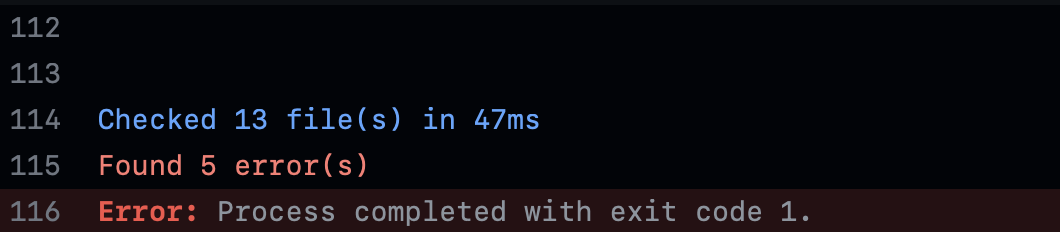
my Mac:

This is bonkers. We literally can't use Rome at all in our CI tests.
@ematipico after more experimenting I just realised... the ** star in the glob argument has inconsistent behaviour because it's not behaving recursively consistently.
If I run it from Mac terminal, it will behave recursively.
If from node.exec or spawn, or even as a normal bash terminal command in GitHub action runner (ubuntu I think), it will NOT be recursive with the double star argument.
This is a Rome bug for sure.
FYI Rome CLI doesn't support glob patterns! I'm sorry for this slip, but I think that's the main issue...
I think the documentation website doesn't mention anywhere that we support globs via CLI. We support unix style patterns in the configuration but do not specify paths in CLI.
Apologies if that caused you issues. I am not going to close it though, because the issue might still happen with regular paths. Let me know.
OK, that's kind of frustrating, it's the first time I've ever used something that doesn't implement globs. I spent way too much time trying to figure this one out!
I have a monorepo with a single Rome.json file in the root directory, just which specifies rules to obey and wanted simple CLI commands.
This part of the documentation is what tripped me up:
INPUTS can be one or more filesystem path, each pointing to a single file or an entire directory to be searched recursively for supported files
This to me implies globs. But now I realise that I just have to pass the directory itself and it will work anyway so I can at least proceed.
Why not just pull in the glob crate and parse whatever goes in to a final list? Seems easy enough to implement. I guarantee this won't be the last time someone runs into this problem, because it's not just a simple case of something breaking outright.
Would a phrase like this:
INPUTS can be one or more filesystem paths, each pointing to a single file or an entire directory.
Make things clearer?
I think an explicit warning that globs are not supported is needed. We’re in JS/TS tooling, webpack, tsconfig etc… globs are used everywhere and assumed to be supported by anything you’re writing a filepath for.