

 roleoroleo
Privacy without error logs in Home Assistant
Hi! The new privacy switch is great, I use it a lot, but I've a "cosmetic" problem with it. When enabled, the Home Assistant log shows a lot of errors because is trying to connect with the camera RTSP or snapshot stream.
2021-09-30 09:14:48 ERROR (stream_worker) [libav.tcp] Connection to tcp://192.168.100.20:554?timeout=5000000 failed: Connection refused
2021-09-30 09:14:48 ERROR (stream_worker) [homeassistant.components.stream.worker] Error opening stream rtsp://****:****@192.168.100.20/ch0_0.h264
Is there a way to tell Home Assistant that the camera image is down, stopped or suspended? In this way it will not try to connect with it I suppose. Thanks!


The generic camera integration (https://www.home-assistant.io/integrations/camera/) has a service turn_off that I suppose internally will do it. But I don't know if it is implemented in some of the real camera implementations.
Thanks for looking at it!!
I can't see errors in the logs. What is the event causing the error? When you use a lovelace card?
Yes, I have one standard lovelace image card (hidden when privacy is on), but I don't need to go to the UI to produce the errors. They appear in the log each few seconds. Maybe it loads the camera in the background? I don't know. I have too a very basic face recognition added on top of the camera: https://www.home-assistant.io/integrations/dlib_face_detect/ I don't know if it can hurt...
What's your debug configuration? Could you try to disable temporarily the face detection feature?
I don't have any debug configuration, so I have it default.
I tried to disable the face detection and the error continues.
This is what I get just enabling the privacy switch:
2021-09-30 16:46:56 ERROR (stream_worker) [homeassistant.components.stream.worker] Error demuxing stream:
2021-09-30 16:47:06 ERROR (stream_worker) [libav.tcp] Connection to tcp://192.168.100.20:554?timeout=5000000 failed: Connection refused
2021-09-30 16:47:06 ERROR (stream_worker) [homeassistant.components.stream.worker] Error opening stream rtsp://****:****@192.168.100.20/ch0_0.h264
It's weird that you can't reproduce it :( maybe if others have the same problem can point to something more...
I think you shouldn't see the error, if you are not "consuming" the stream. Because ha shouldn't open a connection. Is there another client application connected to ha?
No that I'm aware off. It happened to me too when I was using the ONVIF integration and deactivate the camera using the web service.
Do you have enabled the Preload stream? Maybe if enabled the stream is accessed always...
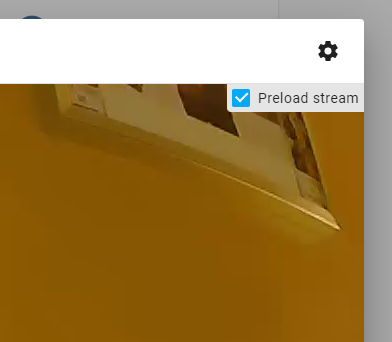
Enabling preload the error appears. But I don't know ho to fix it. turn_on, turn_off, is_on and is_off are already implemented. Do you know a cam that doesn't show errors, I could take it as an example.
No, I don't know of other cameras... Maybe it's a bug on the Home Assistant side?
This issue has been automatically marked as stale because it has not had recent activity. It will be closed if no further activity occurs. Thank you for your contributions.
![github-actions[bot] avatar](https://avatars.githubusercontent.com/in/15368?v=4 "Published by a pub.dev verified publisher")