

 rockerbacon
When pressing play, the game launches normally, but Mod Organizer 2 doesn't show up anywhere
I might be doing something wrong, if so tell me and I'll just close this issue.
Expected behavior:
- After clicking the play button on steam, I expected Mod Organizer 2 to launch.
Result:
- What happens is that a new window pops up, that looks similar to a terminal, saying that the game was launched with SKSE and then the game launches normally.
Steps taken to try and resolve the issue:
WINEESYNC=1 WINEFSYNC=1 protontricks-launch --appid 489830 "$HOME/.config/modorganizer2/instances/skyrimspecialedition/modorganizer2/ModOrganizer.exe"
- If I launch the game outside of steam, using this command, Mod Organizer 2 launches normally, but Steam isn't connected. Any idea what could be causing this?

I have the same issue with Fallout 4. I can run it with protontricks (I went the long way and used explorer to launch the replacement Fallout4Launcher.exe) but running it from Steam doesn't work.
(Update: It turns out that if I start it with protontricks and press the "Run" button in MO2 while Steam is running, the game starts up with mods enabled. So there's a workaround.)

Hazzah! I was able to get it to work by looking at the source for the f4se_loader! There's options you can set that make it work.
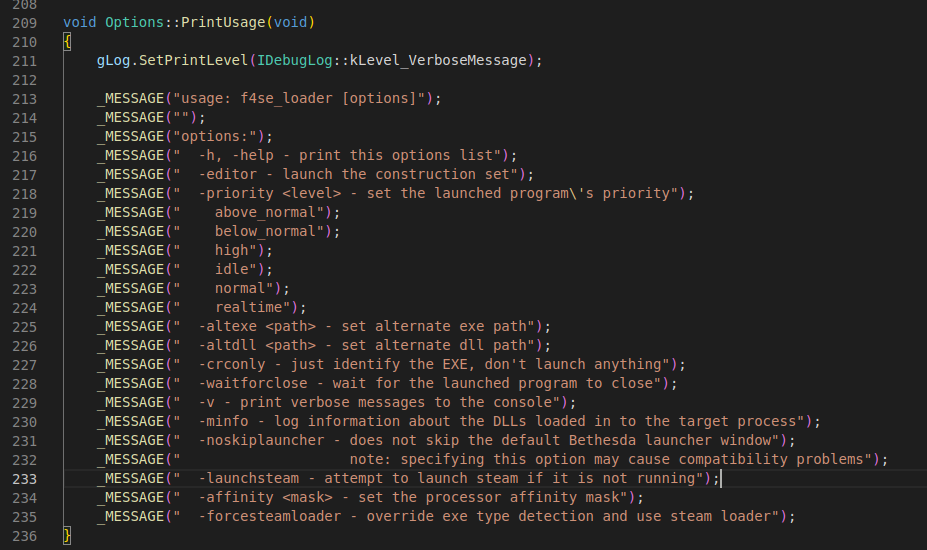
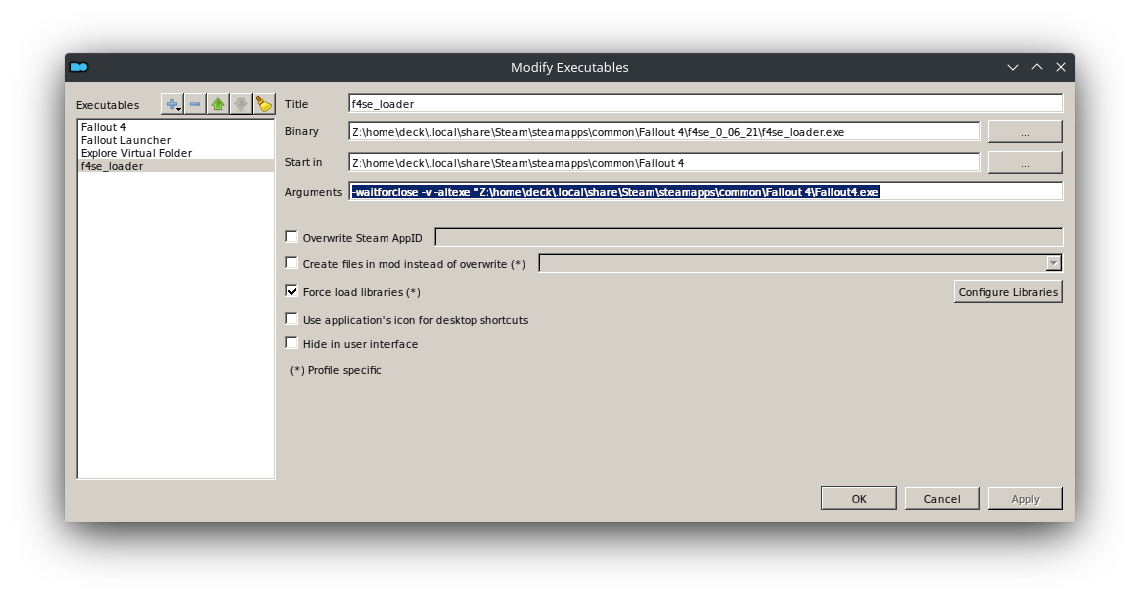
-waitforclose -v -altexe "Z:\home\deck\.local\share\Steam\steamapps\common\Fallout 4\Fallout4.exe

I had the same issue with f4se with steam opening 'f4se_loader.exe' instead of MO2. I solved it by renaming to 'f4se.exe' and changing MO2 executables.


Apologies for the necro post - I wanted to confirm that the workaround provided by @callum-stew was successful on my Steam Deck.
