
FluentFTP
 FluentFTP copied to clipboard
 robinrodricks
ArgumentException when using SslProtocols.None
- Client machine: Windows 10 x64, with .NET Framework 4.7.2 inside LinqPad 5.
- Remote FTP server machine: Azure App Service FTP publishing service (
WindowsServerIIS)
When using FTPS, the documentation in the README file states:
If you have issues connecting to the server, try using either of these:
Let the OS pick the highest and most relevant TLS protocol.
client.SslProtocols = Security.Authentication.SslProtocols.None;Prevent the OS from using TLS 1.0 which has issues in .NET Framework.
client.SslProtocols = SslProtocols.Default | SslProtocols.Tls11 | SslProtocols.Tls12;
The OP in this closed issue ( https://github.com/robinrodricks/FluentFTP/issues/356 ) says that None worked for them - but it causes an exception with my code:
I'm using this code in Linqpad:
using( FtpClient c = new FtpClient( host: "waws-prod-bay-001.ftp.azurewebsites.windows.net", port: 0, user: @"foobar\username", pass: "secret" ) )
{
	c.OnLogEvent = (l,m) => m.Dump();

	c.SslProtocols = System.Security.Authentication.SslProtocols.None;
	c.EncryptionMode = FtpEncryptionMode.Explicit;
	//c.SslProtocols = System.Security.Authentication.SslProtocols.Tls12 | System.Security.Authentication.SslProtocols.Tls11; // Explicit is TLS, but this should be automatic?

	//await c.ConnectAsync();
	c.Connect();

	//var items = await c.GetListingAsync();
	//items.Dump();
}
When I run this, I get an ArgumentException inside the call to c.Connect() (it also happens with await c.ConnectAsync():
Message: The specified value is not valid in the 'SslProtocolType' enumeration.Parameter name:
sslProtocolTypeStack trace:
      at System.Net.Security.SslState.ValidateCreateContext(Boolean isServer, String targetHost, SslProtocols enabledSslProtocols, X509Certificate serverCertificate, X509CertificateCollection clientCertificates, Boolean remoteCertRequired, Boolean checkCertRevocationStatus, Boolean checkCertName)
      at System.Net.Security.SslStream.AuthenticateAsClient(String targetHost, X509CertificateCollection clientCertificates, SslProtocols enabledSslProtocols, Boolean checkCertificateRevocation)
      at FluentFTP.FtpSocketStream.ActivateEncryption(String targethost, X509CertificateCollection clientCerts, SslProtocols sslProtocols)
      at FluentFTP.FtpClient.Connect()
      at UserQuery
--
The debug log looks like this (with the exception in the middle, hence why this is a screenshot, the text is below):

>         Connect()
Status:   Connecting to 23.99.15.10:21
Response: 220 Microsoft FTP Service
Status:   Detected FTP server: WindowsServerIIS
Command:  AUTH TLS
Response: 234 AUTH command ok. Expecting TLS Negotiation.

(ArgumentException)

>         Dispose()
Status:   Disposing FtpClient object...
Command:  QUIT
Warning:  FtpClient.Disconnect(): Exception caught and discarded while closing control connection: System.InvalidOperationException: This operation is only allowed using a successfully authenticated context.
   at System.Net.Security.SslState.CheckThrow(Boolean authSuccessCheck, Boolean shutdownCheck)
   at System.Net.Security.SslState.get_SecureStream()
   at System.Net.Security.SslStream.Write(Byte[] buffer, Int32 offset, Int32 count)
   at FluentFTP.FtpSocketStream.Write(Byte[] buffer, Int32 offset, Int32 count)
   at FluentFTP.FtpSocketStream.WriteLine(Encoding encoding, String buf)
   at FluentFTP.FtpClient.Execute(String command)
   at FluentFTP.FtpClient.Disconnect()
Status:   Disposing FtpSocketStream...
Status:   Disposing FtpSocketStream...
If I use SslProtocols.Default then I get an IOException inside Connect().
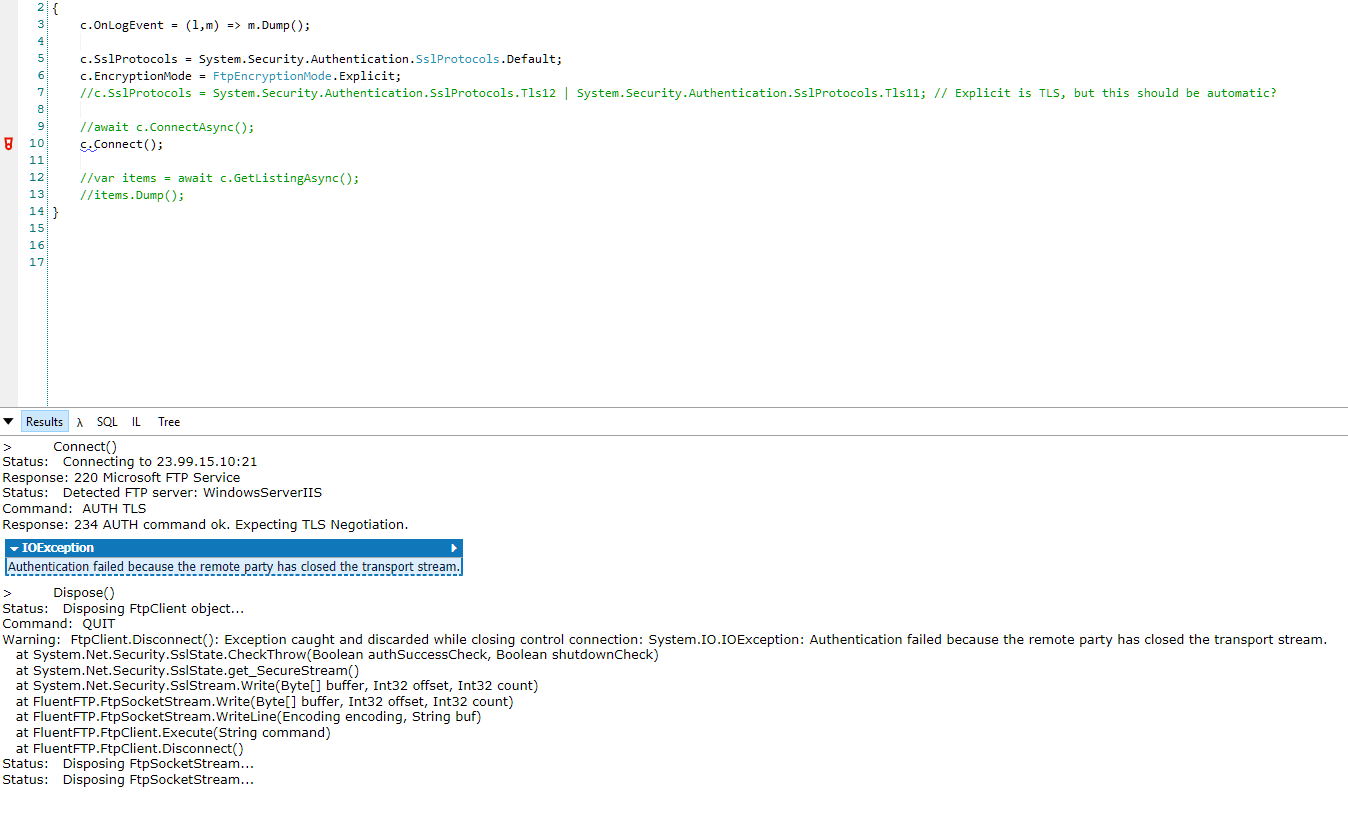
But weirdly, it does work if I use any of these:
c.SslProtocols = SslProtocols.Tls | SslProtocols.Tls11 | SslProtocols.Tls12;c.SslProtocols = SslProtocols.Tls11 | SslProtocols.Tls12;c.SslProtocols = SslProtocols.Tls | SslProtocols.Tls12;
These fail with an IOException:
c.SslProtocols = SslProtocols.Tls | SslProtocols.Tls11;c.SslProtocols = SslProtocols.Tls11c.SslProtocols = SslProtocols.Tls;
I'm confused why None and Default both fail - why don't they use Tls12 or the value of ServicePointManager.SecurityProtocol?
The default value of the ServicePointManager.SecurityProtocol property is Tls | Tls11 | Tls12.


Default is hardcoded as 240. (https://docs.microsoft.com/en-us/dotnet/api/system.security.authentication.sslprotocols?view=netframework-4.7.2)
Therefore Tls12 is not supported.
None does not work because its explicitly disabled on your system.
(https://referencesource.microsoft.com/#System/net/System/Net/SecureProtocols/_SslState.cs,164)

Thanks @modmynitro. Fixed.
Version 28.0.4
- FiX: Default SSL protocol used in .NET 4.5+ release is now TLS 1.2 (latest supported protocol)
I have kept None as the first option that we check in AutoDetect() and AutoConnect()
See: https://github.com/robinrodricks/FluentFTP/wiki/Automatic-Connection#faq_autoconnectorder
Nonedoes not work because its explicitly disabled on your system. (https://referencesource.microsoft.com/#System/net/System/Net/SecureProtocols/_SslState.cs,164)
I know this is an older thread, but @modmynitro mentions "explicitly disabled" so is there a way to "enable" this functionality then? I am experiencing similar issues in .net 4.8 as referenced in https://github.com/npgsql/npgsql/issues/3718.

Torsion, just set the SslProtocols field to any value that you want, based on your requirement. Suggestions are given in this thread, and None is also an option but I don't remember exactly what each option does and which OS it works and doesn't work for. I'm not sure what your are asking but basically it's just one property that controls everything. Overwrite it with the enum bitmask of your choice.
On Thu, May 13, 2021, 7:58 PM TorsionTools @.***> wrote:
None does not work because its explicitly disabled on your system. ( https://referencesource.microsoft.com/#System/net/System/Net/SecureProtocols/_SslState.cs,164 )
I know this is an older thread, but @modmynitro https://github.com/modmynitro mentions "explicitly disabled" so is there a way to "enable" this functionality then? I am experiencing similar issues in .net 4.8 as referenced in npgsql/npgsql#3718 https://github.com/npgsql/npgsql/issues/3718.
— You are receiving this because you were mentioned. Reply to this email directly, view it on GitHub https://github.com/robinrodricks/FluentFTP/issues/452#issuecomment-840599320, or unsubscribe https://github.com/notifications/unsubscribe-auth/ABT3UKQ77XMRFXOGFGP2PMTTNPO2JANCNFSM4IV7R4QA .