

 rmwc
rmwc
Icon component sizing only works when using the Material Icons font
Sandbox: https://codesandbox.io/s/rmwc-icon-svg-icon-without-material-icons-font-test-ns8lok RMWC Version: 8.0.1 Build environment: CRA4 with webpack
I recreated the bug with RMWC Version 8.0.1, but I think this likely affect all prior version as well. I confirmed the issue in a CRA4 with webpack application as well as the codesandbox environment linked above.
Bug description
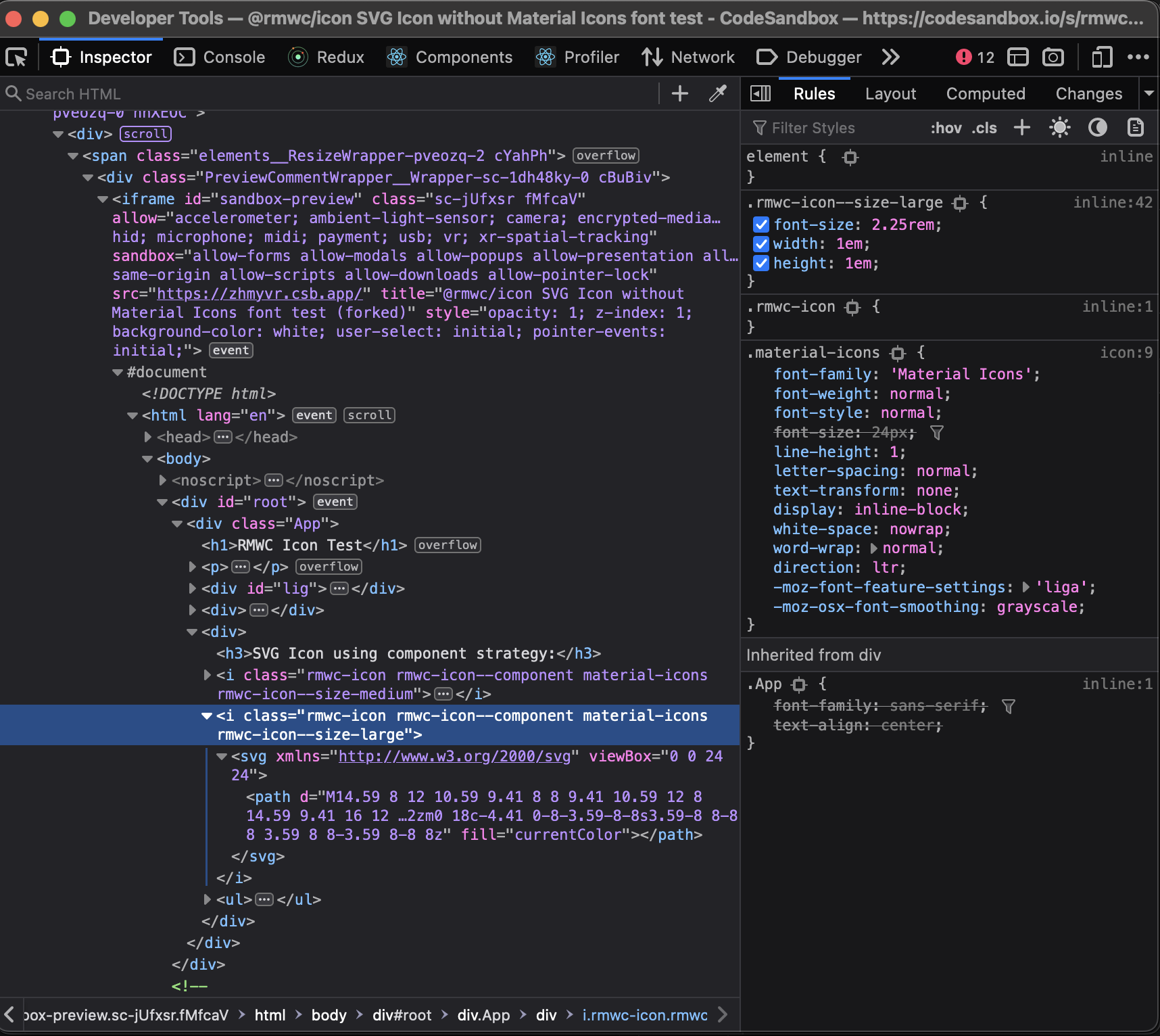
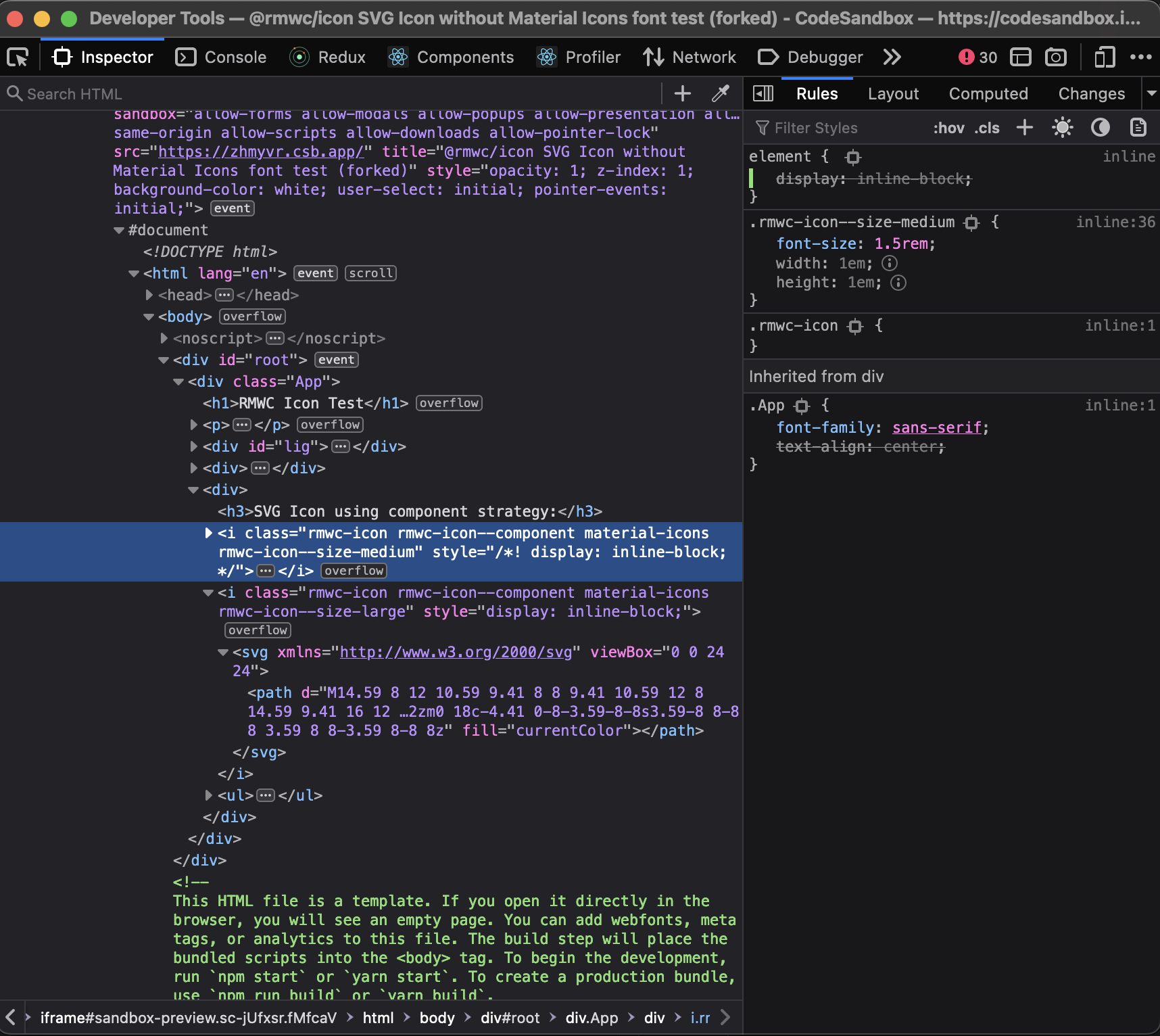
When using the Icon component without using the Material icons font, the width and height of the <i> element are ignored by the browser due to the missing .material-icons class included in the material icons font. The size property does include the css class .rmwc-icon--size-{IconSizeT} as expected, but the class' width and height values are ignored due to the element's display property defaulting to inline. The .material-icons class included in the material icons font is what sets the display property to inline-block. Without that class, the browser will default to inline-block.
Possible solution
Including the .material-icons class as part of the rmwc-icon styles will likely resolve this issue for users who don't use the Material Icons font.
https://fonts.googleapis.com/icon?family=Material+Icons
Even just setting a display property value that supports the width and height properties would fix the sizing issue for a user.
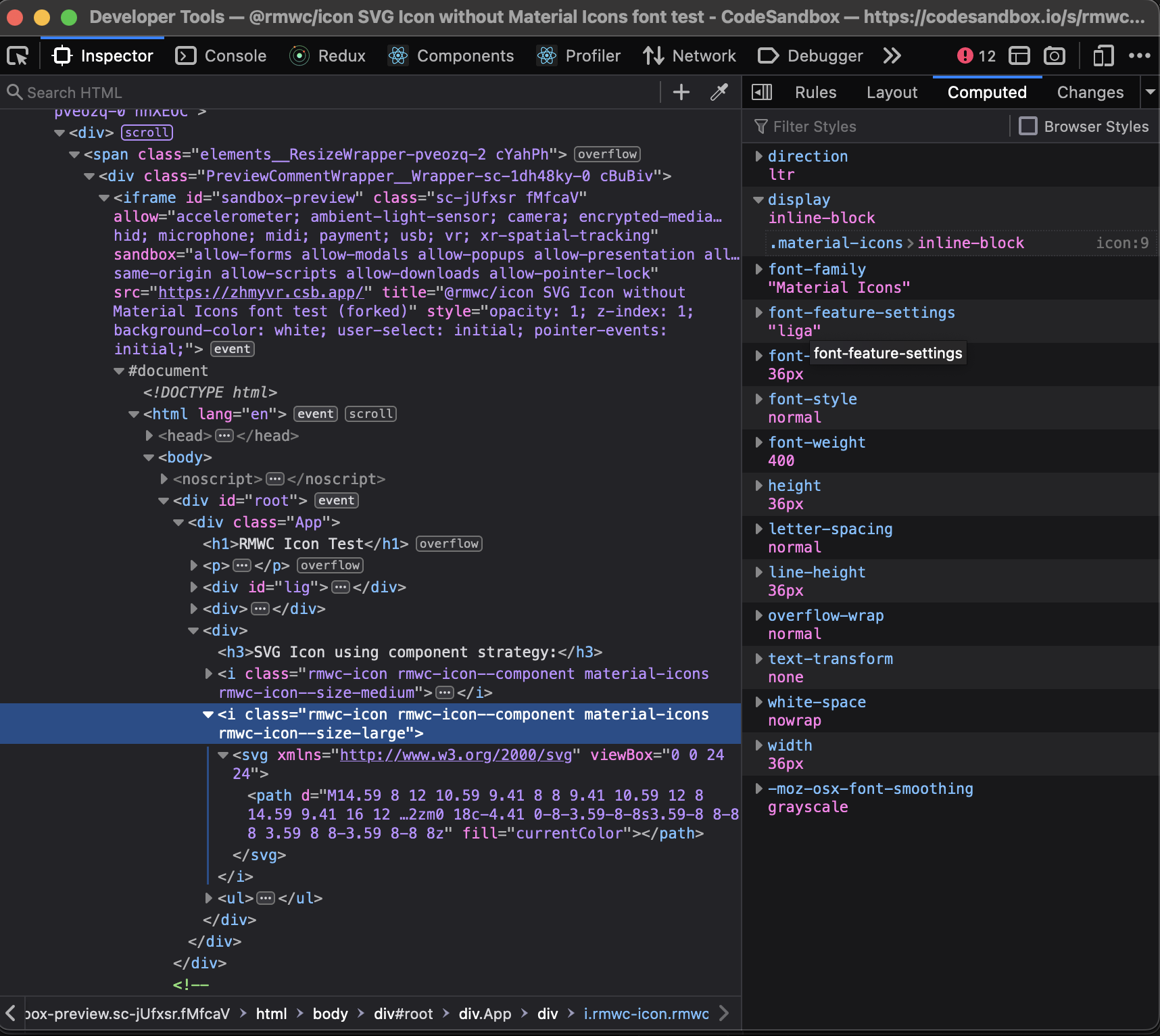
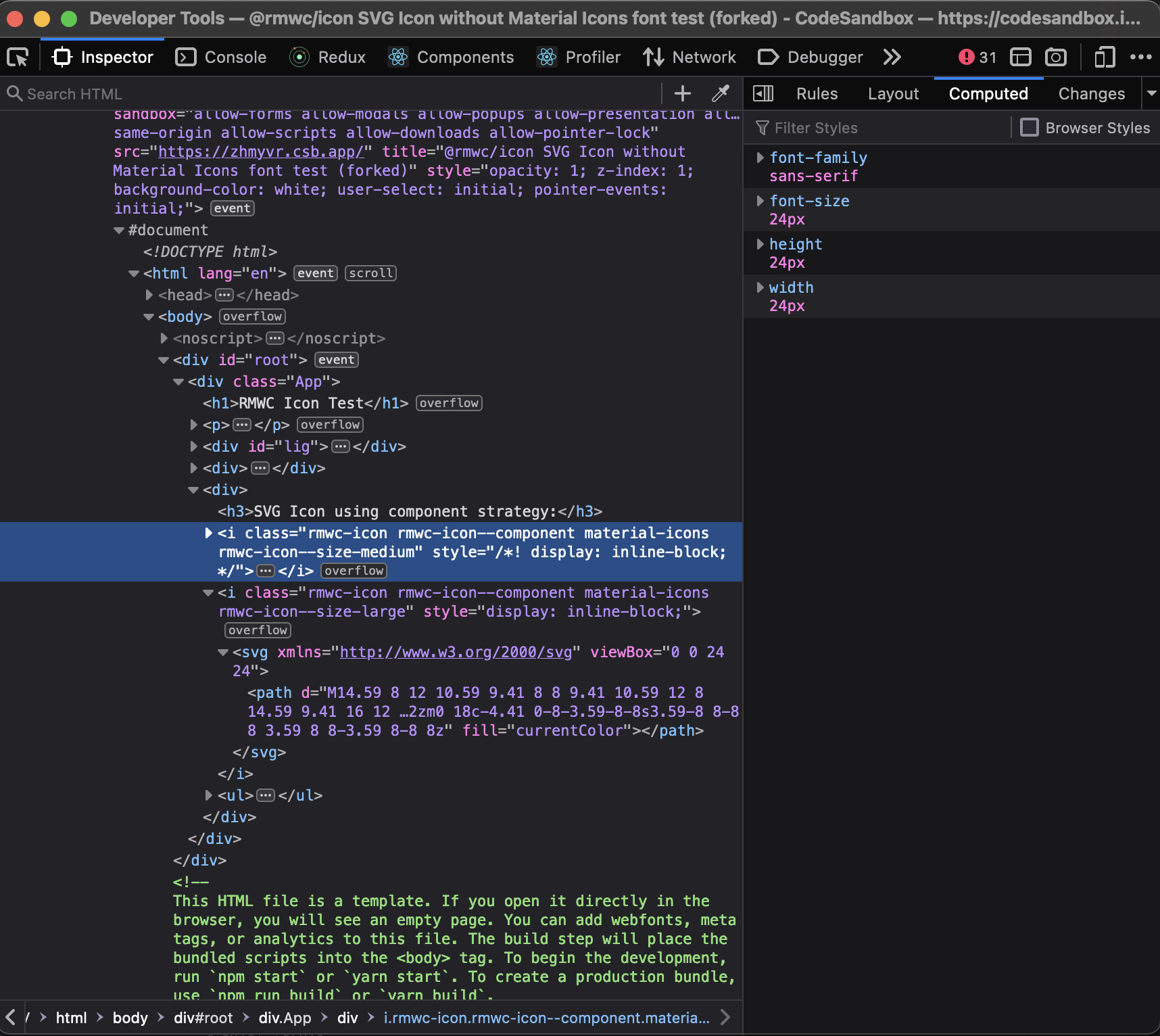
Screenshots Screenshots of the styles when comparing the element with the font loaded vs not loaded are attached.
- Icon element style rules with material icons font loaded:
-
- Icon element style rules without material icons font loaded:
-
- Icon element computed styles with material icons font loaded:
-
- Icon element computed styles without material icons font loaded:
-
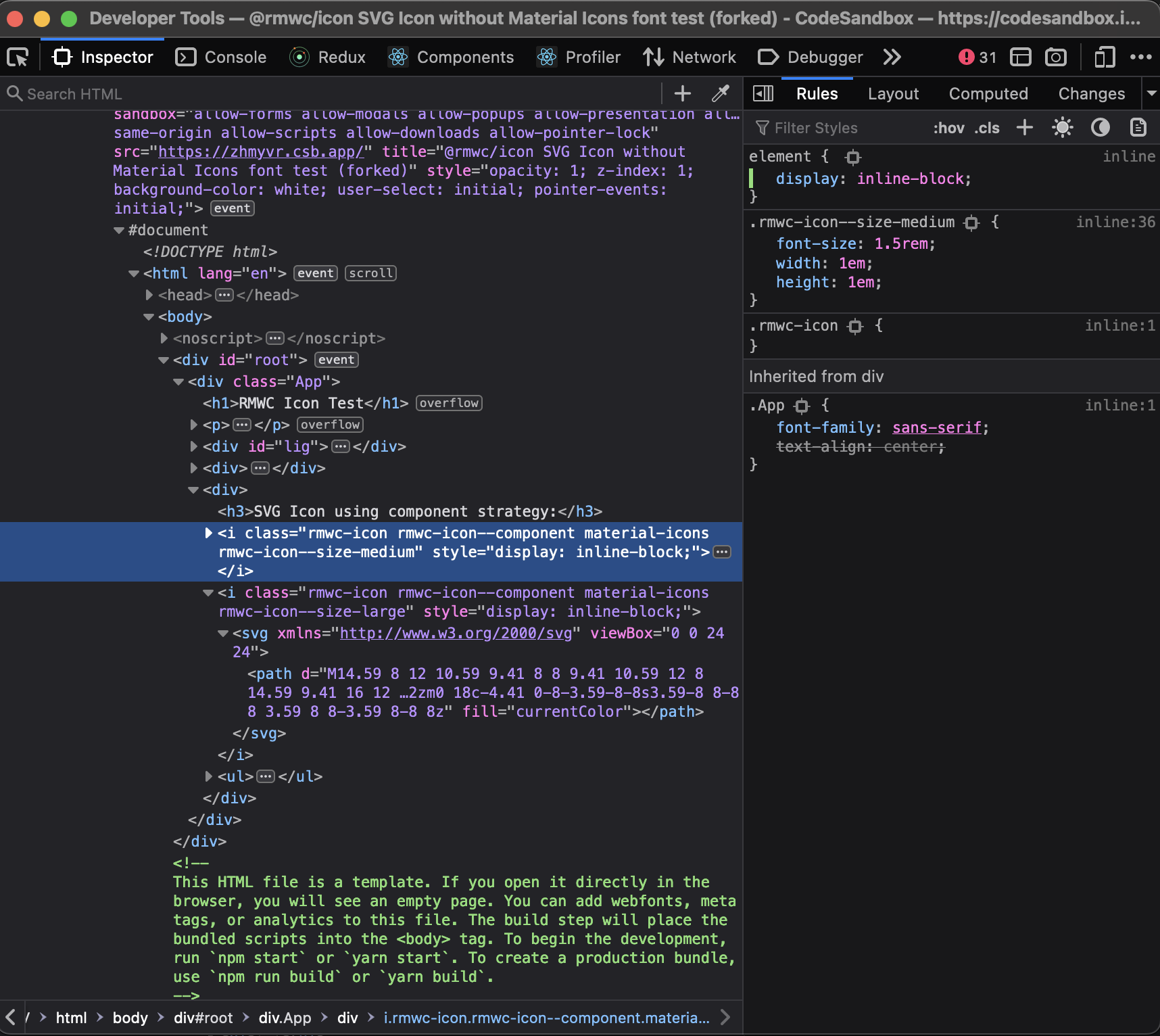
- Icon element style rules without material icons font loaded but with an inline display property set to fix the sizing issue:
-

@kintz09 Version 14 has been released, and we kindly request you to retest and verify whether the issue persists in the latest version

You can remove the material-icons basename using the RMWCProvider like so:
<RMWCProvider
      icon={{
        basename: "",
      }}
    >
