

 rivafarabi
[FEATURE REQUEST] Toggle filter for scene
Is it possible to add a Toggle Filter for scenes on "OBS Studio" section? Saw on the software that there is a toggle filter, but for the sources on a scene... I want to use it to change the position of my webcam through a plugin installed on OBS that use filters to make this possible

Yeah want this feature too because saw a tutorial where you can move your webcam in different corners.

Would be a greate feature! Also wanting to move stuff around in the scean by the press of a button. Due to missing this option, it is currenly not posible.

I manage to "fix" the lack of this option by using the F13-F24 trick (also it could be done with NOOBS CMDR, made by Nutty... you can check this tutorial)
For those with this issue, I found a workaround that you won't need any app else.
First, in OBS, create a new scene and add a source scene to it. Then, select the scene where you added the filters.
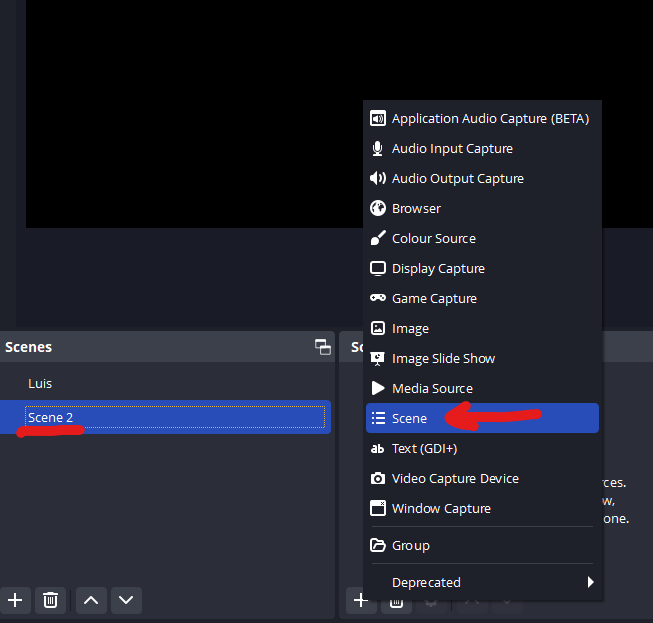
Now, on Deckboard, create a new button, select "Toggle Filter", select the new scene you just created and in the "source" list select the scene with the filters. Now you'll be able to select the filter from the scene.
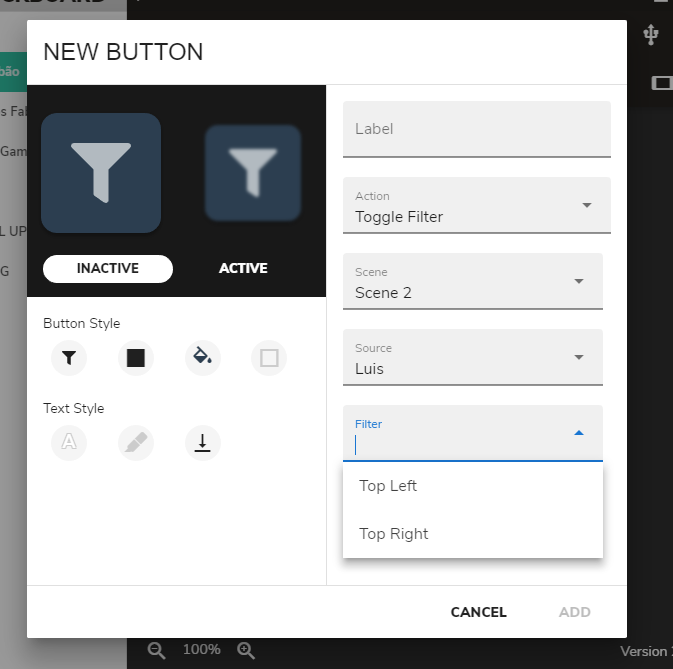
Hit "ADD" and you're good to go. You can create other buttons to select all the filters you need. It should work without having to worry about other apps.
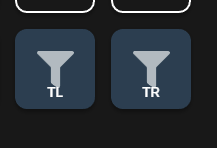
Hope this can help others, and hope this feature can be implemented to Deckboard to natively support the Scene Toggle Filter.
