rill

rill copied to clipboard
 rilldata
Detail Numeric Profiles are not rendering when all column values are the same
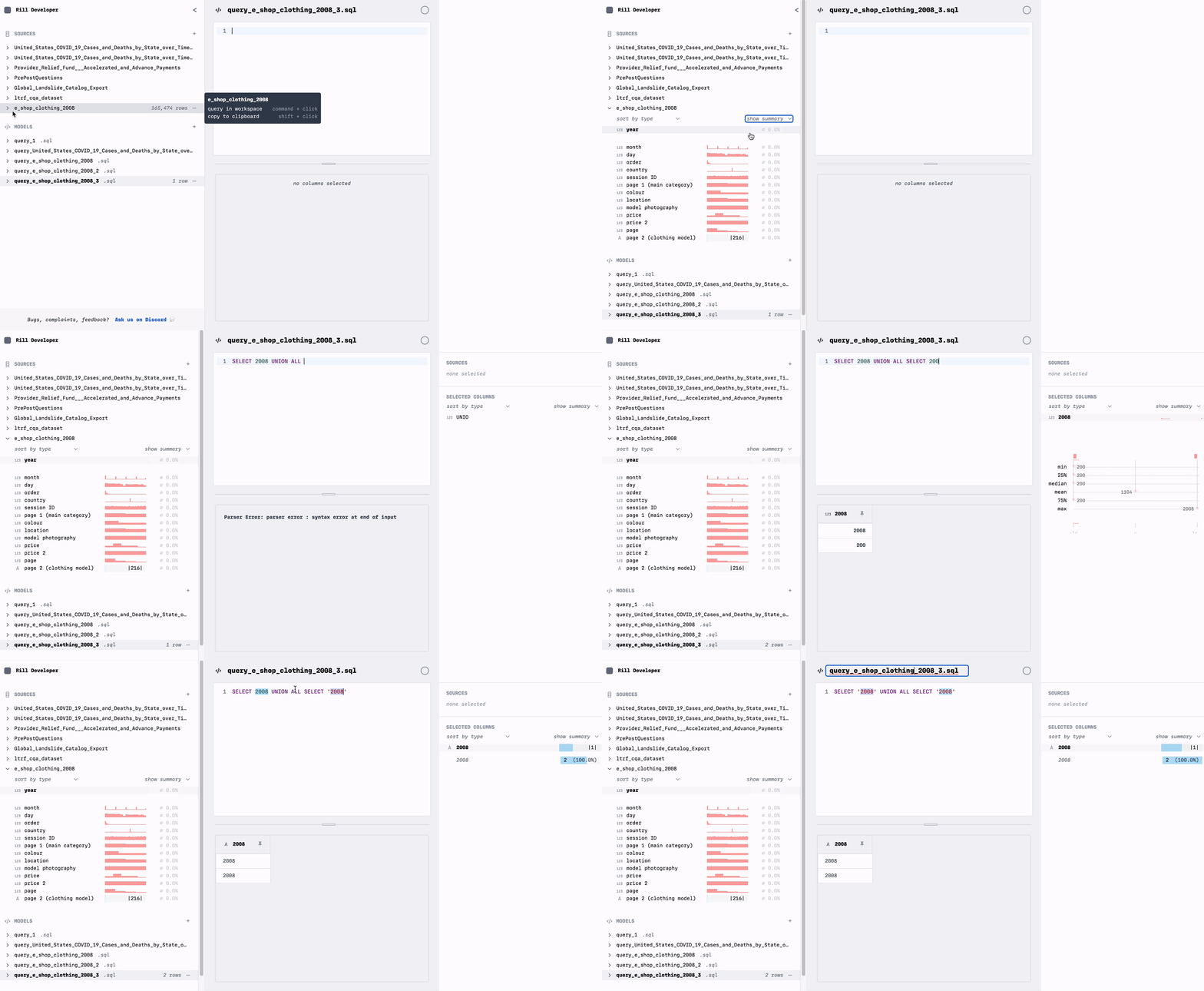
Describe the bug When you are exploring numeric data where all values are the same within a column, you don't get insights letting you know this is the case. Instead, all of the details and profile are blank.
To Reproduce Steps to reproduce the behavior:
- Open Rill Developer and enter the model
SELECT 2018 UNION ALL SELECT 2018 - Explore the profile by clicking on the name in the right inspector pane. No details or profile chart appear.
- Change the model to
SELECT 2018 UNION ALL SELECT 2019 - The detail is present.
- Change the model to a varchar
SELECT '2018' UNION ALL SELECT '2019' - The detail is present.
Expected behavior
We should always be able to see more information when we click into a detail. Here I was missing the information that would have been shown to me for a varchar - the top k view that would have shown me it was 100% 2018. I don't think a histogram makes sense here because there is only 1 value. We should consider presenting '100%
Screenshots