

 reworkd
Sign in not working!
So i got Agentgpt up and running in docker container but it wants me to sign in with google or github but when i click on it, i just get an error and refused to connect. does anyone know how to fix this?

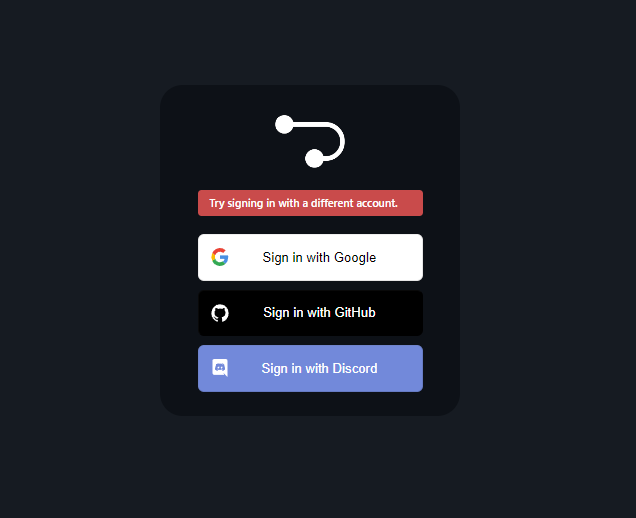

the same with you,but it's ok to sign in in https://agentgpt.reworkd.ai/,not local.


Unable to login using Google or other logins, using the latest release v0.3.0-beta deployed on a hosted server.
After clicking one of the login providers: Google, GitHub or Discord, it tries to redirect to the login to: http://localhost:3000/api/auth/signin/google.
I have changed the .env and .env.docker NEXTAUTH_URL=http://localhost:3000 to our domain, and then tried IP address, but it still tries to redirect to http://localhost:3000/api/auth/signin/google, http://localhost:3000/api/auth/signin/github, and http://localhost:3000/api/auth/signin/discord.
Where does this need to be changed in order to get it to resolve correctly to the server IP and/or domain?

Hey thanks for the report @BDAthans
For some clarity, local installations running in development mode will use an insecure local authentication mechanism to avoid requiring configuration for these auth providers.
For the production issue you've mentioned, me and @awtkns will have to take a deeper look

Hi @BDAthans would you be able to provide your Google Oauth client configuration? The callback url in the cloud console should be http://localhost:3000/api/auth/signin/google

Hi @BDAthans would you be able to provide your Google Oauth client configuration? The callback url in the cloud console should be
http://localhost:3000/api/auth/signin/google
Hi @awtkns, I'm sorry but I am not comfortable providing our specific Google Oauth information as it can potentially pose security risks if not handled properly, especially with this being a public domain.
Can you explain why what exactly you are looking for and why? When using the AgentGPT hosted on your own site, we don't have this issue or need our specific Oauth to make it work.
Also noticed another issue regarding the authentication. When the application launches on the server it will bind to port 3001 if port 3000 is already bound at the time of launch, but when you go to 'Sign In' and authenticate, it redirects back to port 3000 instead of continuing to use port 3001.
Hi @awtkns, I'm sorry but I am not comfortable providing our specific Google Oauth information as it can potentially pose security risks if not handled properly, especially with this being a public domain.
Can you explain why what exactly you are looking for and why? When using the AgentGPT hosted on your own site, we don't have this issue or need our specific Oauth to make it work.
@BDAthans you're google cloud console configuration should look like the below assuming you are running it on port 3000. Nothing sensitive in there, just never share your secret key.
Also noticed another issue regarding the authentication. When the application launches on the server it will bind to port 3001 if port 3000 is already bound at the time of launch, but when you go to 'Sign In' and authenticate, it redirects back to port 3000 instead of continuing to use port 3001.
This is expected behaviour. Typically with Oauth integrations wildcard's are not allowed and they require a hardcoded redirect url.
I solved this by changing the editing a column in the table. The error was that the access token was too long. Fix: add @db.Text as shown below. Make sure you push the update to Planetscale :)
model Account { id String @id @default(cuid()) userId String type String provider String providerAccountId String refresh_token String? access_token String? @db.Text expires_at Int? token_type String? scope String? id_token String? session_state String? user User @relation(fields: [userId], references: [id], onDelete: Cascade)

Glad you were able to fix it @jaredlutz :) Care to upload a PR with the fix?
Closing as the solution was found !!! If you are still facing these issues feel free to message in the issue linked here: https://github.com/reworkd/AgentGPT/issues/886
