

 rerun-io
rerun_viewer wont launch again if exited while still in Fullscreen
👍
Describe the bug
If I close the rerun viewer while still in fullscreen by using Alt+Tab to navigate to the terminal, I get the error message in the image below the next time I try to open the rerun viewer and it doesn't work again until I delete the folder in this path ~/.local/share/rerunviewer/
To Reproduce Steps to reproduce the behavior:
- Put rerun viewer on fullscreen
- Close rerun viewer from the terminal while it's still in fullscreen
Screenshots
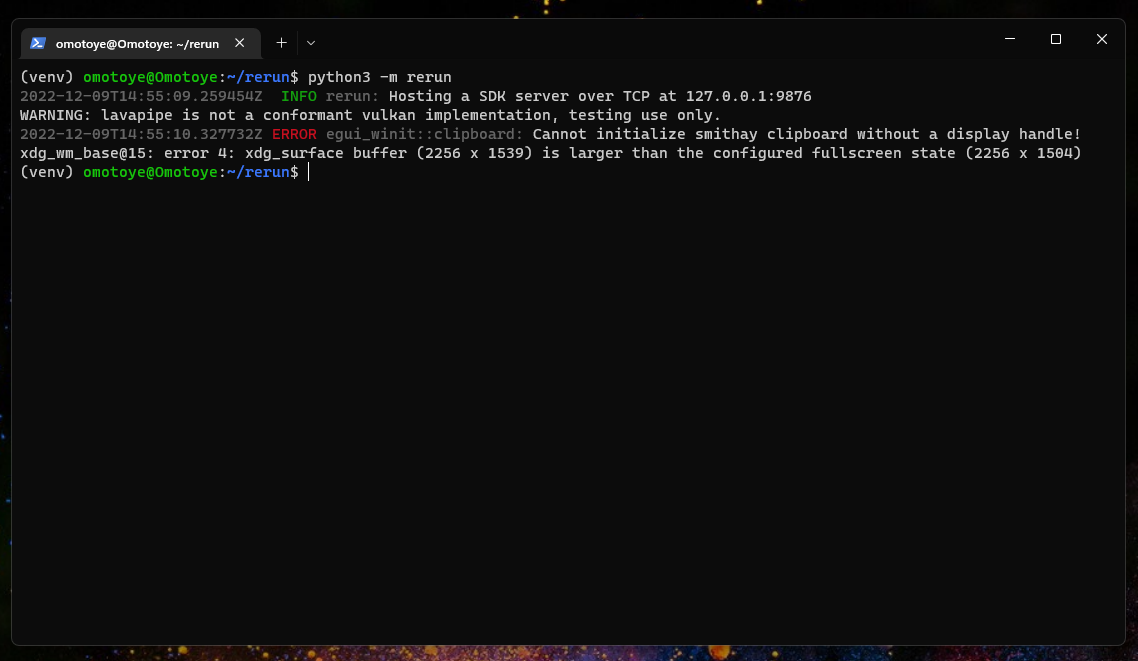
Desktop (please complete the following information):
- OS: Windows 11 Pro
- WSLg (Ubuntu 22.04)
- Screen Resolution: 2256 x 1504

I've landed some improvements into rerun main - can you please test to see if they help?
You can run with RUST_LOG=debug to get more logging out!

Unfortunately, the error persists, I've done a pull of the main branch, and recompiled
git pull./scripts/setup.shpip install ./rerun_py
and still getting the same errors. I recorded a short video of what the error looks like if that would help; Also, there are two more issues you might notice in the video
- An error that keeps popping up on the terminal, it's something to do with the cursor not being set. I think this error sometimes causes my cursor to disappear on the rerun_viewer window (even though it still works).
- The window leaves a sort of shell of itself behind when I do a full screen.
this is on Windows 11 Pro, WSLg (Ubuntu 22.04)
https://user-images.githubusercontent.com/67521465/207310677-e9fa69aa-2f0c-43f3-94f9-de2ec9be95c8.mp4
I meant RUST_LOG=debug python -m rerun
RUST_LOG is an environment variable, and RUST_LOG=debug turns on more verbose logging.
I've just done that and it still persist, I"ve added a screenshot of the terminal
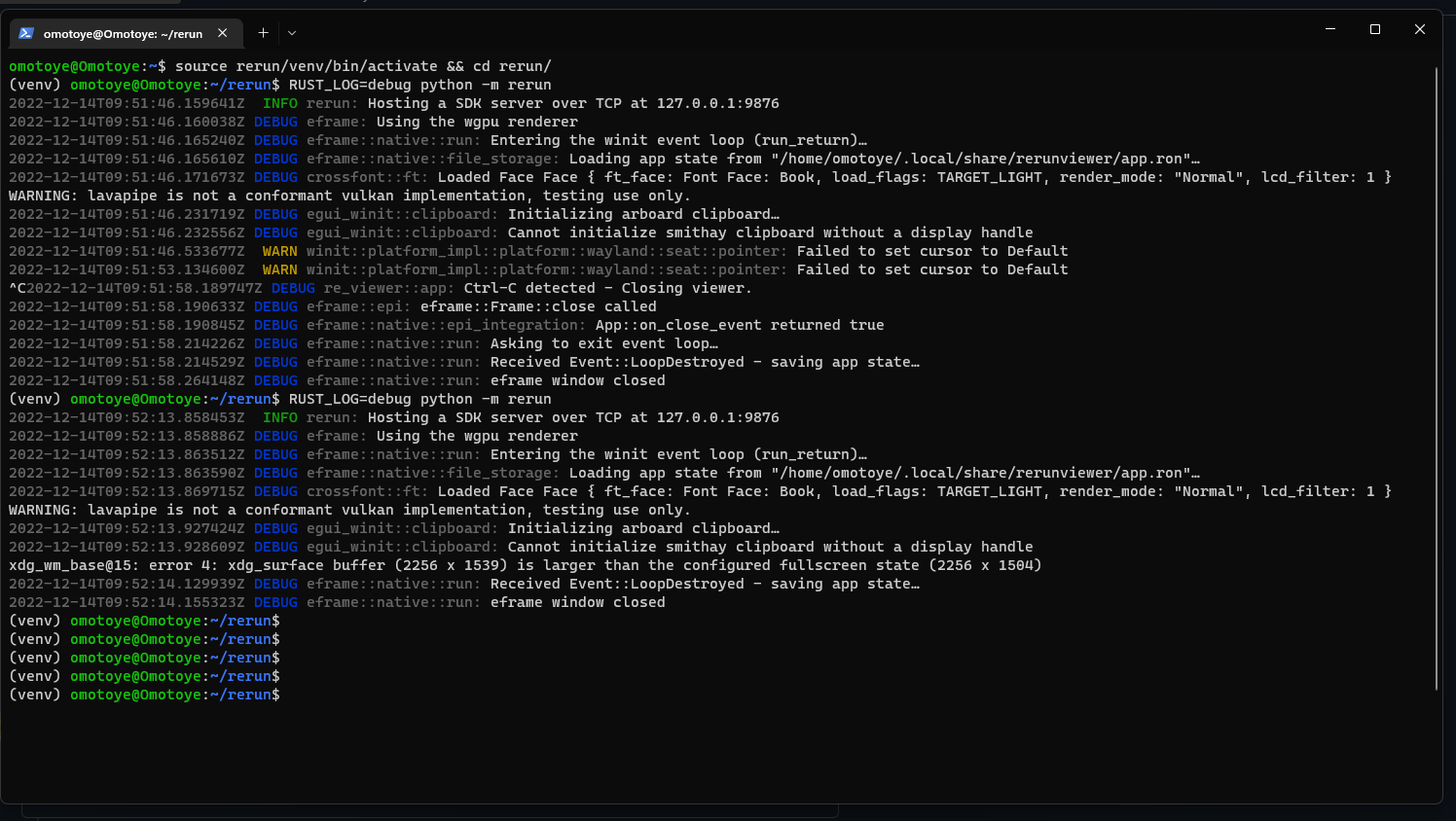
Just to add that this behavior is only on the WSLg installation, It doesn't happen like this in my Windows installation. If I put it on Fullscreen in my Windows and then exit, when I try to open it again it simply goes back to fullscreen ( no errors).
@Omotoye I'm moving the discussion to here: https://github.com/emilk/egui/pull/2449 - I would much appreciate if you help me test it there to help diagnose this
We recently updated to latest winit - I wonder if that can have helped things? 🙏 😬
@Omotoye I'm gonna close this and hope that recent changes to eframe (including a winit update) has solved the issue.
If you are still having a problem on rerun main, please re-open this issue!
Sorry, I completely missed the recent message, I'll update my installation later this evening to see if the issue is solved.
I just checked it and the problem is solved. I installed it with the pip installation package and tried the cube example. After putting it on fullscreen and stopping it, on the relaunch, it didn't have the weird behavior it used to have.
