wiki

wiki copied to clipboard
 requarks
feat: shortcut description box on page editor
Shortcut for adding or updating a description on the page editor.

Description
Originally, for medium size screens, the navigation bar's 3 components were split in size using the 12 point flex box:
- logo: 4
- search/title 4
- settings: 4
This feature modifies the length of the logo and search/title such that:
- logo: 2
- search/title+description: 6
- settings: 4
Thus, the settings maintain its original space, meaning that the save button will never overlap with the description box.
For smaller screens, the navigation's components were split in 2:
- logo: 5
- settings: 7
This was not modified, so the original mobile design is maintained.
Visual Examples
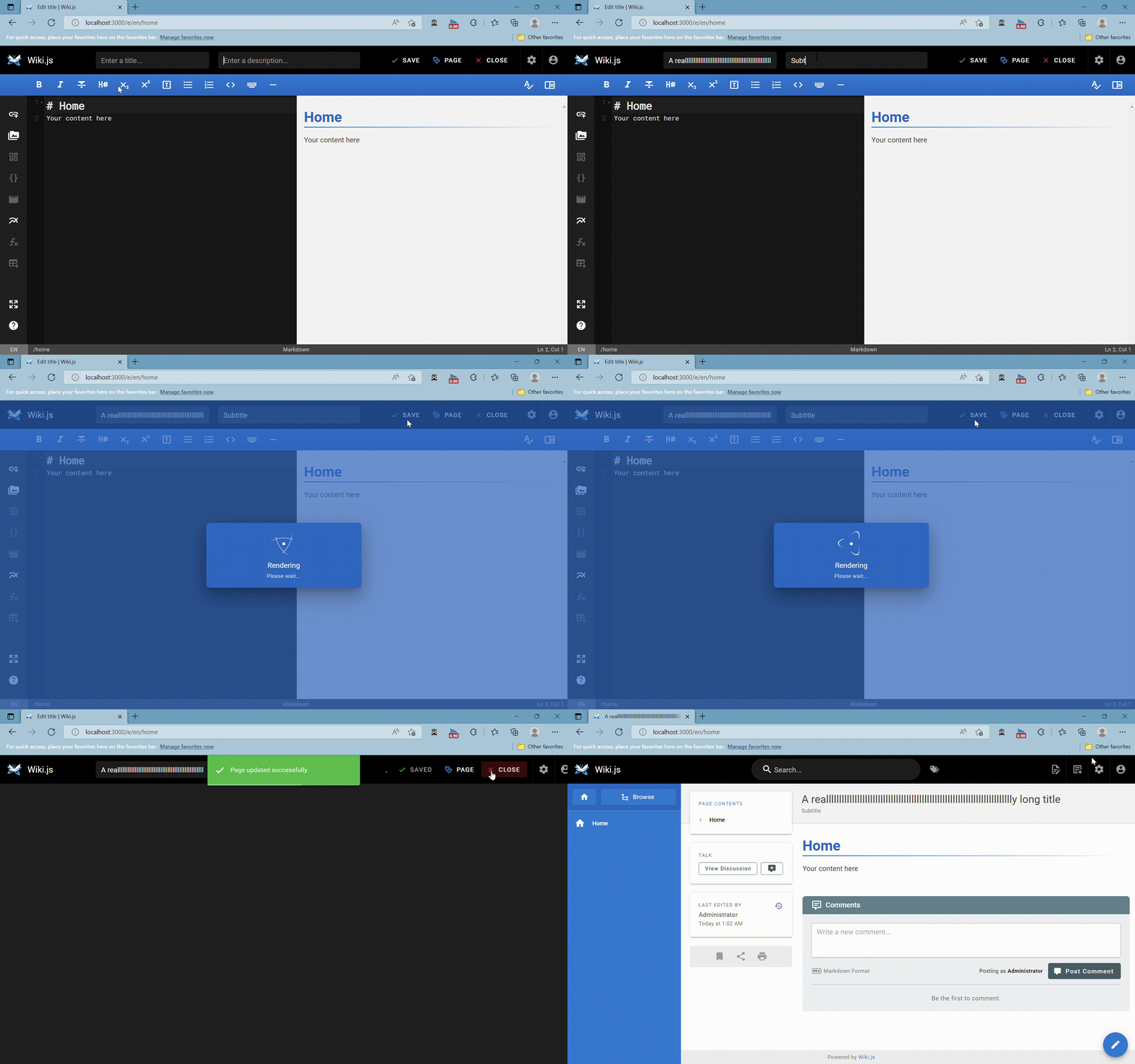
Long Site Title
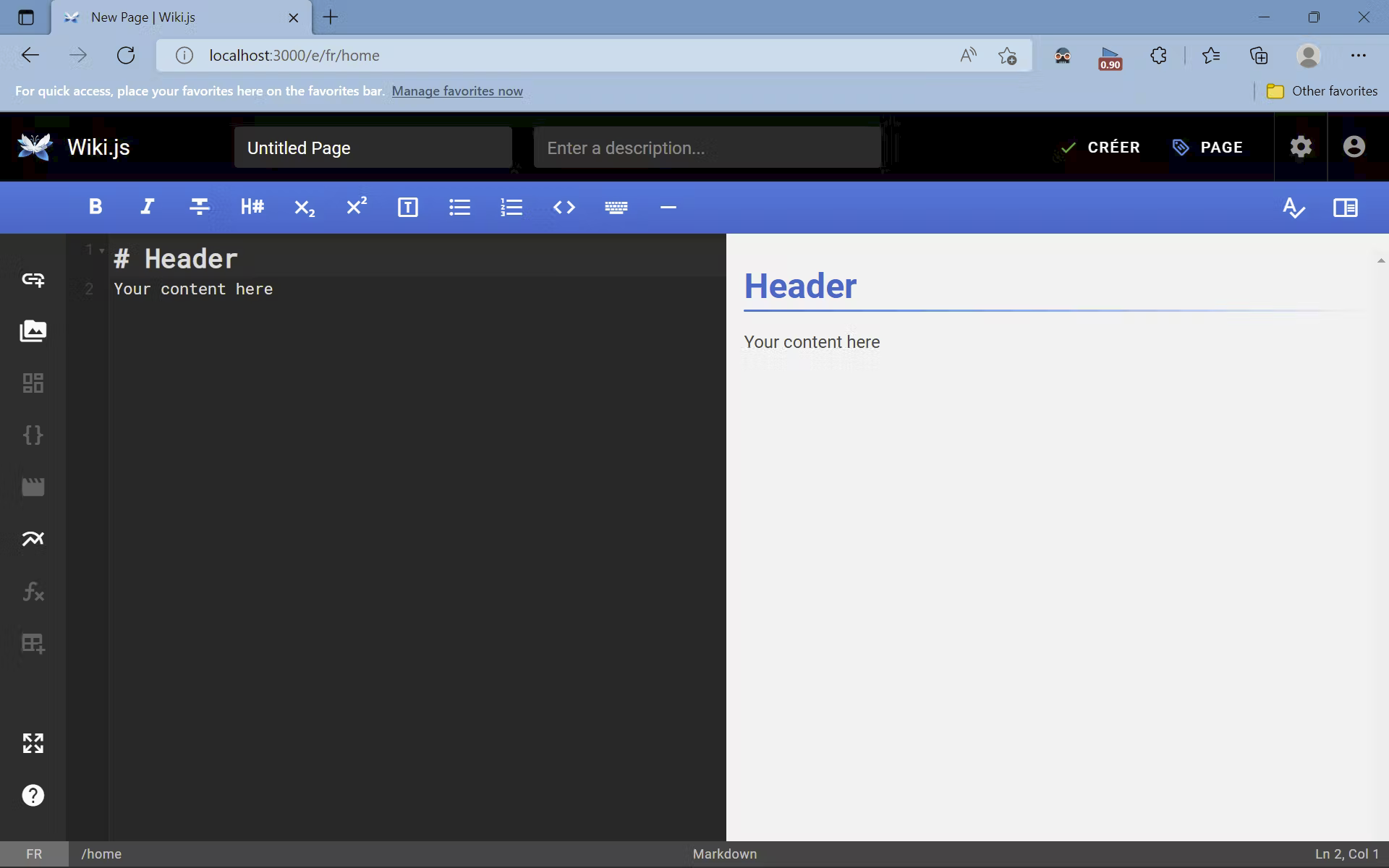
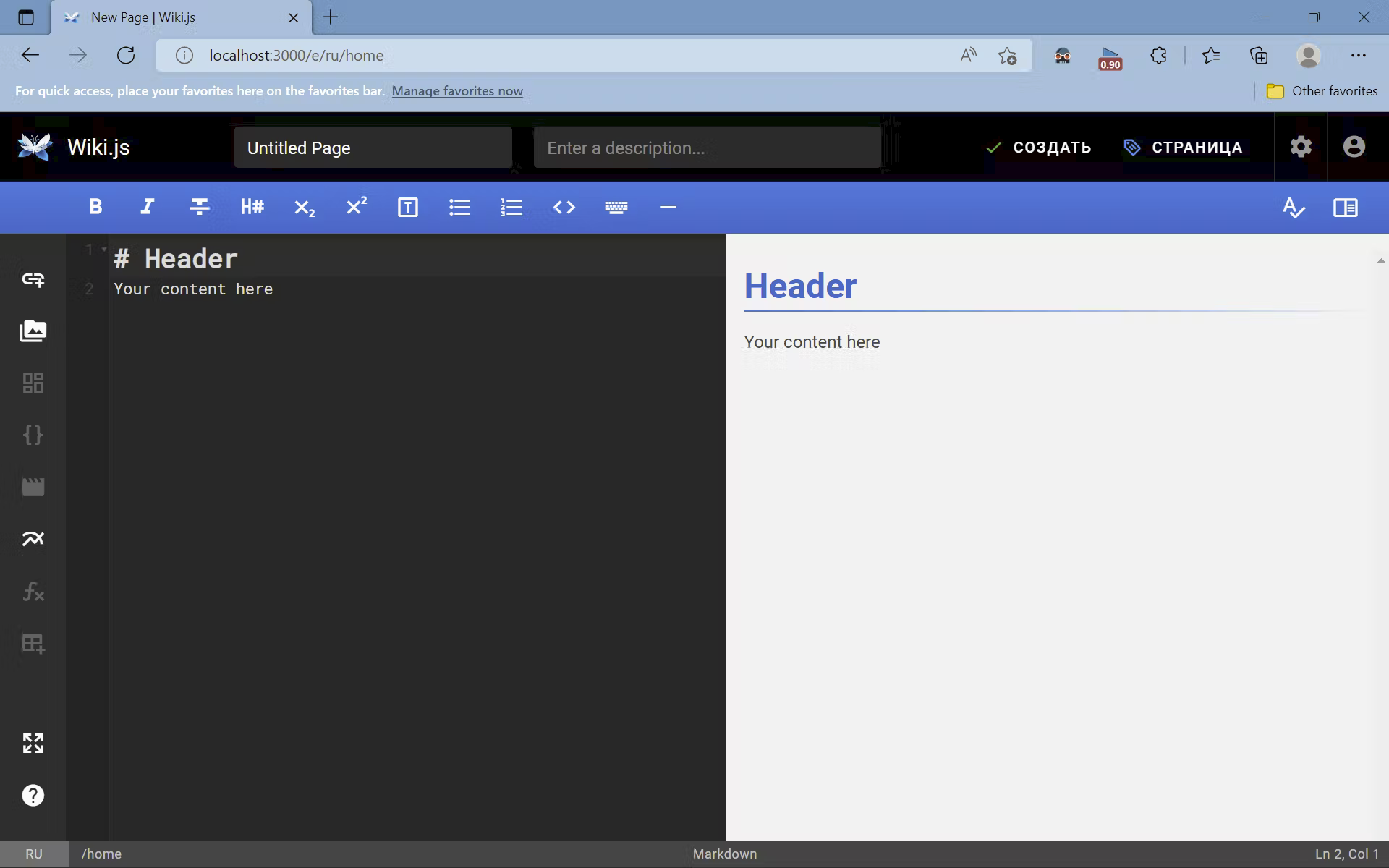
Other Languages
Arabic

French
Russian
Mobile and Smaller Screens (pixel width measurements for english)
<=959: title and description input not displayed

Between 960 and 1263

1264 >=


- What happens if the site title is long?
- Have you tried with other languages that take more space? (e.g. "Save" in french is "Enregistrer")
- What happens on mobile or smaller screens?