requarks
feat: Enable page creation from Jupyter notebook file (*.ipynb)
Context: This feature is related to the request in https://requarks.canny.io/wiki/p/notebooks-jupyter-or-observable. We use Wiki.js in my research group and it has been great so far! However we rely a lot on Jupyter notebooks (see https://jupyter.org/try for examples), and Wiki.js was lacking the ability to have pages based on a Jupyter notebook.
Example of use case: if we want to demonstrate how to run a library that we wrote, we would typically write a Jupuyter notebook which one could run directly if the .ipynb file is shared (e.g. during a workshop). However we would also want the instructions and code to be available to everyone to read easily, without downloading and running an opaque .ipynb file every time.
Disclaimer: To be clear, this does not allow code execution of the Jupyter notebook cells in the browser, it only renders the notebook nicely (similar to https://nbviewer.jupyter.org/ for example).
Here is the breakdown of the pull request content:
-
I created a new Rendering module called
ipynb-core, which relies on the npm packagenotebooksjs(https://github.com/jsvine/notebookjs) to parse the notebook content into HTML. The notebook looks like a regular page with code blocks for the Jupyter notebook cells.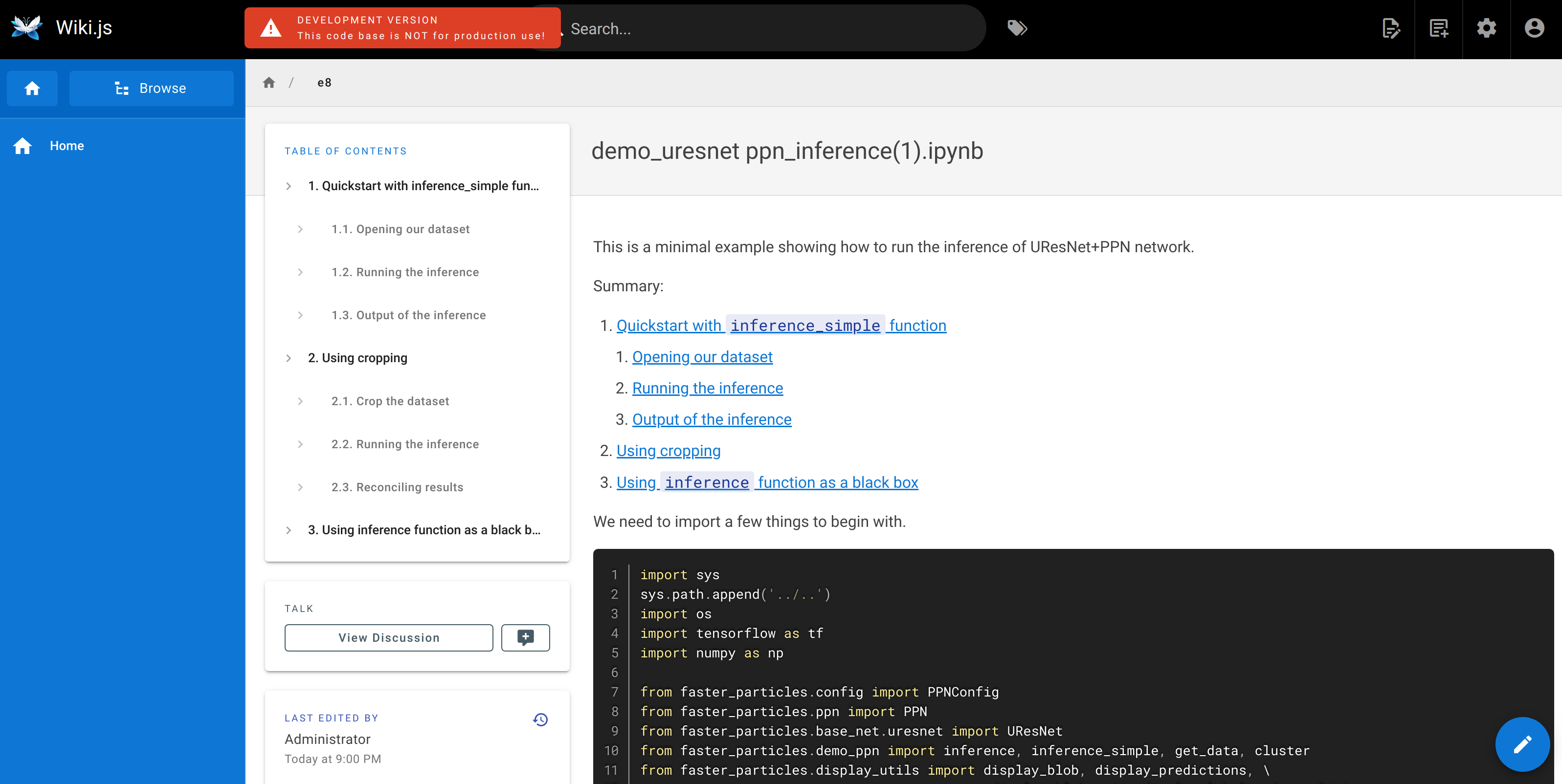
-
When creating a new page, I added an option
Jupyterin the bottom panel ("Convert from") ofeditor-modal-editorselect.vue. Clicking on it opens theeditor-modal-mediato allow the user to select an .*ipynb file.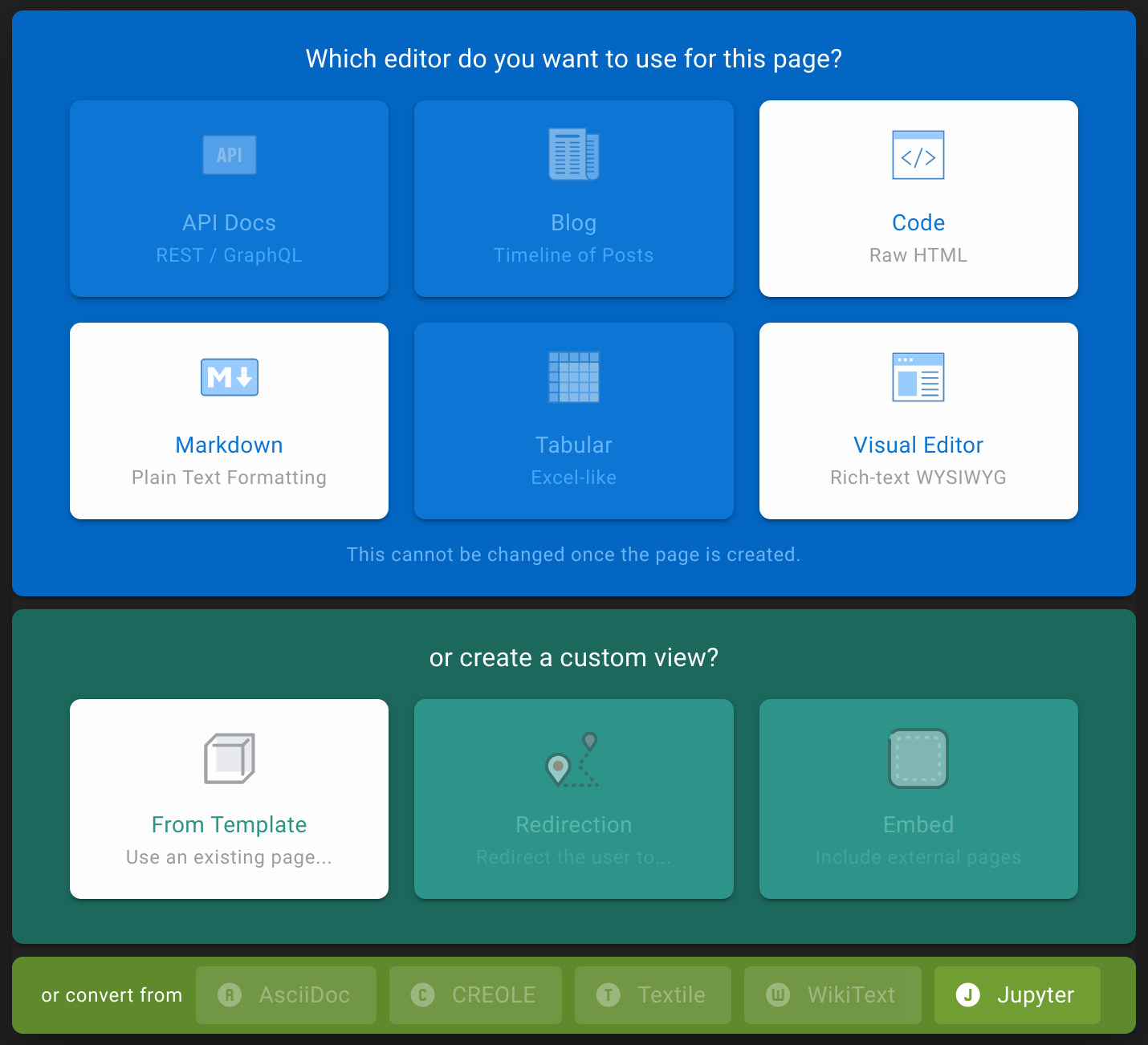
-
.ipynbfiles can be edited using thecodeeditor (Jupyter notebooks are at their core just a JSON file, this allows one to make minor fixes such as typos if needed without re-uploading a new .ipynb file asset). This required me to change one or two things ineditor-code.vuewhich was forcing thetext/htmlmime type.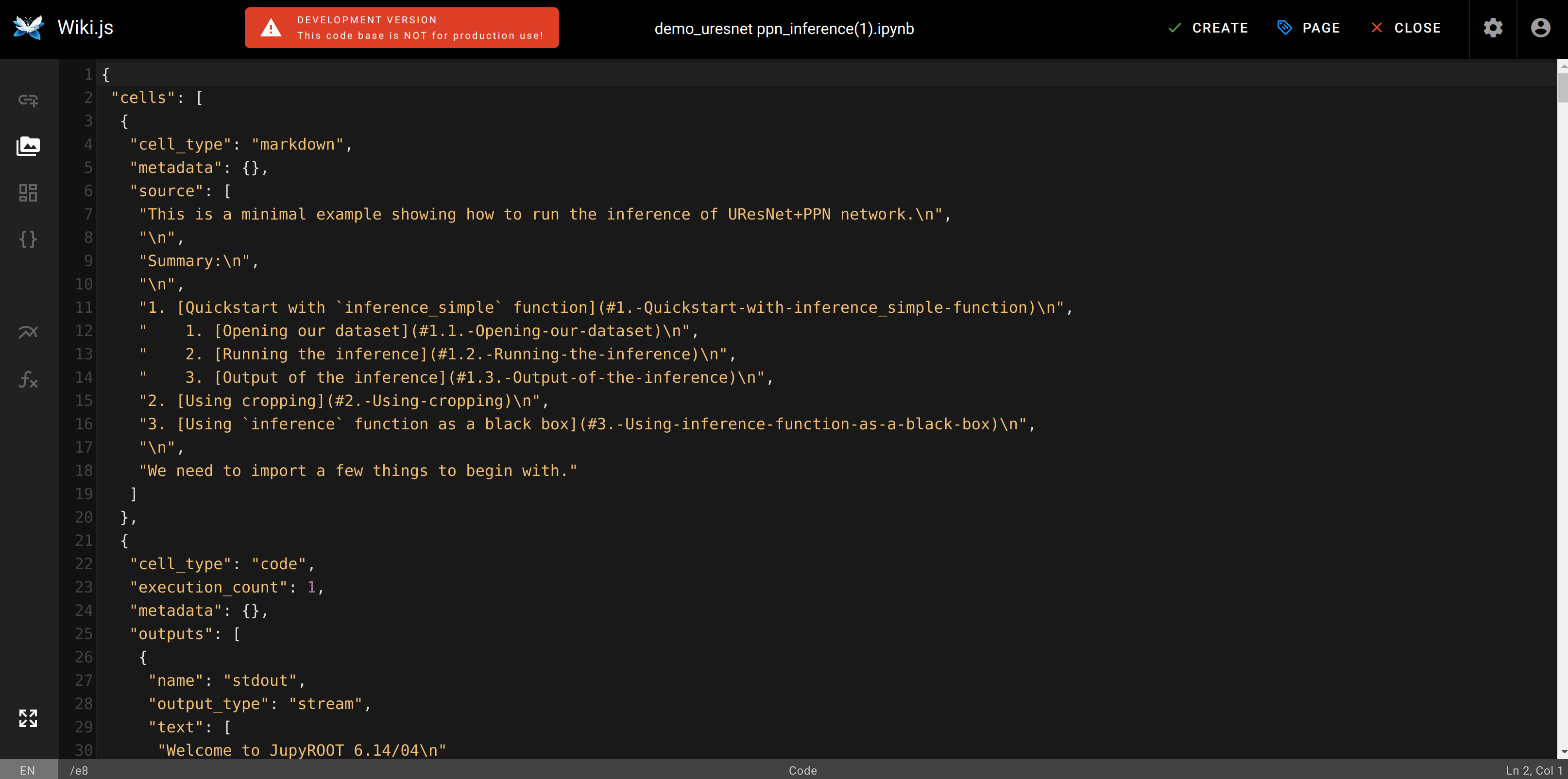
-
The code also forced a one-to-one correspondence between editors and content types, but the
codeeditor was sufficient for my purpose. I made small changes to allow the same editor to be used by different content types. https://github.com/Requarks/wiki/blob/dev/server/models/pages.js#L294
I am not familiar with Vue.js, so please let me know if I missed something. Thank you !!

Thanks for this great PR! I'll try to review it in more details soon, but I'll definitely include it in the upcoming 3.0 release.