

 requarks
Code Block inside info block blurry
Describe the bug When there is a code block inside of an info block, the text in the code block becomes blurred unless highlighted.
To Reproduce Steps to reproduce the behavior:
- In the Markdown text editor, create an info block
- Create a code block inside the info block
- Save and view the page
- See that the code block is blurry
Expected behavior The code block text should not be blurry when inside of an info block.
Screenshots
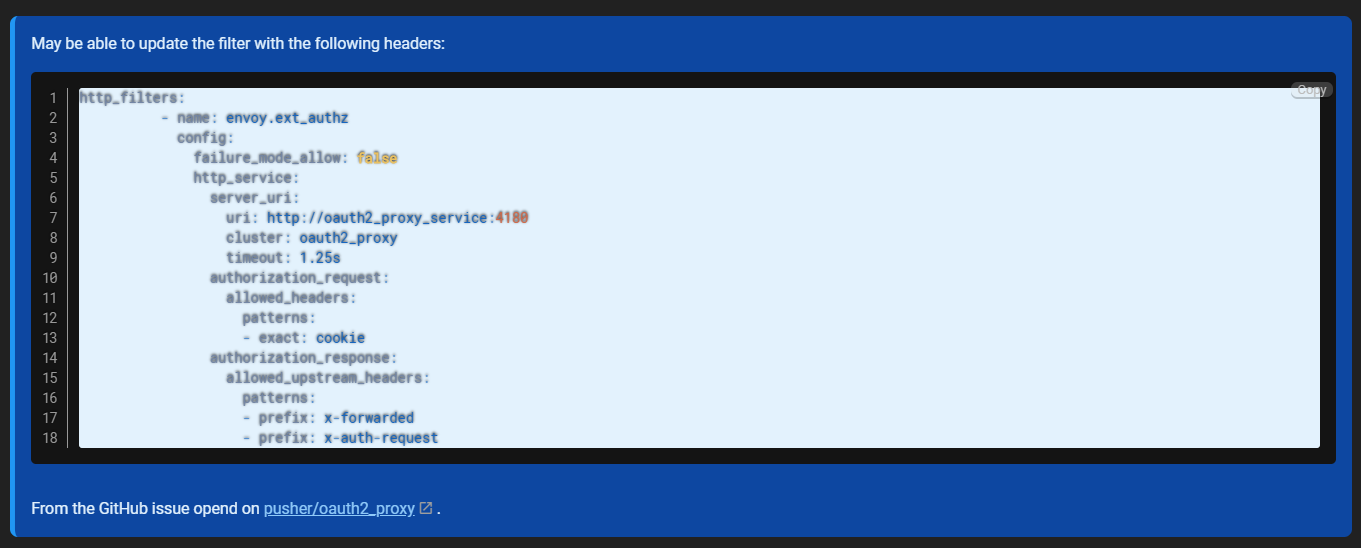
Shows the code block inside an info block being blurry.
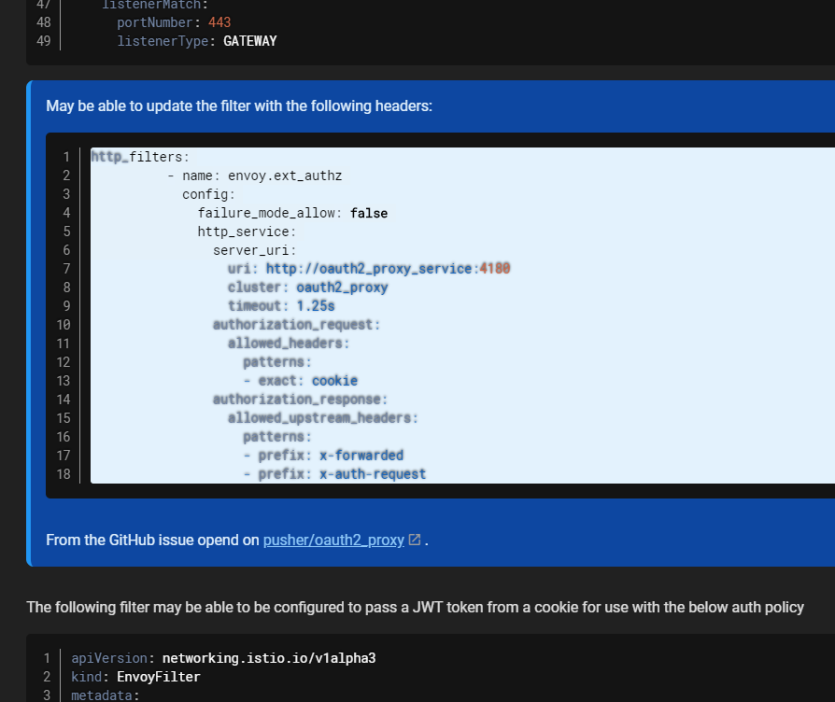
Shows the code block inside an info block with clear text when highlighted, and compared to a code block outside the info block.
Host Info (please complete the following information):
- OS: DigitalOcean Marketplace release, Ubuntu 18.04?, docker.
- Wiki.js version: 2.0.12
- Database engine: postgres
Additional context Using Cloudflare as a CDN (however the js & performance features have been disabled since it causes issues with Subresource Integrity, even when turned off in the admin panel).

Blockquotes aren't meant to encapsulate code blocks, but this a bug nonetheless

I feel like putting code inside blockquotes is a valid use case. Could you explain why blockquotes aren’t meant to hold code blocks?
While certainly not the ideal solution, I was able to get around this by adding a CSS override:
blockquote>div>pre>code>span {
    text-shadow:none;
}

The blurriness is caused by the text shadow, but the real problem is the light blue background being applied to the code block. There is a block of code in the scss that applies the light blue background to a code block inside of the info box. I'll submit a PR for it, I'm removing the code block. I feel that a code block should retain the black background, unless you also want to re-write the syntax highlighting color theme, which seems like overkill.

Hello,
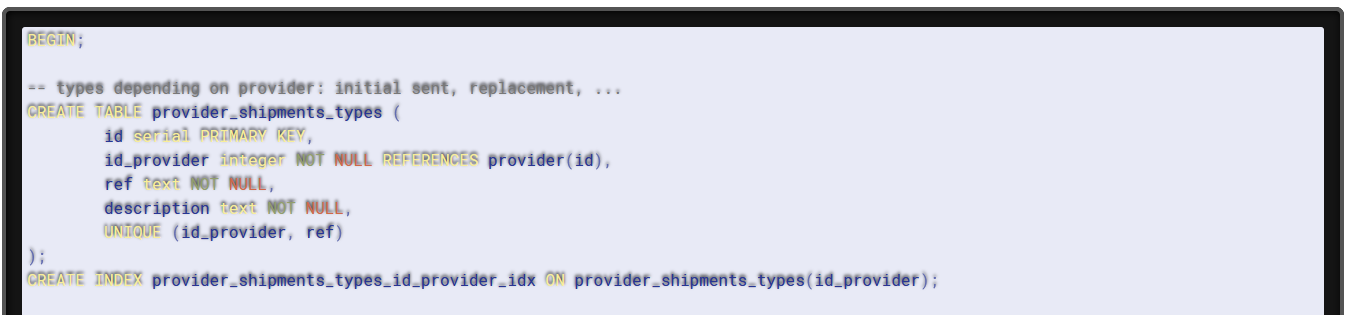
I just got the same issue but not inside a blockquote (directly in the page). Everything was fine still my page edit of today :
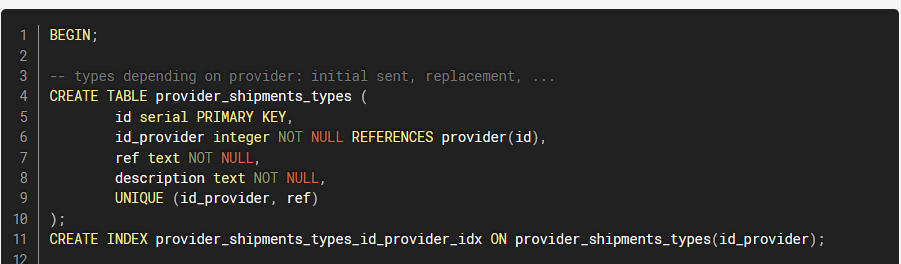
In edit mode everything is displaying fine, it's really strange :
I tried to clean all caches (servers & browsers) and regenerate the page without any improvement.
Thanks in advance, Max
PS : I'm running the last version 2.3.81 on docker


@max13fr how do you achieve this cool styling for the code snippets?
You surround your code with three backticks before & after : https://help.github.com/en/github/writing-on-github/creating-and-highlighting-code-blocks
Thanks, i know how to use code fence, I was asking about the style. You have a computer screen like theme which I'm asking how to achieve it.
I use the default wikijs theme (without dark mode) on the last version.
For the highlight, you can add the language after the 3 first backtick (here it's sql)
I'm aware of that. I'm getting

But in https://user-images.githubusercontent.com/1089463/81538289-db1cba00-936e-11ea-9d52-cac59d3208f7.png there is a different styling which I saw in slack other people have as well. Maybe it just comes from other programs that are not related and then my question is stale...
Are you referring to the white background? That's a bug... it's supposed to be dark.
Yes that is what I was referring too. It played a trick on my mind, causing me to think that there is some custom css styling for code fences that emulates a terminal screen inside a computer screen like box. wishful thinking I guess...
Any updates on this? Using markdown with code blocks results in unreadable code snippets

Hello,
I compared with code block display in preview edition that doesn't have the issue.
The class prismjs is missing on <pre> when displaying the normal page.
Here an example with the following mardown :
```yaml
logger:
  default: debug
```
On editor mode the block generate this html (correct) :
<div class="code-toolbar">
   <pre class="line-numbers language-yaml prismjs"><code class="language-yaml"><span class="token key atrule">logger</span><span class="token punctuation">:</span>
  <span class="token key atrule">default</span><span class="token punctuation">:</span> debug<span aria-hidden="true" class="line-numbers-rows"><span></span><span></span></span></code></pre>
   <div class="toolbar">
      <div class="toolbar-item"><button>Copy</button></div>
   </div>
</div>
When displaying the page, the block generate this html (incorrect, missing prismjs class on pre) :
<div class="code-toolbar">
   <pre class="  language-yaml"><code class="  language-yaml"><span class="token key atrule">logger</span><span class="token punctuation">:</span>
  <span class="token key atrule">default</span><span class="token punctuation">:</span> debug</code></pre>
   <div class="toolbar">
      <div class="toolbar-item"><button>Copy</button></div>
   </div>
</div>
Max
We also are getting this issue when Codeblocks are inside of tabsets:
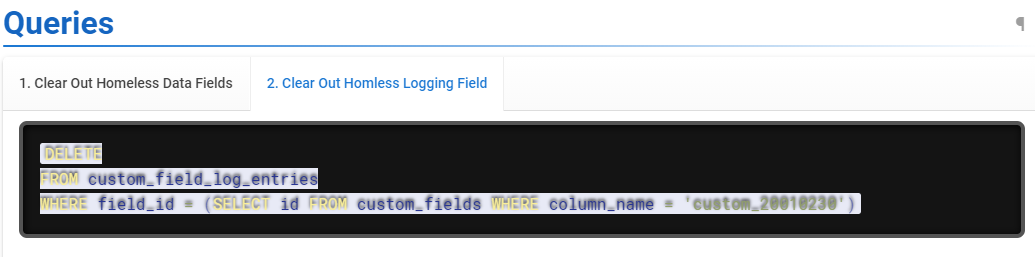
However if the codeblock is outside of a tabset it renders just fine.
I will note that this was working fine until today. We have changed absolutely nothing. Haven't updated, haven't changed any settings. In fact a few weeks ago we had codeblocks inside of tabsets that worked just fine Sadly though, in an attempt to fix it we "re-rendered" every page, and now even the pages that were working are now broken.
We are running that latest version of wiki.js (2.5.170)

Hi,
I find a quickfix to avoid this ugly display. In themes page, you can inject code in the html body. Just put this in it :
<script type="text/javascript">
setTimeout(function() {
    document.querySelectorAll('.code-toolbar > pre').forEach(function(el) { el.classList.add('prismjs'); });
}, 500);
</script>
Not perfect (no line numbers, no copy button), but still much better than nothing :)
Max
I manage to reproduce the issue consistently on my setup. The problem seems to be caused by disabling Settings > Rendering > HTML ➡ HTML > Core.
Figure 1: HTML ➡ HTML > Core renderer disabled

Figure 2: HTML ➡ HTML > Core renderer enabled

Edit:
On top of that, the Syntax Highlighter renderer should also be enabled which would add prismjs and line-numbers CSS class to the element.

Is this will be fixed? I got this bug also.
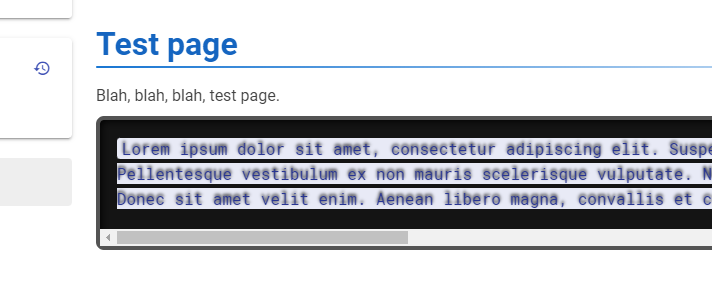
With enabled HTML->HTML Core renderer - nothing changes.
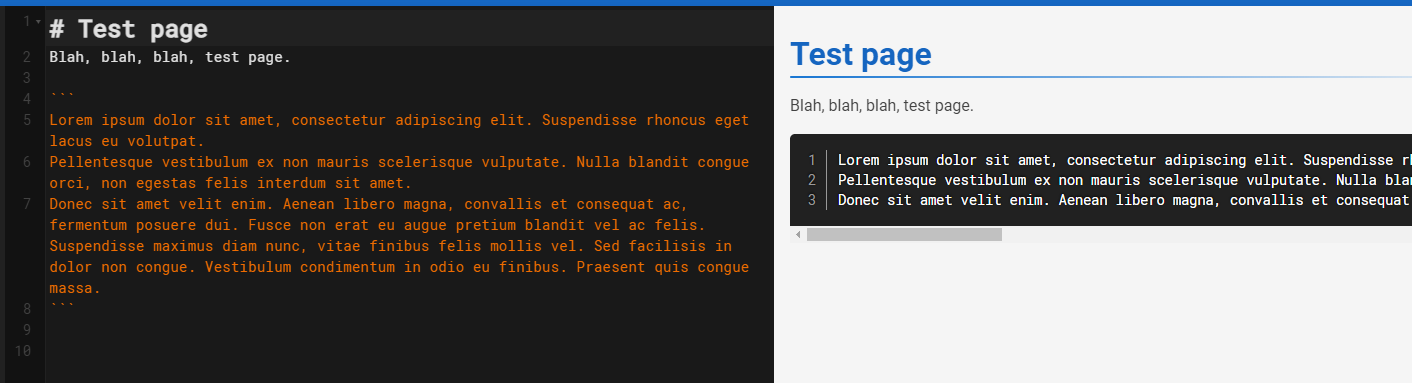
In editor it looks normal:
On page:

@fcqpl Did you re-save the page again after enabling the HTML Core Renderer and Syntax Highlighter?
Hello Everyone,
I've just installed version 2.5.219 and I just created a simple test page. Unfortunately I have the very same behaviour while editing the page using ckeditor.
Version: 2.5.219 Host environment: docker Configuration: default out-of-the-box configuration
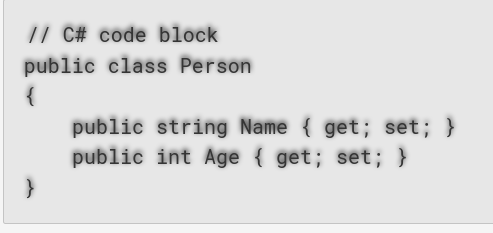
In this version, the problematic text-shadow setting is coming from "/_assets/css/vendor.1c8e0b1b9f1d9d4bceda.css" file:
text-shadow: 0 -.1em .2em #000;
After checking the source code I see that it is coming from prism.css
I'm using the following CSS as a work-around:
code[class*="language-"], pre[class*="language-"]
{
  text-shadow: none;
}

Hi, With last wiki.js version 2.5.307 tarball on debian 12 full updated, i still have this problem on firefox and chrome full updated too. CSS overide seem to resolve this issue proposed by geloczi. Is it possible to integrate this in next release?

Hi, With last wiki.js version 2.5.307 tarball on debian 12 full updated, i still have this problem on firefox and chrome full updated too. CSS overide seem to resolve this issue proposed by geloczi. Is it possible to integrate this in next release?
Hi,
Good to hear it is still working. I extended it a bit since to cover my use case at least:
code[class*=language-],
pre[class*=language-] {
  text-shadow: none
}
code[class*=language-]::selection,
code[class*=language-]::selection,
pre[class*=language-]::selection,
pre[class*=language-]::selection {
  background: #318efd;
  color: #fff
}
Despite it is an effective work-around, I'm not sure it qualifies as a proper fix.