

 reposense
Some PlantUML diagrams will not render in deployed RepoSense website
Tell us about your environment
- RepoSense Version: master
- OS and Version: windows10
- Web Browser and Version (if applicable): Chrome
Please include the steps to reproduce the bug.
- Visit https://docs-1406-pr-reposense-reposense.surge.sh/dg/report.html for the surge preview of #1406, which replaces images in the Developer Guide with PlantUML diagrams, to incorporate MarkBind's native support for PlantUML and improve scalability.
- Scroll to
Report architecturesection to view the PlantUML diagram. - Scroll to
Summary viewandAuthorship viewto view the other PlantUML diagrams.
What was expected to happen?
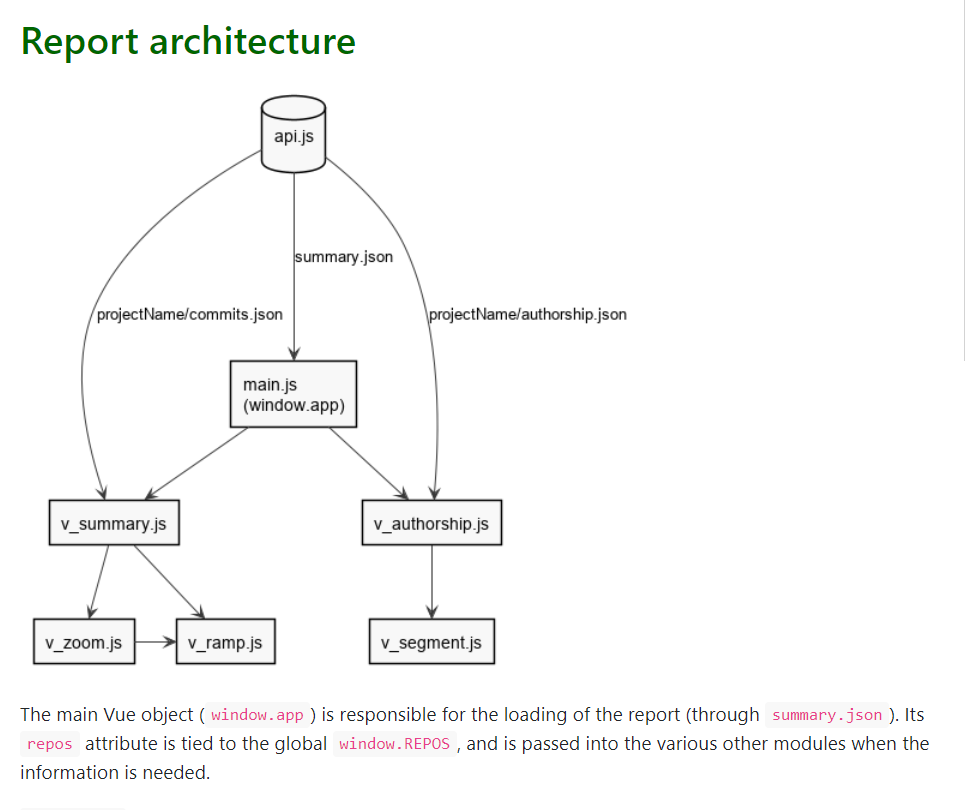
The PlantUML component diagram in the Report architecture section should be rendered as such:
What actually happened? Please include a screenshot of the output.
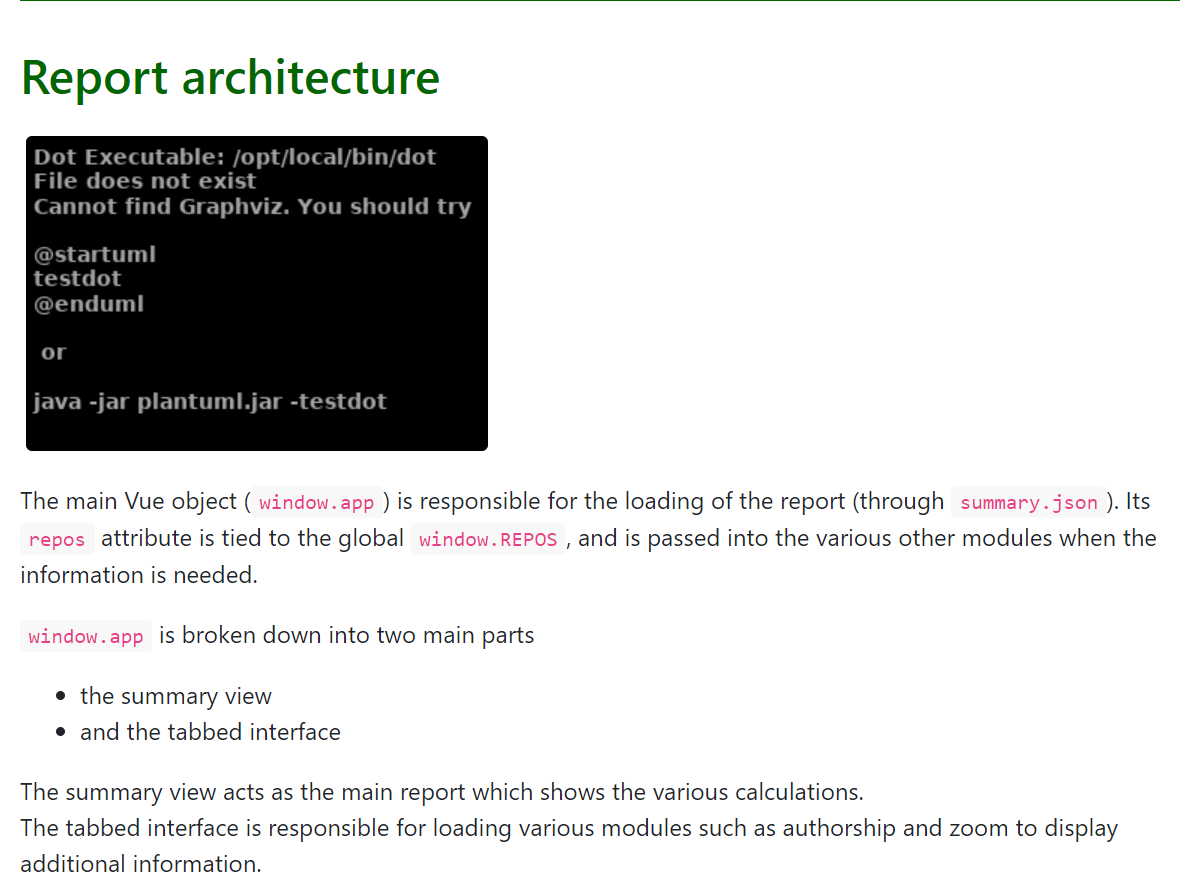
The PlantUML component diagram in the Report architecture section is not rendered, with an error output shown. Other PlantUML diagrams are rendered.
If possible, include the URL to your RepoSense report or log files (if any).
If possible, describe the solution.
- The error output indicated that Graphvis is uninstalled in the deployed website
- The root issue of PlantUML diagrams not rendering is not solved in this issue: https://github.com/MarkBind/markbind/issues/916
- A possible solution is to include the following lines in the build configuration file (.travis.yml) to install Graphviz on Linux for in the deployment repository:
before_install:
  - sudo apt-get -y install graphviz

I'm not even sure PlantUML diagrams will work with surge/netlify previews. You may want to ask the MarkBind guys (e.g., file a bug report or query in their issue tracker)

Might be relevant for us: https://github.com/MarkBind/markbind/issues/1903#issuecomment-1098778682
