
regolith-desktop
 regolith-desktop copied to clipboard
 regolith-linux
multiple glyphs missing in regolith-look-nord (regolith 2.0)
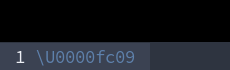


Hmm, I am not seeing this in my instance of Regolith 2 using nord:

Perhaps you have some Xresources being loaded from Regolith 1.x? (You can run xrdb -query to see all Xresource keys that are set)

I can confirm that there’s definitely a problem with look-default and look-nord. Using my own custom theme has no problem.
Hmm, do you have these fonts installed?
$ apt list --installed | grep fonts-nerd

WARNING: apt does not have a stable CLI interface. Use with caution in scripts.

fonts-nerd-font-jetbrainsmono/unknown,now 2.1.0-2-1regolith all [installed]
fonts-nerd-font-sourcecodepro/unknown,now 2.1.0-2-1regolith all [installed]
yes
% apt list --installed|grep fonts-nerd
WARNING: apt does not have a stable CLI interface. Use with caution in scripts.
fonts-nerd-font-jetbrainsmono/inconnu,now 2.1.0-2-1regolith all [installé, automatique] fonts-nerd-font-sourcecodepro/inconnu,now 2.1.0-2-1regolith all [installé]
The "nord" theme seems to use SauceCodePro, which I don’t have on my system and I don’t find in Debian.
Not sure why they changed the name of the font as installed on the system but the dependent package is declared in the package and it's working for me. You also have the correct package as listed up above. What does this say on your machine?
$ xrescat i3-wm.bar.font
pango:SauceCodePro Nerd Font Mono 13
% regolith-look set nord
In file included from /home/ploum/.cache/regolith2/Xresources-generated:5:
/usr/share/regolith-look/nord/typeface:32:34: warning: \U0000fa7f' is not in NFC [-Wnormalized=] 32 | #define typeface_bar_glyph_sound 奔 | ^ /usr/share/regolith-look/nord/typeface:36:33: warning: \U0000faa8' is not in NFC [-Wnormalized=]
36 | #define typeface_bar_glyph_wifi 直
|
Yes, packages installed and xrescat correctl.

I confirm that both are fixed. It seems that the "thermometer/temperature" icon is still broken
I think I found a solution in the regolith 3 era:
it turns out wm.bar.font is not set in some looks. I have to add it in my own Xresources and all the weird symbol/character issue go away
wm.bar.font: RobotoMono Nerd Font Regular 11
However, the font choice must match that of the look itself (defined in gtk.font_name e.g.)!. You can't just customize the font or the glyphs will go bonkers
@kgilmer Should raise a simple PR in the regolith-looks repo?
