

 refinedev
[FEAT] Dynamic window title
Is your feature request related to a problem? Please describe.
It would be great if each page could have an auto-generated and custom title.
Example, For the Posts resource
- dashboard ->
Dashboard | refine - list ->
Posts | refine - edit ->
#{id} Edit Post | refine - show ->
#{id} Show Post | refine - create ->
Create new Post | refine
It can also be overridden by adding an event to the refine options.
onWindowTitle: ({ resource, action, params, autoGeneratedTitle }) => {
console.log({  resource, action, params, autoGeneratedTitle });
*/
{
  resource: "posts",
  options: { foo: "bar" },
  params: { id: 1, action: "edit" }
  autoGeneratedTitle: "#{1} Edit Post | refine"
}
*/
}
It can also be managed manually with a hook called useWindowTitle() or useDocumentTitle()
Describe alternatives you've considered
No response
Additional context
No response
Describe the thing to improve
Pages can be easily distinguished in browser history and tabs


@omeraplak can you give some directions like where to start to solve this issue. 🙏
@omeraplak can you give some directions like where to start to solve this issue. 🙏
Hey @amit-ksh , I think we can solve this problem with refine's Router Provider Packages (https://refine.dev/docs/packages/list-of-packages/).
Simply, we should update the document title when the user views pages with actions like dashboard, list, create, edit, and show.
We can create a hook (ex: useUpdateWindowTitle) that will update this document title and this hook can be exported from package @pankod/refine-core.
Then this hook is called in the router provider. ex: https://github.com/refinedev/refine/blob/next/packages/react-router-v6/src/routeProvider.tsx#L24
We can also add an event called onDocumentTitle to Refine component to enable the user to manage the title globally. This method is called before the window title change and the result returned is used (if provided).
Don't forget to review our Contributing document
Are these explanations enough for you?
Enjoy 🎃
So, I need to work on react-router-v6 only and no change need to make to the react-router package right?
We expect you to do it in all router packages except @pankod/react-router (because it's deprecated)
Hey @amit-ksh , Have you reviewed our "Contributing" document?
https://refine.dev/docs/contributing/
@amit-ksh, any progress on this one? Let me know if you are still facing issues

@aliemir @omeraplak, please unassign me from this issue. It would be better if someone else work on this one, I'm not able to solve this issue.


Hi @omeraplak, can you guide me on how to set up the dev environment? I read the contribution doc. It says not to bootstrap all the packages. since I am working on the custom hook inside the core package, should I bootstrap that one only?
npm run bootstrap -- --scope @pankod/refine-core
and then
npm run build
npm run start -- --scope @pankod/refine-core --scope @pankod/refine-antd --scope refine-use-select-example
Hey @sebabratakundu,
First you need to bootstrap the packages you will be working on like below:
npm run bootstrap -- --scope @pankod/refine-core --scope refine-use-select-example
Then, It's enough to run just start without build:
npm run start -- --scope @pankod/refine-core --scope refine-use-select-example

@salihozdemir, I did that. no error in the console. it starts the refine-core. but how can I see the example in localhost?
I tried to use localhost:3000, but no success.
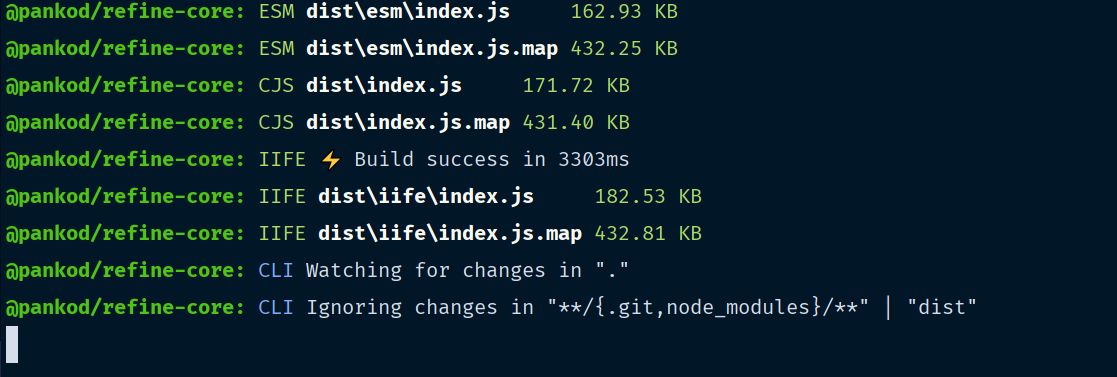
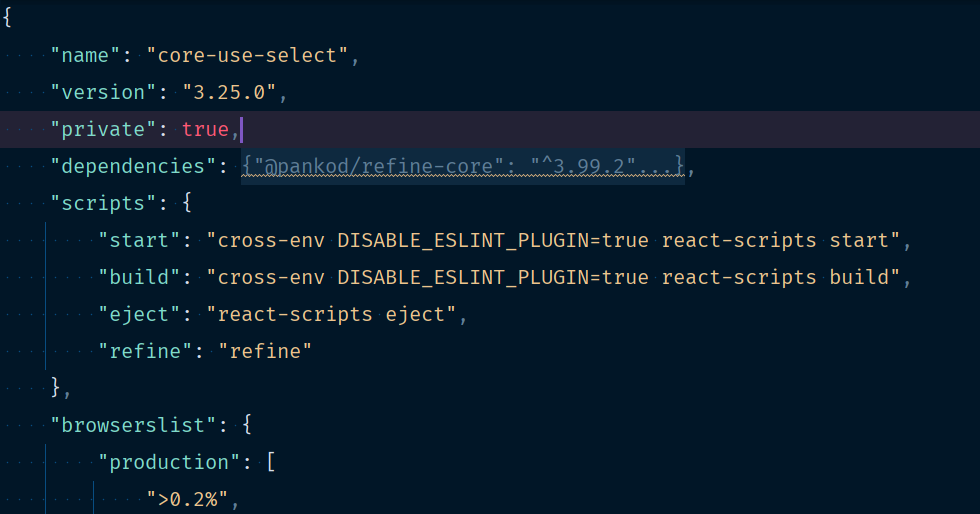
@sebabratakundu, You also need to start example project.
- Go to the example you want to run
- Open
package.jsonof example - Copy to
nameproperty of example inpackage.json
After, bootstrap example and packages you want to work on like below:
npm run bootstrap -- --scope @pankod/refine-core --scope "NAME OF EXAMPLE"
Then, start package and example following command:
npm run start -- --scope @pankod/refine-core --scope "NAME OF EXAMPLE"
When you start the example, automatically your browser will be open on localhost:3000 and your changes will affects the example.
@salihozdemir , nope not working. copied the same name from package.json of example/core-use-select
even though I use the same command, only refine-core is starting.
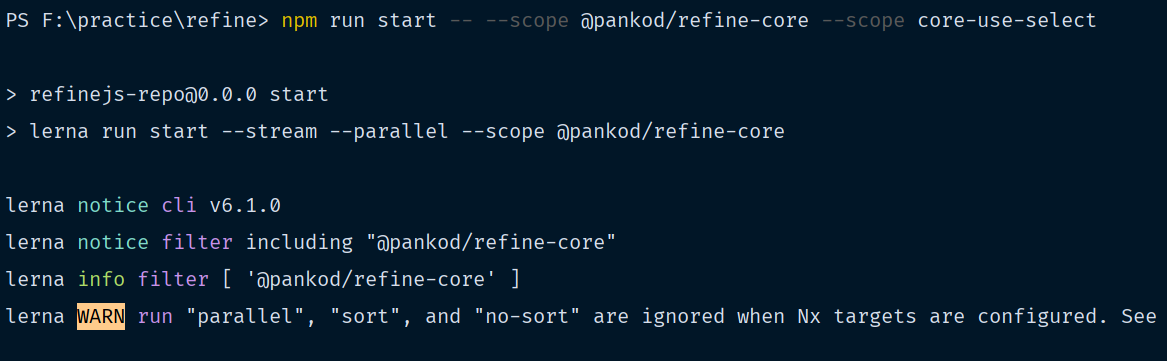
Hey @sebabratakundu, don't know if this is windows related or something else but it looks like the --scope parameter is not working properly in your case. You can do npm run start -- --scope={@pankod/refine-core,core-use-select} to add multiple packages in one --scope.
BTW, @pankod/refine-core is always included in bootstrap and start calls, so if you do npm run start -- --scope core-use-select, @pankod/refine-core will also start running 😅
Finally able to start the dev server 😅. Its because of using the in-build cmd of webstrom. I used the git bash and it worked!
@aliemir I have created a pr(WIP) for this issue. Created useDocumentTitle hook to change the resource title.
However, I need some more information.
- I can't get the second idea, which is -
We can also add an event called onDocumentTitle to Refine component to enable the user to manage the title globally. This method is called before the window title change and the result returned is used (if provided). as @omeraplak said in https://github.com/refinedev/refine/issues/2810#issuecomment-1284037098.
- How many router provider packages do we have. I can only see [react-router-v6, react-router, next-router]
@omeraplak Any response?
@aliemir I have created a pr(WIP) for this issue. Created
useDocumentTitlehook to change the resource title. However, I need some more information.
- I can't get the second idea, which is -
We can also add an event called onDocumentTitle to Refine component to enable the user to manage the title globally. This method is called before the window title change and the result returned is used (if provided). as @omeraplak said in #2810 (comment).
- How many router provider packages do we have. I can only see [react-router-v6, react-router, next-router]
Hey @sebabratakundu sorry, I missed the comment 🤦 Can you check the RouteChangeHandler component? I think it will be a good place to call this callback for global title management. So we can provide a prop in <Refine /> component and pass the resource, action etc. as arguments. Then if the return value is a string, we can set it as the title 🤔
But I think this might conflict with the new useDocumentTitle hook 🤔 @omeraplak
Hi @aliemir, I am able to implement the callback onDocumentTitle in Refine component as you said. but the problem is, RouteChangeHandler is called before the useDocumentTitle is called (inside RouterProvider).
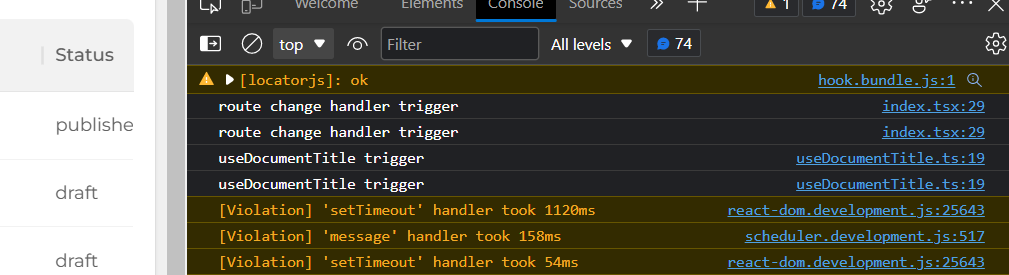
So even if I changed the title in this callback, its been overridden by useDocumentTitle, which is autogenerating the title.
I think we can call the useDocumentTitle hook to generate an auto title inside RouteChangeHandler itself. then we don't need it inside individual router provider. what do you say @omeraplak , @aliemir ?