

 redpanda-data
How do I get topic details back after I turn off some attribute display
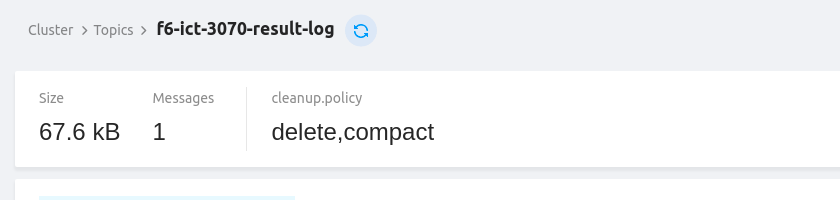
How do I get it back after I turn off some attribute display? I didn't find Quick Info.
In addition, I would like to ask how long the cache of topic details information is valid. After I modify segment.ms, the value of this attribute remains the same for a long time.
version: v1.5.0, 1.4.0

Hi,
How do I get it back after I turn off some attribute display?
previously you were able you were able to click on the name of a config-entry (in the config tab of a topic), that's where you would select what is shown in the statistics bar at the top.
However, due to a recent refactoring that got lost, sorry about that.
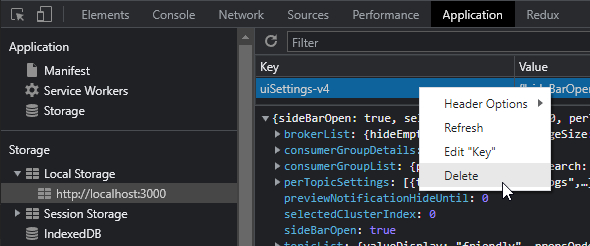
At least right now the only way to fix it is to reset the settings 😦
After I modify segment.ms, the value of this attribute remains the same for a long time.
The frontend caches information for 20seconds. But that only gets triggered when you navigate around the page. So if you view a topic, then go to the brokers page, then back to topics, and click your topic again, it will reload the info.
Otherwise you can refresh the info manually by clicking on the blue reload button at the top. Does it update if you click that? If not, please show the network response so we can check if it is a frontend or backend issue.


At least right now the only way to fix it is to reset the settings
Got it.
Even after modifying 'segment.ms,' the value of this attribute remains unchanged for an extended duration.
Sorry, there is nothing wrong with the service, I mistaken segment.ms for retention.ms.
