
vscode-java
 vscode-java copied to clipboard
 redhat-developer
Classes compile outside vscode in CLI, but in vs-code problem section displays errors and editor highlights code lines in red
Java Code is compiling neatly, outside the Vs-Code IDE i.e., from command line and other IDE's like IntelliJ, but when I import my project into VS-Code there are some errors displayed in problems section. Some of them are shown here with screenshots
Environment
- Operating System: Windows 10
- JDK version: 1.8 - J9 VM
- Visual Studio Code version: 1.47.2
- Java extension version: v0.64
- Build tool: Gradle, wrapper version, 4.8.1
Steps To Reproduce the
- Create a project having src/main/resources and add your java code directly inside src\main
Java Model Exception: Java Model Status [Cannot nest '<project>/src/main/resources' inside '<project>/src/main'. To enable the nesting exclude 'resources/' from 'junit_tests/src/main']
Current Result
-
Below is the Java language server log file excerpt

-
I have tried excluding the resources folder, but no luck, problems section still has this.
-
All these compile times issues or problems shown in the problems section in vsc-code are not detected in IntelliJ IDE. Not sure why the is is happening.
-
The code/java intellisense cannot trace the relationship between so, red marks with lines highlighted is shown, but actually that's not the case, as the classes are compiled perfectly from command line.
-
Some of the compiler issues, shown in the problems section are -

-


@fabricon: Couldn't share the project.
However, I could give little more details
- It's a multi-module gradle project. junit_tests one of the sub-project inside the main or root project
- And this one depends on some other modules/sub-projects.
If you could be specific on the part of build.gradle, like which build.gradle as there are too many in my project. Root project or sub-project? If you could ask me to check for something like changing a config/version and give some tweaks, I would try and let you know.
- I have tried excluding the resources folder, but no luck, problems section still has this.
It seems like the underlying Eclipse JDT Language Server, which is currently ignoring the exclusions completely (it also does for our legacy Eclipse Projects on JDK8). The settings are properly forwarded to it. They just don't work, not matter how you specify them.
So basically it's still trying to parse the folders ... even tough it was properly set by the vscode-java extension.
I'm not sure under what circumstances the Eclipse Language Server is used in vscode-java (just legacy projects or for everything) tough. In our case we aren't even using gradle or maven (its still using IVY), and I doubt its related to gradle or maven either.
@fbricon - see in eclipse.jdt.ls GH:
https://github.com/eclipse/eclipse.jdt.ls/issues/1508

@fabricon
As mentioned earlier, there are 2 problems
- Compile time errors A sample usecase where, it's showing the compile time errors
1 package srk.demo;
2
3 import com.fasterxml.jackson.annotation.JsonSubTypes;
4
5 public final class SrkDemo {
6
7  @JsonSubTypes({ @JsonSubTypes.Type(value = SrkInnerStatic.class, name = SrkInnerStatic.ID) })
8  public abstract static class SrkAbstractStaticInner {
9    private void dothis() {
10    System.out.println(SrkInnerStatic.ID);
11   }
12  }
13
14  public static final class SrkInnerStatic extends SrkAbstractStaticInner {
15    private static final String ID = "1";
16  }
17
18}

- VScode couldn't build project i.e., error "failed to build project "

From my side, tried these
gradlew cleaneclipse, andgradlew eclipse, didn't work,- Replaced "org.eclipse.jdt.core_3.22.0.v20200530-2032.jar" with latest jar from maven central "org.eclipse.jdt.core_3.23.0.v20200728-1323.jar" in vscode\extensions\redhat.java-0.65.0\server\plugins didn't work either.
Any update on this or tweaks to fix this is appreciated
@sairaghavak 'The field SrkDemo.SrkInnerStatic.ID is not visible' is correct. The field is private.

@snjeza Not sure if you are saying that it's obvious. But at least for me, it's compiling in IntelliJ and I tried to compile it from command line as well and it compiles good.

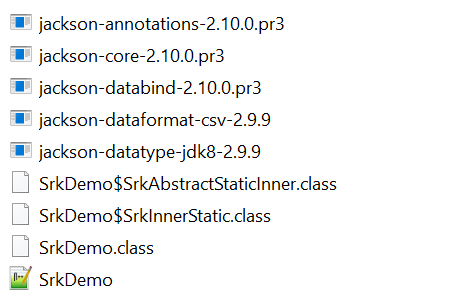

@sairaghavak This issue is an upstream eclipse issue. Could you create a bug at https://bugs.eclipse.org/bugs/enter_bug.cgi?product=JDT?
@snjeza : Created a bug there: https://bugs.eclipse.org/bugs/show_bug.cgi?id=565925
How about the second part in this issue.
VScode couldn't build project i.e., error "failed to build project "

Ant tweak suggestions for this to resolve in vscode or it's a vscode Gradle plugin issue?
@sairaghavak could you attach your build.gradle from the junit_tests project?
I'm having a similar issue, except vscode can't seem to find my protobuf libraries, despite working fine from both Intellij (with intellisense), and CLI (gradle build and run configurations).

buildscript {
    repositories {
        mavenCentral()
    }
    dependencies {
        classpath 'com.google.protobuf:protobuf-gradle-plugin:0.8.13'
        classpath 'com.salesforce.servicelibs:jprotoc:0.9.0'
        classpath 'io.grpc:grpc-stub:1.33.0'
        classpath 'io.grpc:grpc-protobuf:1.33.0'
        classpath 'com.google.protobuf:protobuf-java:3.12.0'
    }
}

plugins {
    // Apply the java-library plugin for API and implementation separation.
    id 'java-library'
    id 'com.google.protobuf' version '0.8.13'
    id 'java'
    id "com.github.johnrengelman.shadow" version "6.1.0"
}

protobuf {
    generatedFilesBaseDir = "$projectDir/src/main/proto-gen"

    protoc {
        artifact = "com.google.protobuf:protoc:3.12.0"
    }
    plugins {
        grpc {
            artifact = 'io.grpc:protoc-gen-grpc-java:1.33.0'
        }
    }

    generateProtoTasks {
        all()*.plugins {
            grpc {}
        }
    }
}

sourceSets {
    main {
        proto {
            srcDir 'src/main/proto'
        }
        java {
            // include self written and generated code
            srcDirs 'src/main/java'
            srcDirs 'src/main/proto-gen/main/grpc'
            srcDirs 'src/main/proto-gen/main/java'
        }
    }
}

repositories {
    // Use JCenter for resolving dependencies.
    jcenter()
}

dependencies {
    // Use JUnit test framework.
    testImplementation 'junit:junit:4.13'

    // This dependency is exported to consumers, that is to say found on their compile classpath.
    api 'org.apache.commons:commons-math3:3.6.1'

    // This dependency is used internally, and not exposed to consumers on their own compile classpath.
    implementation 'com.google.guava:guava:29.0-jre'
    implementation 'io.grpc:grpc-netty-shaded:1.33.0'
    implementation 'io.grpc:grpc-protobuf:1.33.0'
    implementation 'io.grpc:grpc-stub:1.33.0'

    compileOnly 'org.apache.tomcat:annotations-api:6.0.53'
    // necessary for Java 9+

    compile group: 'com.google.protobuf', name: 'protobuf-java', version: '3.12.0'

    // api 'com.google.guava:guava:29.0-jre'
    // api 'io.grpc:grpc-netty-shaded:1.33.0'
    // api 'io.grpc:grpc-protobuf:1.33.0'
    // api 'io.grpc:grpc-stub:1.33.0'
}

ext.versions = "0.0.1"

shadowJar {
    baseName = 'shadow'
    classifier = null
    version = null
}

jar {
    archiveBaseName = "test"
    archiveVersion = "$versions"
    archiveExtension = "jar"

    from {

        configurations.runtime.collect {
            it.isDirectory() ? it : zipTree(it)
        }

        configurations.compile.collect {
            it.isDirectory() ? it : zipTree(it)
        }
    }

    exclude 'META-INF/*.RSA', 'META-INF/*.SF', 'META-INF/*.DSA'
}

task runServer(type: JavaExec) {
    classpath = sourceSets.main.runtimeClasspath

    main = "example.testServer"
}

task runClient(type: JavaExec) {
    classpath = sourceSets.main.runtimeClasspath

    main = "example.testClient"
}
Would it benefit to see the .classpath as well? It is correctly finding my sources and generated sources, but doesn't seem to be picking up any external libraries for intellisense. I can Ctrl+Click through import com.google.protobuf.Any; and view the corresponding .class files from the protobuf-java jar, however it is underlined with the error package com.google.protobuf does not exist(compiler.err.doesnt.exist). Another oddity in this is that I can't find sources for any of the java built-in classes, but AFAIK my settings.json is setup correctly:
    "java.configuration.runtimes": [

    {
        "name": "JavaSE-14",
        "path": "/usr/lib/jvm/java-1.14.0-openjdk-amd64",
        "sources": "/usr/lib/jvm/openjdk-14/src.zip",
        "default": true
    }
    ]
Another oddity in this is that I can't find sources for any of the java built-in classes, but AFAIK my settings.json is setup correctly
@dragozir Could you try replace
"sources": "/usr/lib/jvm/openjdk-14/src.zip",
with
"sources": "/usr/lib/jvm/openjdk-14/lib/src.zip",
or remove this line. You should install the java-14-openjdk-src package.
You should install the java-14-openjdk-src package.
Installing openjdk-14-source with apt correctly provides the symlink from src.zip -> lib/src.zip, so thank you for steering me in the right direction there. .class now shows up for all java built-ins. Still having the issue with external libraries, however this seems related to intellisense as gradle is able to build and run fine.
I have similar issue in tests as well. It shows:
The method getByIds(Collection<String>, Class<T>) in the type DataProvider
is not applicable for the arguments (Collection<String>, capture#8-of ? extends Class<? extends Identifiable>)
Java(67108979)
However, it compiles fine from command line and IntelliJ.
Here's a piece of code:
        Stream.of(
                new Pair<>(products, Product.class),
                new Pair<>(orders, Order.class),
                new Pair<>(cars, Car.class)
        ).forEach(source -> {

            lenient().when(dataProvider.getByIds(anyCollection(), eq(source.getValue1())))
                    .thenAnswer(a -> {
                        Organization organization = (Organization) principalProvider.getPrincipal();

                        Collection<String> ids = a.getArgument(0);
                        return source.getValue0()
                                .get(organization.getCompanyId())
                                .stream()
                                .filter(p -> ids.contains(p.getId()))
                                .collect(toList());
                    });
Here's a bit of info about my vscode
Version: 1.56.2 (user setup)
Commit: 054a9295330880ed74ceaedda236253b4f39a335
Date: 2021-05-12T17:13:13.157Z
Electron: 12.0.4
Chrome: 89.0.4389.114
Node.js: 14.16.0
V8: 8.9.255.24-electron.0
OS: Windows_NT x64 10.0.19042


Yes the solution is not to use VS code
From: luiz290788 @.> Sent: Tuesday, June 18, 2024 9:22 AM To: redhat-developer/vscode-java @.> Cc: siddjain @.>; Manual @.> Subject: Re: [redhat-developer/vscode-java] Classes compile outside vscode in CLI, but in vs-code problem section displays errors and editor highlights code lines in red (#1531)
I'm facing a similar issue, did you find a solution for this?
— Reply to this email directly, view it on GitHubhttps://github.com/redhat-developer/vscode-java/issues/1531#issuecomment-2176501053, or unsubscribehttps://github.com/notifications/unsubscribe-auth/AAFZEMLKOHIRFAWPSJACQN3ZIBNCVAVCNFSM6AAAAABJQL6PCGVHI2DSMVQWIX3LMV43OSLTON2WKQ3PNVWWK3TUHMZDCNZWGUYDCMBVGM. You are receiving this because you are subscribed to this thread.Message ID: @.***>

Can you point me to the solution?
Yes the solution is not to use VS code