

 realpython
Describing making Python 3 the default `python` under Homebrew
So, about this section in the OS X installation guides:
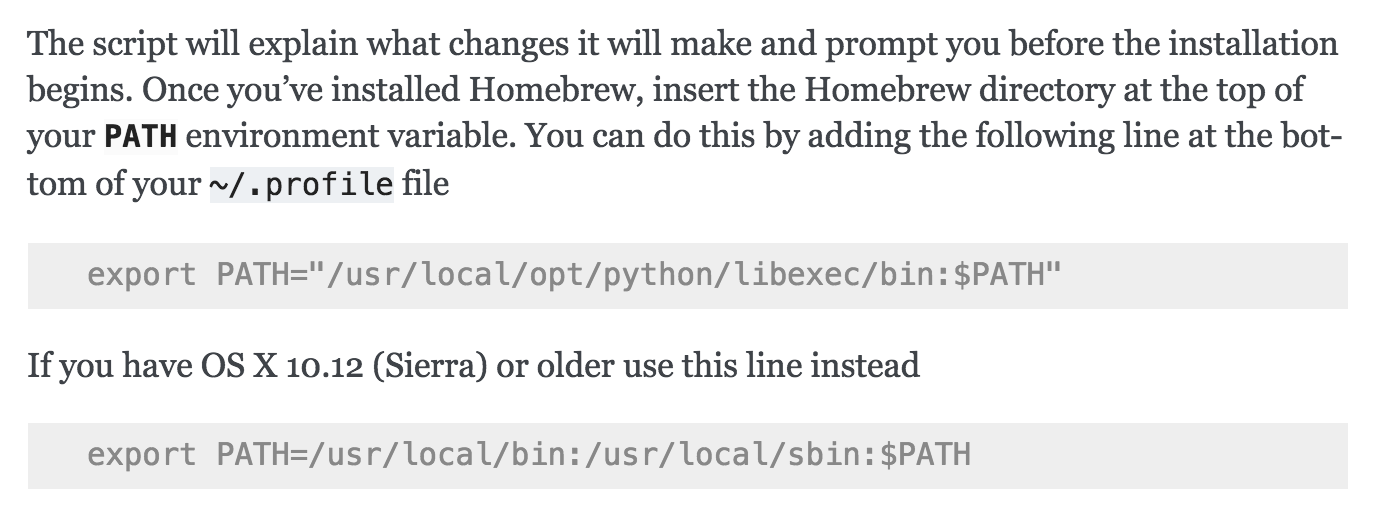
That opt/python/libexec behavior is not actually about 10.12 Sierra vs. newer versions of macOS. Homebrew does not make the unqualified python command be Python 3 on any version of macOS. If this behavior was different in the past, that was due to a different Homebrew version, not a different macOS version. (Homebrew's policy is to not shadow system-provided components in a way that might break things.)
Maybe this section should be updated to something like:
Once you've installed Homebrew, insert the Homebrew directory at the top
of your :envvar:`PATH` environment variable if you are running 10.12 Sierra or older.
You can do this by adding the following line at the bottom of your :file:`~/.profile` file:

.. code-block:: console

    export PATH="/usr/local/bin:/usr/local/sbin:$PATH"

Now, we can install Python 3:

.. code-block:: console

    $ brew install python

Then, to make your default `python` command point to Python 3:

.. code-block:: console

    export PATH="/usr/local/opt/python/libexec/bin:$PATH"
And the section in the Python 2 installation about doing PATH="/usr/local/opt/python@2/libexec/bin:$PATH" is no longer necessary: the Homebrew python@2 formula now provides a python command that is in /usr/local/bin by default.
Might also want to provide a link to Homebrew's Homebrew and Python page, which goes in to more detail.

Agreed. https://docs.brew.sh/Homebrew-and-Python#python-3x-or-python-2x disagrees with this document on which version on Python will be invoked when python is typed at the macOS command prompt.

