
swift-toolkit
 swift-toolkit copied to clipboard
 readium
[a11y] Accessibility of Next/Previous navigator buttons
Feedback received on TestFlight:
As a screen reader user, I’m noticing that the previous and next chapter navigation buttons located at the bottom of the screen have really small touch targets. This can make it particularly difficult for users with motor control challenges to navigate the UI. Ideally, the touch targets for these controls should be larger and in addition, native voiceover gestures should be used for scrolling pages.
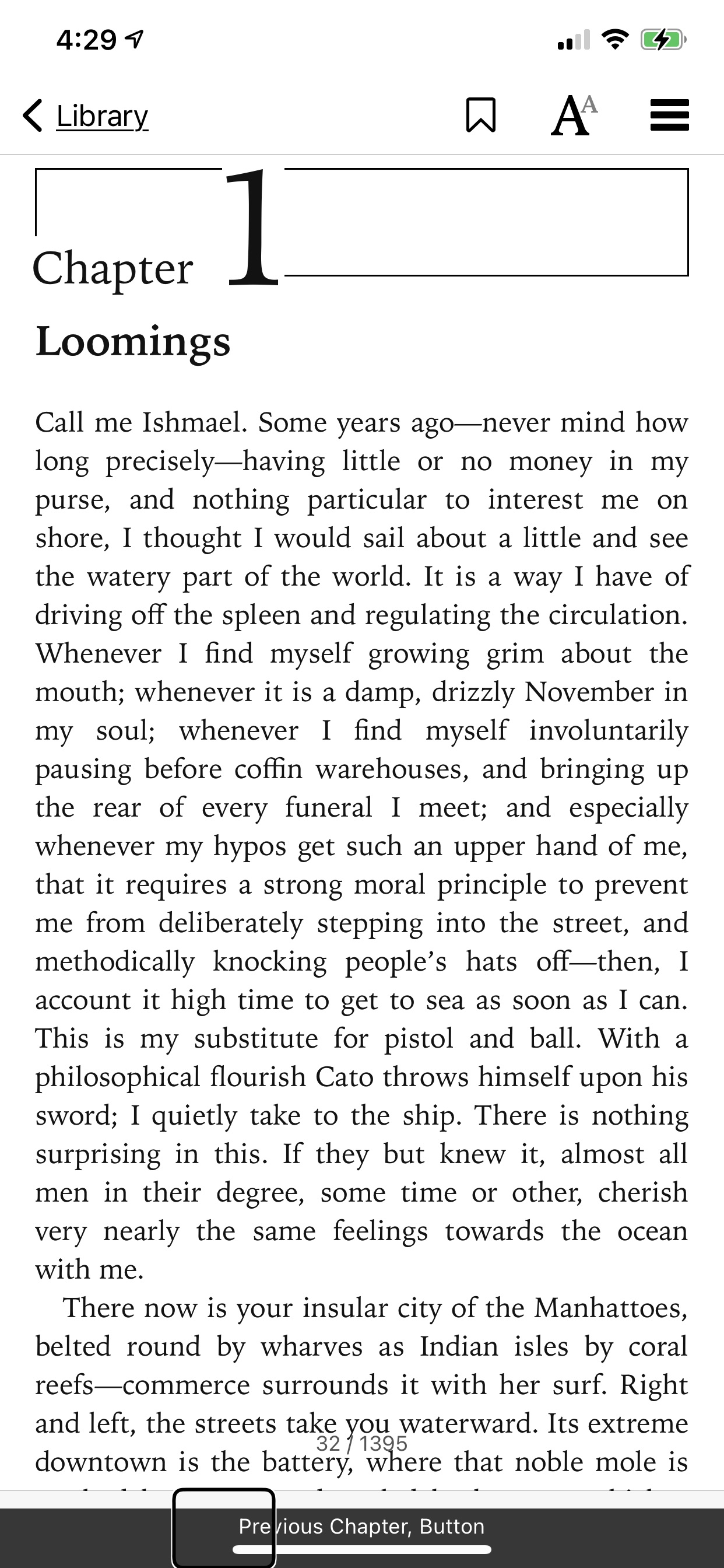

To provide some context, we had some issues with the web view not sending information to VoiceOver when reaching the end, which means that we can't automatically skip to the next resource. This is probably because the web view's accessibility was designed as a single page experience.
The previous/next buttons at the bottom are actually workarounds/hacks to enable continuous reading. VoiceOver will focus these buttons which prompts us to skip to the next chapter. They were not meant to be used as interactive elements, but obviously the intent is not clear.
At the end of the day, I think a dedicated+accessible TTS feature would be a better read aloud experience, once we get there.
native voiceover gestures should be used for scrolling pages.
It should be the case, if it doesn't work it's probably a bug.
Although dedicated TTS functionality would be useful for some print disabled readers, the functionality does not substitute or replace accessibility for native screen readers. This primarily has to do with the overall access to content navigation at different granularities which often does not exist within dedicated TTS implementations. Screen reader users want the ability to efficiently navigate through text content. Dedicated TTS implementations are often primarily focused on continuous playback.
VoiceOver gestures for scrolling: 3-finger swipe left: Scroll right (Often mapped to next page) 3-Finger swipe right: Scroll left (Often mapped to previous page) 3-finger swipe up: Scroll down 3-finger swipe down: Scroll up
https://developer.apple.com/documentation/uikit/uiaccessibility/uiaccessibilitytraits/1620205-causespageturn https://developer.apple.com/documentation/uikit/uiaccessibility/notification/1620190-pagescrolled

I had in mind an hybrid approach were we would switch to a TTS mode when VoiceOver is enabled, to overcome issues with the web view.
Anyway thanks for your a11n feedback, it's really useful since we're not necessarily screen reader users ourselves and easily miss issues.
We had this discussion on Thorium Reader also. TTS is using a system voice, where screen readers are using their own voice, and provide full interaction with the screen. Both are complementary.

@danielweck Did you face the same issue on Thorium with the lack of notification when the screen reader reaches the end of the web view / iframe, to know that we need to skip to the next resource?