
create-mui-theme
 create-mui-theme copied to clipboard
 react-theming
online tool for creating material-ui themes

Create Material-UI Theme:  +
+ 
Online tool for creating Material-UI themes via Material Design Color Tool (https://material.io/tools/color)
- Open
Color Toolhttps://material.io/tools/color andCreate MUI Themehttps://react-theming.github.io/create-mui-theme/ - Select colors of your choice in
Color Tool - Copy-paste URL from
Color Toolbrowser tab to the input field inCreate MUI Themeand click ADD (or simply drag & drop by mouse) - Take auto-generated code below and use it in your project
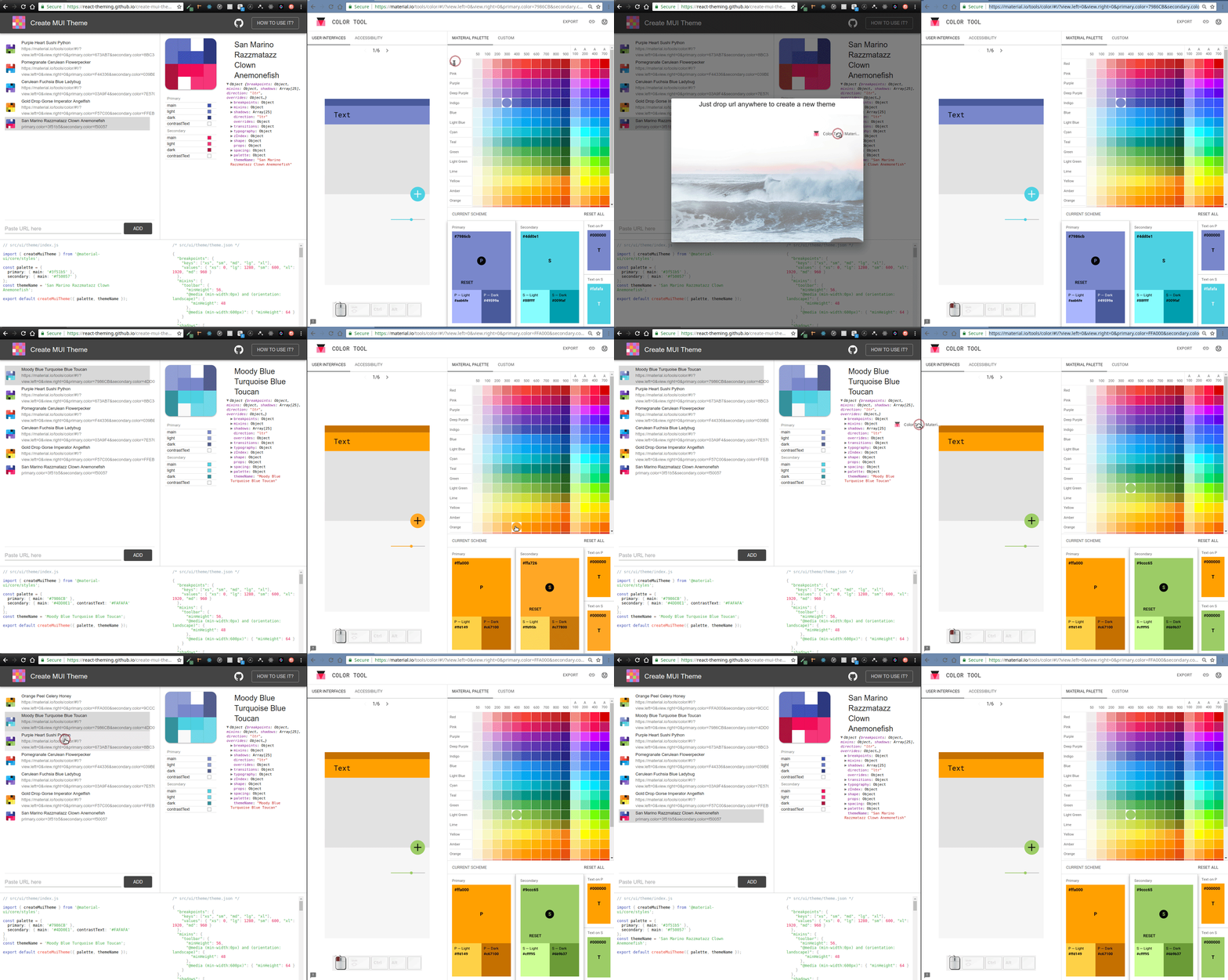
Example
Drag & Drop this URL onto page
https://material.io/tools/color/#!/?view.left=0&view.right=0&primary.color=AD1457&secondary.color=03A9F4&secondary.text.color=FAFAFA
Usage
You can use this auto-generated code with any your project which uses Material-UI of version 1.0.0 and above. For example you can start with Create Material-UI App. Generated themes are compatible with with Storybook Addon Material-UI
Related links
- https://material.io/tools/color
- https://material-ui.com/style/color/#material-color-tool
- https://material-ui.com/customization/themes/
- https://react-theming.github.io/create-mui-theme/
Support
You can support this project with your stars and RT
https://twitter.com/UsulPro/status/1022781130246905856
CONTRIBUTING
Any contributions are very welcome!
Credits
telegram:@usulpro (The quickest way to contact me :zap:)



 react-theming