
picker
 picker copied to clipboard
 react-native-picker
touch area for items very small / unusable on android
I have not found a way to increase or position the items in the android picker. Is there a way to do that? Especially the non-dropdown mode with a set width becomes very buggy this way.
If this is not adaptable I don't see how this package can be used on android.


if I display the number 1-10 in the picker, the picker dropdown will be of about 10-20px width. If you try to increase the width (by e.g. setting style={ width: 100}), the toucharea of every seperate item is still only of 10-20px width. So way to small.
Hi @schumannd it will be really great, if you could have some handy screenshot of current behavior and how are you expecting it to be

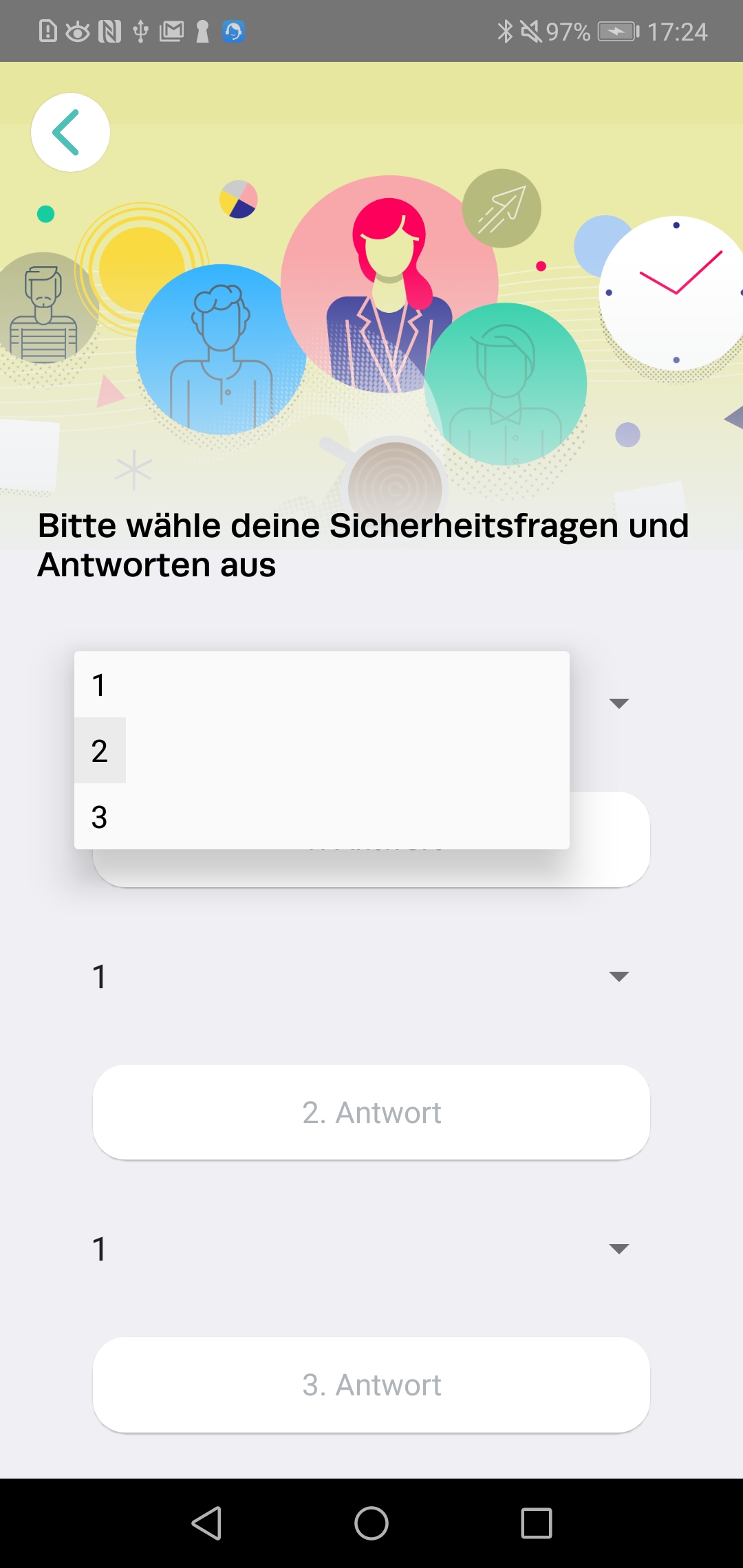
This screenshot was taken while holding down on "2". It shows the touch area (grey area) of "2" being very small. I would expect it to span the full width of the dropdown menu.
I'm seeing the same issue. @schumannd out of curiosity, which device are you using?
Behaviour
As described by @schumannd, tap area is only as wide as the text value of the <Picker.Item>.
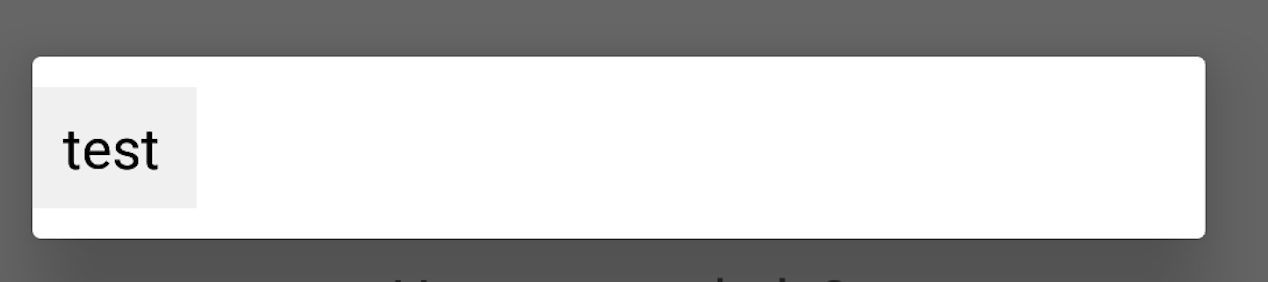
I've tried to fix it using the itemStyle prop on the <Picker> and the style prop on both <Picker> and <Picker.Item> with no joy.
Code
<Picker>
  {[{value: 'test', label: 'test'}].map((option, index) => (
    <Picker.Item
      key={option.value}
      value={option.value}
      label={option.label}
    />
  ))}
</Picker>
Conditions
App
| React Native | 0.62.2 (latest at time of writing) |
| React Native Picker | 1.5.0 (latest at time of writing) |
Device
| Make | Huawei |
| Model | P20 Pro |
| OS | Android Oreo 8.1 |
Extra Info
I'm not seeing the same issue on emulators for Pixel devices running:
- Android Oreo 8.1
- Android Q 10.0


