

 ray-project
[Dashboard][rc2.0] Can not open logs on dashboard.
What happened + What you expected to happen
The logs url port seems wrong.
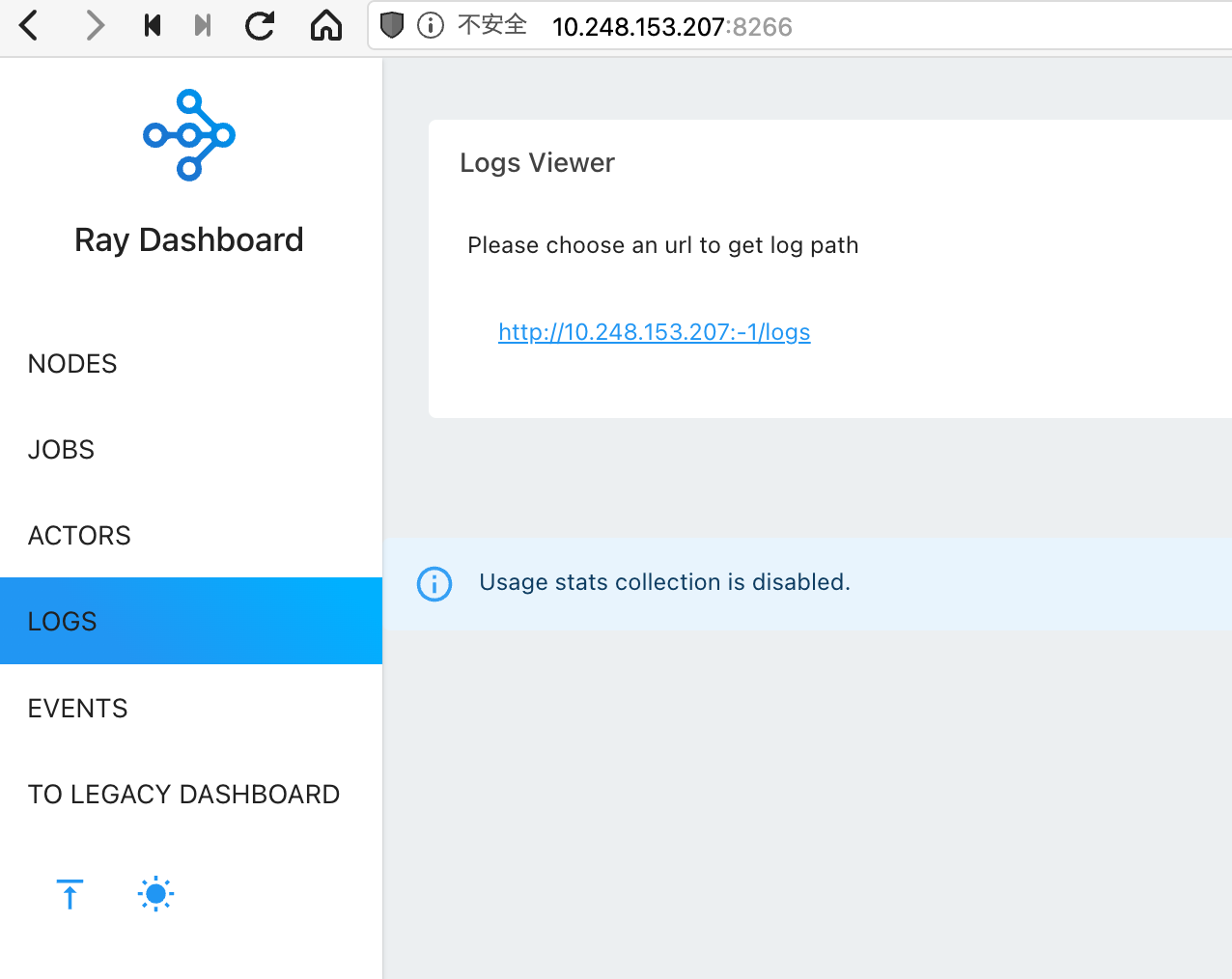
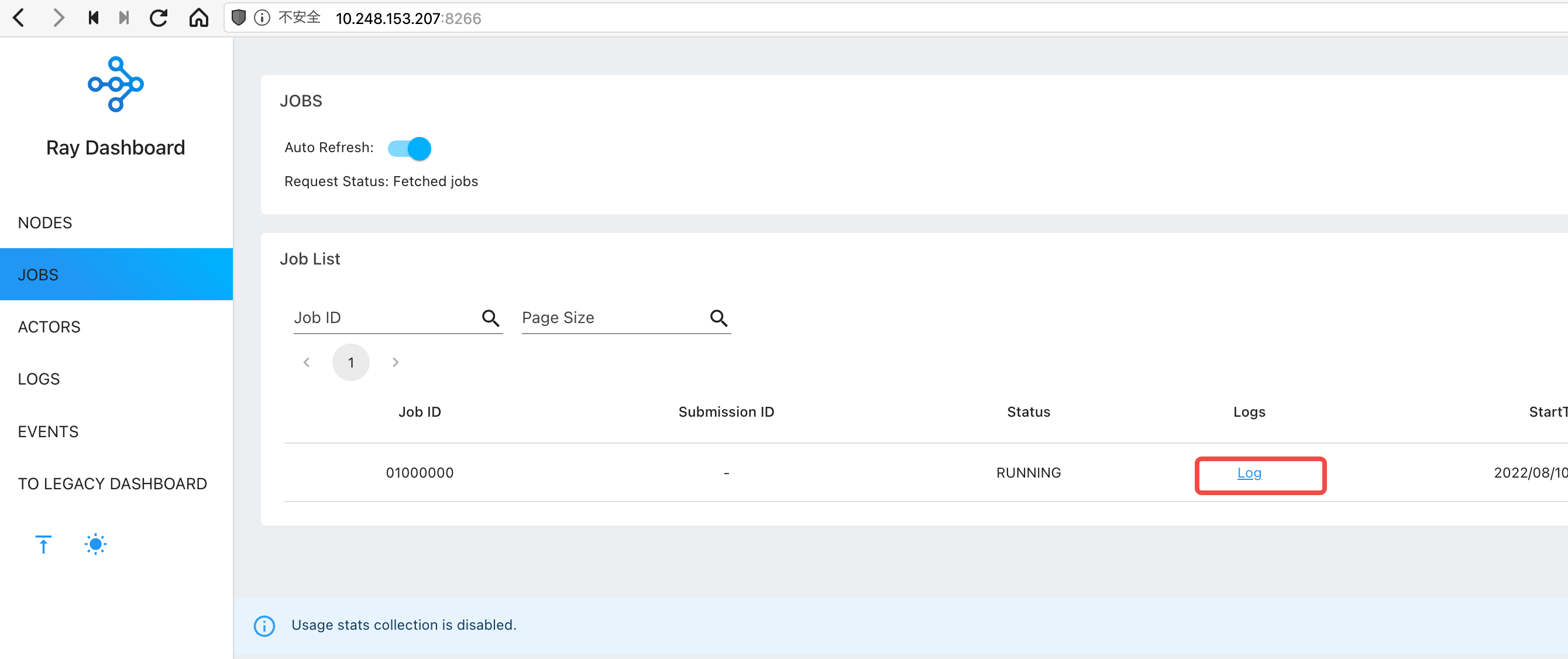
This log url in jobs page can not be opend. The url is: http://10.248.153.207:8266/#/log/http:%2F%2F10.248.153.207:-1%2Flogs?fileName=01000000
Versions / Dependencies
Create a new virtualenv by:
python3 -m virtualenv ./ray-2.0
and then
source ray-2.0/bin/activate
pip install "ray[default]==2.0.0rc0"
The python version is: Python 3.7.3 (default, Jan 22 2021, 20:04:44)
Reproduction script
My python code:
import ray
import time

ray.init(dashboard_host="0.0.0.0", include_dashboard=True, logging_level="debug")

@ray.remote
class MyActor:
    def __init__(self):
        pass

    def func(self):
        return 100

actor = MyActor.remote()

while True:
    print(ray.get(actor.func.remote()))
    time.sleep(1)

ray.shutdown()
Issue Severity
No response

I still couldn't reproduce. But i have some ideas. It's possible port is being set to -1 because agent cannot launch http_server
@MissiontoMars can you copy the /tmp/ray/session_latest/logs/dashboard_agent.log and /tmp/ray/session_latest/logs/dashboard.log logs here.

@MissiontoMars
In dashboard_agent.log:
Agent port #52365 already in use. Failed to start agent. Ensure port #52365 is available, and then try again.
2022-08-11 10:19:35,224	ERROR agent.py:257 -- Failed to start http server. Agent will stay alive but disable the http service.
Traceback (most recent call last):
  File "/data00/home/wangwanxing/venvs/ray-2.0/lib/python3.7/site-packages/ray/dashboard/agent.py", line 251, in run
    self.http_server = await self._configure_http_server(modules)
  File "/data00/home/wangwanxing/venvs/ray-2.0/lib/python3.7/site-packages/ray/dashboard/agent.py", line 147, in _configure_http_server
    await http_server.start(modules)
  File "/data00/home/wangwanxing/venvs/ray-2.0/lib/python3.7/site-packages/ray/dashboard/http_server_agent.py", line 69, in start
    raise e
  File "/data00/home/wangwanxing/venvs/ray-2.0/lib/python3.7/site-packages/ray/dashboard/http_server_agent.py", line 62, in start
    await site.start()
  File "/data00/home/wangwanxing/venvs/ray-2.0/lib/python3.7/site-packages/aiohttp/web_runner.py", line 128, in start
    reuse_port=self._reuse_port,
  File "/usr/lib/python3.7/asyncio/base_events.py", line 1378, in create_server
    % (sa, err.strerror.lower())) from None
OSError: [Errno 98] error while attempting to bind on address ('0.0.0.0', 52365): address already in use
This is the reason for the error. Are you running something on that port already? Do you already have a ray instance running somehow?
(ray-2.0) ➜  venvs sudo netstat -anp |grep 52365
tcp        0      0 0.0.0.0:52365           0.0.0.0:*               LISTEN      4958/docker-proxy
The port is indeed occupied.
Can i speicify anohter port which not in use? @alanwguo
@MissiontoMars, yup! Use --dashboard-agent-listen-port when you do ray start. Or set the dashboard_agent_listen_port when you do ray.init.
https://github.com/ray-project/ray/blob/5ea47474485458d4f89ee5561533c462e7d13a5f/python/ray/scripts/scripts.py#L425
(ray-2.0) ➜  venvs python test_dashboard1.py
Traceback (most recent call last):
  File "test_dashboard1.py", line 4, in <module>
    ray.init(dashboard_host="0.0.0.0", dashboard_agent_listen_port=52366, dashboard_port=11111, include_dashboard=True, logging_level="debug")
  File "/data00/home/wangwanxing/venvs/ray-2.0/lib/python3.7/site-packages/ray/_private/client_mode_hook.py", line 105, in wrapper
    return func(*args, **kwargs)
  File "/data00/home/wangwanxing/venvs/ray-2.0/lib/python3.7/site-packages/ray/_private/worker.py", line 1241, in init
    raise RuntimeError(f"Unknown keyword argument(s): {unknown}")
RuntimeError: Unknown keyword argument(s): dashboard_agent_listen_port
(ray-2.0) ➜  venvs
@alanwguo dashboard_agent_listen_port is not supported in ray.init()?
@MissiontoMars , we're going to look into adding behavior to automatically pick a free port if one is not specified.
For now, the simplest work around is to start your ray cluster from the command line ray start --head --dashboard-agent-listen-port 52367 and then connect to that running cluster by running ray.init("auto") from your python script.
You'd have to remember to manually stop your ray cluster with ray stop when you're done with it.