

 ravachol
Improve ascii art generation with edge detection
This is a minor enhancement to a minor feature, so I don't expect this to get implemented any time soon, but it may improve image quality to add edge detection to the ASCII art generator.
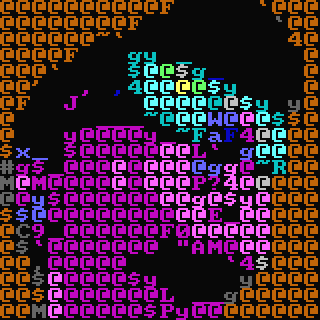
Right now, at regular text sizes, the ASCII art generator output looks quite blurry. The quality can be improved by decreasing the size of the characters in the terminal, but this makes the UI harder to read.
Perhaps a Sobel filter could be applied to detect edges without too much extra code or complexity.

I don't know what edge detection would do as it would still be quite blocky.

The issue with the output isn't really that it looks blocky, but that defined shapes are lost, which makes the image look blurry. Edge detection would help with making the shapes more defined. Of course, there are more things that could be done to reduce blurriness, edge detection is just a good place to start.
This is the typical output for me:
If you used edge detection, wouldn't it still result in a same-ish picture...given the enormous area (a character) that each edge resides in.
I'll happily let someone have a go at it if they could make it look better. But I don't think I'm the right person to do it.
The img to ASCII code comes from this project: https://github.com/danny-burrows/img_to_txt
I have included it in kew and made some modifications to it.
When preprocessing is enabled, Chafa does global contrast/brightness adjustment to bring out more detail, but I'd like to add local contrast enhancement with a kernel to improve on that. I've thought about edge detection too - it's very doable, especially when the output is just a still frame and there's no need for RT performance.
I'm interested in ways to improve the ASCII output in general.
(Commenting because kew uses Chafa in other output modes).
Also, we've got a wild ideas thread going here: https://github.com/hpjansson/chafa/issues/150