

 raspberrypi
[BUG] Can't run a preview at sensor resolution (RPi 3B+ / RPi Cam v2)
Describe the bug If I want to start or switch to a preview at sensor resolution the script crashes. I installed picamera2 like described in the main branch and replaced the picamera2 folder at the site-packages folder with the files from the next brance (from today).
To Reproduce To reproduce the error and prevent scripting error of mine, run switch_mode.py form the examples folder. The script crashes at the moment of switching to full res.
Expected behaviour I expected a full res preview at sensor res for taking images instantaneously w/o the waiting time for mode switching.
Console Output, Screenshots ~/picamera2-next/examples $ python3 switch_mode.py [1:17:47.462089785] [1929] INFO Camera camera_manager.cpp:293 libcamera v0.0.0+3700-f30ad033 [1:17:47.530852796] [1930] WARN RPI raspberrypi.cpp:1252 Mismatch between Unicam and CamHelper for embedded data usage! [1:17:47.531793616] [1930] INFO RPI raspberrypi.cpp:1368 Registered camera /base/soc/i2c0mux/i2c@1/imx219@10 to Unicam device /dev/media3 and ISP device /dev/media0 [1:17:49.392441283] [1929] INFO Camera camera.cpp:1029 configuring streams: (0) 640x480-XBGR8888 [1:17:49.393361686] [1930] INFO RPI raspberrypi.cpp:759 Sensor: /base/soc/i2c0mux/i2c@1/imx219@10 - Selected sensor format: 640x480-SBGGR10_1X10 - Selected unicam format: 640x480-pBAA [1:17:51.561109975] [1933] INFO Camera camera.cpp:1029 configuring streams: (0) 3280x2464-XBGR8888 [1:17:51.564720861] [1930] INFO RPI raspberrypi.cpp:759 Sensor: /base/soc/i2c0mux/i2c@1/imx219@10 - Selected sensor format: 3280x2464-SBGGR10_1X10 - Selected unicam format: 3280x2464-pBAA Segmentation fault
Hardware : I'm running a RPi 3B+ with fresh installed and updated RPi OS 32bit (full) with a RPi Cam v2.

On another try I get
~/picamera2-next/examples $ python3 switch_mode.py
[3:29:14.511777941] [2949] INFO Camera camera_manager.cpp:293 libcamera v0.0.0+3700-f30ad033
[3:29:14.575541354] [2950] WARN RPI raspberrypi.cpp:1252 Mismatch between Unicam and CamHelper for embedded data usage!
[3:29:14.576497261] [2950] INFO RPI raspberrypi.cpp:1368 Registered camera /base/soc/i2c0mux/i2c@1/imx219@10 to Unicam device /dev/media3 and ISP device /dev/media0
[3:29:16.172483387] [2949] INFO Camera camera.cpp:1029 configuring streams: (0) 640x480-XBGR8888
[3:29:16.173377675] [2950] INFO RPI raspberrypi.cpp:759 Sensor: /base/soc/i2c0mux/i2c@1/imx219@10 - Selected sensor format: 640x480-SBGGR10_1X10 - Selected unicam format: 640x480-pBAA
[3:29:18.335540070] [2953] INFO Camera camera.cpp:1029 configuring streams: (0) 3280x2464-XBGR8888
[3:29:18.337376297] [2950] INFO RPI raspberrypi.cpp:759 Sensor: /base/soc/i2c0mux/i2c@1/imx219@10 - Selected sensor format: 3280x2464-SBGGR10_1X10 - Selected unicam format: 3280x2464-pBAA
[3:29:18.535355074] [2950] ERROR V4L2 v4l2_videodevice.cpp:1211 /dev/video14[15:cap]: Unable to request 1 buffers: Cannot allocate memory
[3:29:18.535502211] [2950] ERROR RPI raspberrypi.cpp:1019 Failed to allocate buffers
2022-08-14T21:45:34.688Z | ERROR | Camera did not start properly.
Traceback (most recent call last):
File "/home/pi/picamera2-next/examples/switch_mode.py", line 20, in
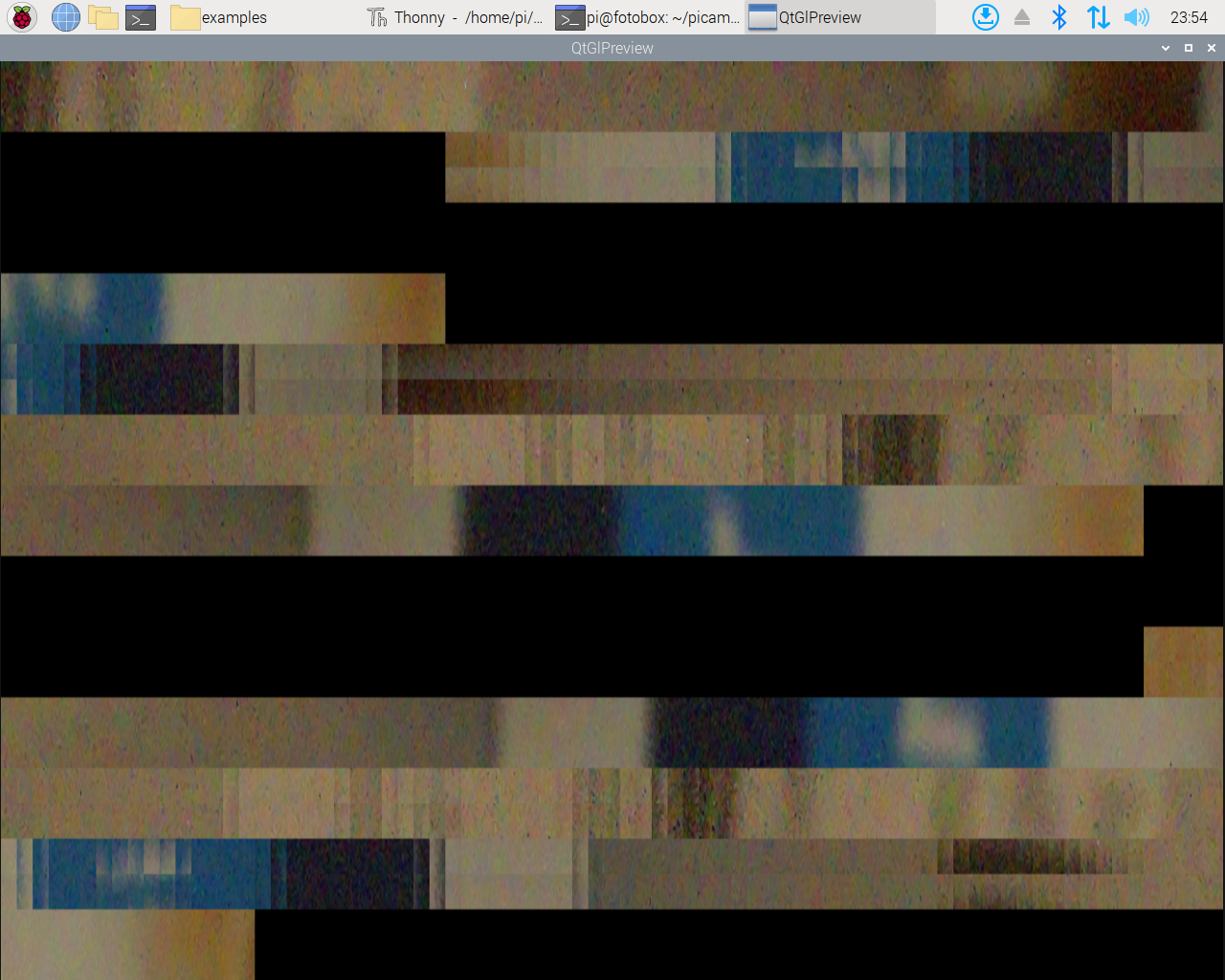
it seems to be an RAM issue. I reduced the buffer to 1 and it doesn't crash but gave me a shredded picture.
I have had similar memory errors in the past when the CMA memory allocation was insufficient. Is your CMA allocation at the (I think) default 256M? Try changing the line in the /boot/config.txt that looks something like this: dtoverlay=vc4-kms-v3d to this: dtoverlay=vc4-kms-v3d,cma-320 or even this: dtoverlay=vc4-kms-v3d,cma-512 512 is the maximum allowed using this method.

Thanks for reporting this. There are plenty of answers and workarounds, but unfortunately also some things that just can't be made to work.
Firstly, the segmentation fault occurs in vc4_dri.so, which I believe is the Mesa graphics driver. It's probably beyond my knowledge to fix that so I'll have to pass it on.
Secondly, the "shredded" pictures are, I think, caused by the fact that the texture sizes that can be handled by the 3D graphics is more limited on a Pi 3. I'll have a look to see if there's some way to find out what the limit is and throw an error instead. But I believe 2048 pixels is the widest image you can show. (On a Pi 4, I believe the limit is 4096.)
Finally, thanks to @Tim-Brown-NZ for explaining how to allocate more memory. This does indeed help a lot. There is some discussion of this in the manual in section 8.3. Specifically, it suggests things like:
- Use a different pixel format. The table suggests some formats and what is supported with them.
- Increasing the CMA memory (as above)
- How to use YUV420 images which occupy the smallest memory footprint.
- Changing the buffer_count. For free-running preview or video images, I would not go lower than 2 (the end of section 8.4 actually gives some insights into this).

This PR https://github.com/raspberrypi/picamera2/pull/264 adds a check that the preview image doesn't exceed what the 3D unit can manage. If you do want to get large images from the sensor and display them as well, you might want to create a low resolution ("lores") stream. You could display those while the "main" stream is still at the full resolution.
To have a additional low res stream for preview sounds like a good idea. I will test this out.
Works great. I modified the still_during_video.py example and it applies well for my use case.
#!/usr/bin/python3

import time

from picamera2 import Picamera2, Preview

picam2 = Picamera2()
picam2.start_preview(Preview.QTGL)
main_stream = {}
lores_stream = {"size": (800, 600)}
my_config = picam2.create_still_configuration(main_stream, lores_stream, display="lores")
picam2.configure(my_config)

picam2.start()
time.sleep(2)

# It's better to capture the still in this thread, not in the one driving the camera.
request = picam2.capture_request()
request.save("main", "test.jpg")
request.release()
print("Still image captured!")

time.sleep(2)
I've posted a new release of Picamera2 that should complain correctly when the preview image is too big for the 3D graphics unit to handle. So I'll close this issue now but if anything else comes up related to that new functionality, please feel free to raise a new issue for it. Thanks!