

 raspberrypi
[HOW-TO] simultaneous recording and webserver
Can someone give me some advice on how to use two streams from a camera simultaneously.
I've seen section '9.3. Multiple Outputs' in the pi documentation but am struggling to get this to work for my use case.
I am trying to combine the mjpegserver.py example (so I can focus the camera in the field) whilst simultaneously making recordings of 5 minutes.
I've got this code so far but the recording seems to pause the web stream and only takes an initial picture. I've read that there is a low res stream and main stream in the software so could use the lowres stream for the web stream and the main stream for the recordings but can't find an example in the docs.
Any help much appreciated.
Code so far
#!/usr/bin/python3

# Mostly copied from https://picamera.readthedocs.io/en/release-1.13/recipes2.html
# Run this script, then point a web browser at http:<this-ip-address>:8000
# Note: needs simplejpeg to be installed (pip3 install simplejpeg).

import io
import logging
import socketserver
from http import server
from threading import Condition, Thread

from picamera2 import Picamera2
from picamera2.encoders import JpegEncoder
from picamera2.outputs import FfmpegOutput
from picamera2.outputs import FileOutput
import time

PAGE = """\
<html>
<head>
<title>picamera2 MJPEG streaming demo</title>
</head>
<body>
<h1>Picamera2 MJPEG Streaming Demo</h1>
<img src="stream.mjpg" width="640" height="480" />
</body>
</html>
"""


class StreamingOutput(io.BufferedIOBase):
    def __init__(self):
        self.frame = None
        self.condition = Condition()

    def write(self, buf):
        with self.condition:
            self.frame = buf
            self.condition.notify_all()

class StreamingHandler(server.BaseHTTPRequestHandler):
    def do_GET(self):
        if self.path == '/':
            self.send_response(301)
            self.send_header('Location', '/index.html')
            self.end_headers()
        elif self.path == '/index.html':
            content = PAGE.encode('utf-8')
            self.send_response(200)
            self.send_header('Content-Type', 'text/html')
            self.send_header('Content-Length', len(content))
            self.end_headers()
            self.wfile.write(content)
        elif self.path == '/stream.mjpg':
            self.send_response(200)
            self.send_header('Age', 0)
            self.send_header('Cache-Control', 'no-cache, private')
            self.send_header('Pragma', 'no-cache')
            self.send_header('Content-Type', 'multipart/x-mixed-replace; boundary=FRAME')
            self.end_headers()
            try:
                while True:
                    with output.condition:
                        output.condition.wait()
                        frame = output.frame
                    self.wfile.write(b'--FRAME\r\n')
                    self.send_header('Content-Type', 'image/jpeg')
                    self.send_header('Content-Length', len(frame))
                    self.end_headers()
                    self.wfile.write(frame)
                    self.wfile.write(b'\r\n')
            except Exception as e:
                logging.warning(
                    'Removed streaming client %s: %s',
                    self.client_address, str(e))
        else:
            self.send_error(404)
            self.end_headers()


class StreamingServer(socketserver.ThreadingMixIn, server.HTTPServer):
    allow_reuse_address = True
    daemon_threads = True

picam2 = Picamera2()
picam2.configure(picam2.create_video_configuration(main={"size": (1280, 720)}))
output = StreamingOutput()

encoder = JpegEncoder()
output1 = FileOutput(output)
# output2 = FfmpegOutput("fat.mp4")
output2 = FileOutput()
encoder.output = [output1, output2]
picam2.start_encoder(encoder)
picam2.start()
output2.fileoutput = "blooptest.mjpg"
output2.start()
time.sleep(5)
output2.stop()

try:
    address = ('', 8000)
    server = StreamingServer(address, StreamingHandler)
    server.serve_forever()
finally:
    picam2.stop_recording()

Hi, thanks for posting the question. I've tried your script and as far as I can tell, it's doing what I would expect. I see the following:
- It starts the camera, writing to two outputs.
- output1 is actually the one used by the webserver, and output2 is initially not enabled.
- Then it starts output2, writing to "blooptest.mjpg", which runs for about 5 seconds.
- Next, output2 is stopped.
- Finally it moves on and starts the webserver, which seems to work fine when I connect to it.
- I can play blooptest.mjpg (for example with
ffplay) which contains ~5 seconds of video.
Could you maybe explain what you wanted to happen, then hopefully we can figure out what needs to be done differently. I wonder if there's some confusion because the webserver is only starting right at the end of the script, via the server_forever() method which (like the name suggests...) never returns. Thanks!

Thankyou, that's really helpful. I'm aiming to display the stream in the web server whilst recording video to a file at the same time.
Currently I think this is happening separately i.e. step 3. records file (for 5 seconds) 5. streams to webserver (after step 3 but not at the same time)
When I try and open the mjpg file (or other video extensions) vlc only shows a single frame, are you seeing a full 5 second video?
Many thanks, Sam
I've changed the end of the code to the following which seems to allow the recording and server to run at the same time. Let me know if this is how you would do it.
I'm still having problems with the bloopey.mjpg file which is a static image and not a video
Scrap that, It seems to work fine if I play it through ffplay but not on VLC,
Thanks for your help
I think your code with the threads looks fine, you don't have to run everything in another thread, but there's no harm in it.
Ah, I was going to add that I think the mjpeg file is "fine" just as your last message arraived. The trouble with mjpeg is that it's not a "real" standard, it's just a collection of "what folks do". As such it can be tricky to know exactly how to interpret it. As you've discovered, vlc doesn't like this flavour of mjpeg out of the box, though you can force it to do the right thing with:
cvlc --demux=avformat blooptest.mjpg
Anyway, glad it's working better!
I was trying to export to mp4 via FfmpgOutput and finding the same with those files. Working fine with ffplay but not VLC. Is there a program you recommend for converting these files to something more standard media players can read?
mp4 files that you create with FfmpegOutput should play fine in VLC, in fact with any player. If you had some (simple!) code that creates mp4 files that don't play in VLC I'd be interested to see. It might be worth experimenting with some very simple examples first, such as this one. Note that we do know that VLC doesn't play h.264 files properly whereas (for example) ffplay does. (By h.264 file, I mean an h.264 bitstream that hasn't been wrapped in any kind of container format.)
To answer the general point, your go-to program for doing any conversion of video files is going to be ffmpeg, it supports so much and is so comprehensive. Of course that can make it a bit tricky to use correctly sometimes, though there is reams and reams of help online...
Hi, do you know is it possible to initiate two encoders simultaneously?
I would like to convert a lowres stream to mjpeg for the web stream and at the same time convert the main stream to h264 and save in files. Is this possible? Would it take a lot of processing power?
Picamera2 won't run two encoders at once. To be fair I think it could be made to work, but it isn't supported now.
Nonetheless I think you could still do what you describe if you can compromise on the image resolutions and framerate of the mjpeg stream. Here's what I might try:
- You'll have to stop using Picamera2's encoder for mjpeg but use it to save your h.264/mp4 file instead.
- Implement the mjpeg encoder in your own loop (running in its own thread). This loop will (forever):
- Call
picam2.capture_array("lores")to get the image. - Python doesn't like YUV420 (which the lores stream has to be). OpenCV has a reasonably quick conversion function that you can use to get RGB.
- Invoke the simplejpeg encoder to encode this (just like the
JpegEncoderclass does). - Write the output to
self.framejust as the original code does at the top of this report.
- Call
- Apart from that, I think everything else should mostly work as before.
As I said, you'll get worse mjpeg performance, not least because when Picamera2 runs the jpeg encoder it uses all 4 cores. Here we're just stuck with one thread, but on the upside, it means it can't eat your entire CPU! (It might even be possible to make use of the JpegEncoder directly so as to regain the multi-threaded behaviour, but I think that's a bit of a stretch initially.)
Thanks so much for the advice, I've tried this afternoon but I don't think I have the coding skills. I'll digest for a few days and see if I can work through the ideas again and then send through what I have.
In the meantime as an alternative, is there a way to compress the mjpeg stream with ffmpegoutput whilst saving video files. I tried using the -crf (constant rate factor) and -b (bitrate) flags but they don't seem to change the saved file size. I'm sure there is a way.
Thanks again, Sam
Sorry I realise I've asked lots of questions so will stop after this. I think on reflection the simplest method for me will be to start a h264 encoder and then in one thread convert the h264 to mjpeg with ffmpeg (or another means) for the webpage. Is this possible? I think this should be simpler
I'm basing the idea on this: https://github.com/waveform80/pistreaming
Hi, well that sounds plausible to me, though the devil is always in the details of course. That project you linked looks quite interesting. Clearly someone's put a bit of time and effort into it, though there's a bit too much magic Javascript for me to understand it easily!!
So I was going to make one final contribution too. I've taken the original mjpeg server and made the jpeg encoding run "by hand", that is, it's no longer the Picamera2 object that's driving it. It seems to run reasonably, though as I said previously, I would expect lower framerates. But the point is that you can then get Picamera2 to run the h.264 encoder, and save the result to h.264 or mp4 files in the "usual" way. The code is just for illustration but anyway, here it is:
import logging
import socketserver
from http import server
from threading import Condition, Thread
import simplejpeg
import cv2

from picamera2 import Picamera2
from picamera2.outputs import FileOutput

PAGE = """\
<html>
<head>
<title>picamera2 MJPEG streaming demo</title>
</head>
<body>
<h1>Picamera2 MJPEG Streaming Demo</h1>
<img src="stream.mjpg" width="640" height="480" />
</body>
</html>
"""

def mjpeg_encode():
    global mjpeg_frame
    while not mjpeg_abort:
        yuv = picam2.capture_array("lores")
        rgb = cv2.cvtColor(yuv, cv2.COLOR_YUV420p2RGB)
        buf = simplejpeg.encode_jpeg(rgb, quality=80, colorspace='BGR', colorsubsampling='420')
        with mjpeg_condition:
            mjpeg_frame = buf
            mjpeg_condition.notify_all()

class StreamingHandler(server.BaseHTTPRequestHandler):
    def do_GET(self):
        if self.path == '/':
            self.send_response(301)
            self.send_header('Location', '/index.html')
            self.end_headers()
        elif self.path == '/index.html':
            content = PAGE.encode('utf-8')
            self.send_response(200)
            self.send_header('Content-Type', 'text/html')
            self.send_header('Content-Length', len(content))
            self.end_headers()
            self.wfile.write(content)
        elif self.path == '/stream.mjpg':
            self.send_response(200)
            self.send_header('Age', 0)
            self.send_header('Cache-Control', 'no-cache, private')
            self.send_header('Pragma', 'no-cache')
            self.send_header('Content-Type', 'multipart/x-mixed-replace; boundary=FRAME')
            self.end_headers()
            try:
                while True:
                    with mjpeg_condition:
                        mjpeg_condition.wait()
                        frame = mjpeg_frame
                    self.wfile.write(b'--FRAME\r\n')
                    self.send_header('Content-Type', 'image/jpeg')
                    self.send_header('Content-Length', len(frame))
                    self.end_headers()
                    self.wfile.write(frame)
                    self.wfile.write(b'\r\n')
            except Exception as e:
                logging.warning(
                    'Removed streaming client %s: %s',
                    self.client_address, str(e))
        else:
            self.send_error(404)
            self.end_headers()

class StreamingServer(socketserver.ThreadingMixIn, server.HTTPServer):
    allow_reuse_address = True
    daemon_threads = True

picam2 = Picamera2()
picam2.configure(picam2.create_video_configuration(main={"size": (640, 480)}, lores={}))
picam2.start()

mjpeg_abort = False
mjpeg_frame = None
mjpeg_condition = Condition()
mjpeg_thread = Thread(target=mjpeg_encode, daemon=True)
mjpeg_thread.start()

try:
    address = ('', 8000)
    server = StreamingServer(address, StreamingHandler)
    server.serve_forever()
finally:
    mjpeg_abort = True
    mjpeg_thread.join()
Amazing, thank you, that is so useful :) I'll try and digest what you have done!
Hello,
I have got the code recording to H264 files
I was wondering if there is a way to add in a motion detection trigger before the H264 files record. Ideally with a circular buffer but I am working towards this
Hi, yes, if you had two threads both trying to call something like picam2.capture_buffer then that won't work and you'll get errors when the calls collide. You could protect such accesses with a lock so that each call is guaranteed to finish before the next can start, but I don't think that's what you want - because each call will "consume" a camera frame, with the result that both threads would run at half the full framerate. To make that kind of thing work you'd probably need a single thread calling capture_buffer, and then notifying all the other client threads when a new frame has been copied out (a bit like mjpeg_encode does above). But that is getting more complicated!
As regards doing motion detection, the code above just computes the MSE between two successive frames (at least, the greyscale channel of each). This isn't a bad way to do it, but it's fairly simplistic. It will detect "lots of pixels changing a bit", but would miss "fewer pixels changing a lot". It depends a bit what you want the detector to be sensitive to.
If I were doing this sort of thing, I'd be tempted to compute the absolute difference between the greyscale channels, either directly with numpy or using cv2.absdiff. Then I'd calculate the histogram of the resulting image (np.histogram or cv2.calcHist) and also probably make a cumulative histogram (np.cumsum?) out of the result because certain operations are simply easier with cumulative values.
Finally, these histograms easily let you answer questions like "has this percentage of pixels changed by at least this amount?" so it's easy to cover both the many/few changed pixels scenarios that we had earler. It's also (relatively) efficient to calculate things like the mean (or even MSE) because you only have to traverse the histogram, not the entire image.
On the downside, histograms lose spatial information about where changes are. You could compute multiple histograms for different parts of the image, but that's starting to feel complicated again. Like I said, it all depends what you want to detect. Does that help at all?
I've stripped everything back whilst working on it a bit this morning and seem to have a capture buffer feeding into a motion loop. The motion loop seems to work if you raise the threshold to 100 (7 in the example here - capture_motion.py). Is this on the right track? If I use the same 'capture buffer' to stream to a server is there anything I need to consider?
Sorry for asking so many questions, I'm new to this
I think that looks OK to me. I possibly would avoid trying to hold the lock so long (with cb_condition:) in the motion loop, I think you can give it up once you've done cur = cb_frame. That should make things run a bit better, especially if you add a jpeg encode loop (you really don't want to be holding the lock while doing the encode).
It looks to me like all you really need to do is add back the jpeg encode which then feeds the web server. If you use the "do it by hand" technique from before, then the Picamera2's "built-in" encoder remains available for recording h.264 or mp4 files. The mjpeg_encode loop should look just like it did before, but waiting for the cb_frame instead of calling picam2.capture_array as we did previously.
Thankyou so much. I have changed the cb_condition and all seems good.
I have added the streaming code and modified the mjpeg_encode loop
I am getting the following error -
File "/home/pi/18Augverysimple2.py", line 63, in mjpeg_encode rgb = cv2.cvtColor(yuv, cv2.COLOR_YUV420p2RGB) cv2.error: OpenCV(4.6.0) /tmp/pip-wheel-u79916uk/opencv-python_ea2489746b3a43bfb3f2b5331b7ab47a/opencv/modules/imgproc/src/color.simd_helpers.hpp:108: error: (-215:Assertion failed) sz.width % 2 == 0 && sz.height % 3 == 0 in function 'CvtHelper'
The yuv variable is printing as None and cv2 isn't receiving the capture buffer cb_frame data. I'm a bit confused why that is different from the cur variable in the motion code which does receive the capture buffer cb_frame data.
Thanks again
Ah, I think you need to use capture_array instead of capture_buffer in your capturebuffer function. You'll have to update this line cur = cur[:w*h].reshape(h, w) in your motion function too, something like cur = cur[:h,:] should do.
The reason is that capture_buffer gives you a flat and very long 1d array, which OpenCV doesn't like. capture_array gives you a 2d array which is what OpenCV expects, but now your motion function doesn't need to convert the 1d array into a 2d one. You can just pick the first h rows, which are the greyscale part of the image.
Amazing, thank you, phwoar, that's all working! Thankyou so much for your help :)
Is there a way to increase the frame rate to 60fps? I am using a ov9281 and have tried the following video config but files are still written at 30fps:
picam2.configure(picam2.create_video_configuration(controls={"FrameDurationLimits": (16666, 16666)},main={"size": (1280, 720)}, lores={"size": (640, 480)}))
How are you saving the files? Certain file formats (h.264 files, mjpeg files for example) don't actually contain any timing information so it's up to the playing software to pick a random framerate, which may well be 30fps. It depends on the software, but I'd expect there to be an option to change that.
If you're saving something like an mp4 file, that should contain timing information, so you'd have to check what framerate the camera is really running at (just start the camera and try picam2.capture_metadata()["FrameDuration"]).
I seem to get some strange banding at the top of the videos at higher frame rates
I'm using a circular loop now. I've tried changing the number of buffers but it doesn't seem to change the image
 This is less pronounced but still visible on recordings
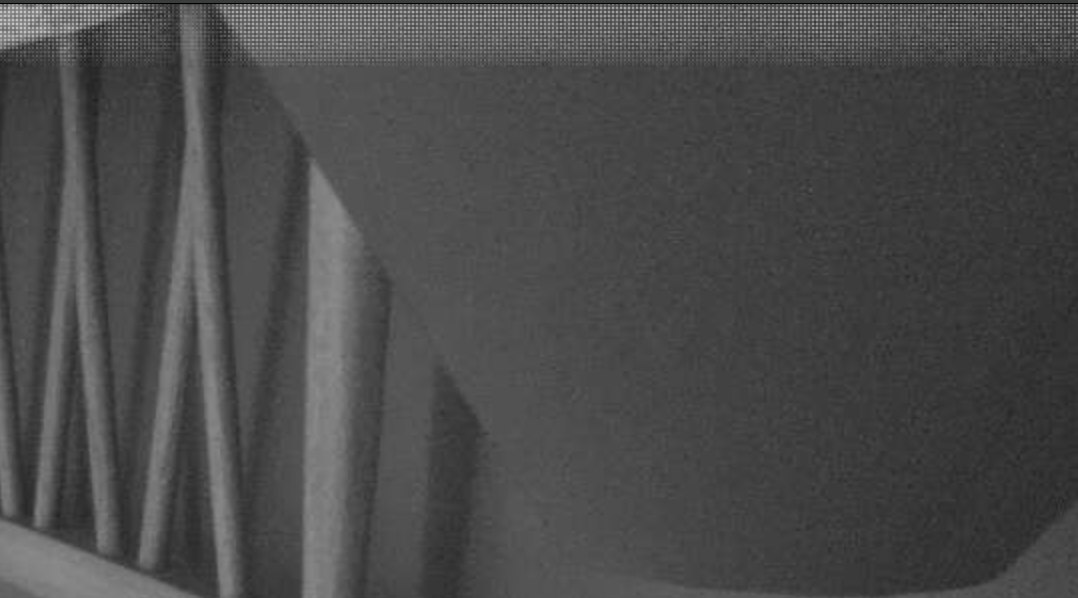
My initial reaction might be some kind of hardware or signal integrity problem, but of course it's hard to be sure. Some things to check:
- How long is the ribbon cable between your Pi and the camera?
- Do you see this corruption in both the main and lores streams?
- Maybe try running the camera with a very minimal script to see if there's any difference.
- Could you save one of these correct images as a png so that there's no compression and post that?
- At what framerate do you start to see a problem?
Thanks.
Hi, I've tried to recreate the problem but had no success. I did re-install the pi OS, now 64 bit and have moved the camera around a few times so can't be sure what caused the issue. I'll troubleshoot with those steps if it does start again.
is there a way to check if camera recording?
in picamera camera.recording == True was doing the job, but i couldn't find the function in picamera2

@tennisparty I would like to achieve a similar result, would you mind sharing your code ? :)

