

 rancher
When provisioning Hosted downstream clusters, the external/internal addresses are missing in the Cluster Management -> Machine Pools Page
Setup:
- Rancher version:
v2.7.2-rc6andv2.7-head(Commit ID: 6ee3949) - Browser type & version: Brave
Describe the bug:
When deploying a downstream Hosted cluster, the external/internal IP does not appear in the Cluster Management > Machine Pools page
To Reproduce:
- Spin up a Rancher server
- Provision an Azure AKS downstream cluster
- Once the cluster comes up Active, navigate to the Cluster Management > Machine Pools page for the cluster
- Note that the external/internal IP addresses are missing
Result:
The external/internal IP addresses are missing in the Cluster Management > Machine Pools page for downstream Hosted clusters.
Expected Result:
The external/internal IP addresses SHOULD NOT be missing in the Cluster Management > Machine Pools page for any clusters.
Screenshots:
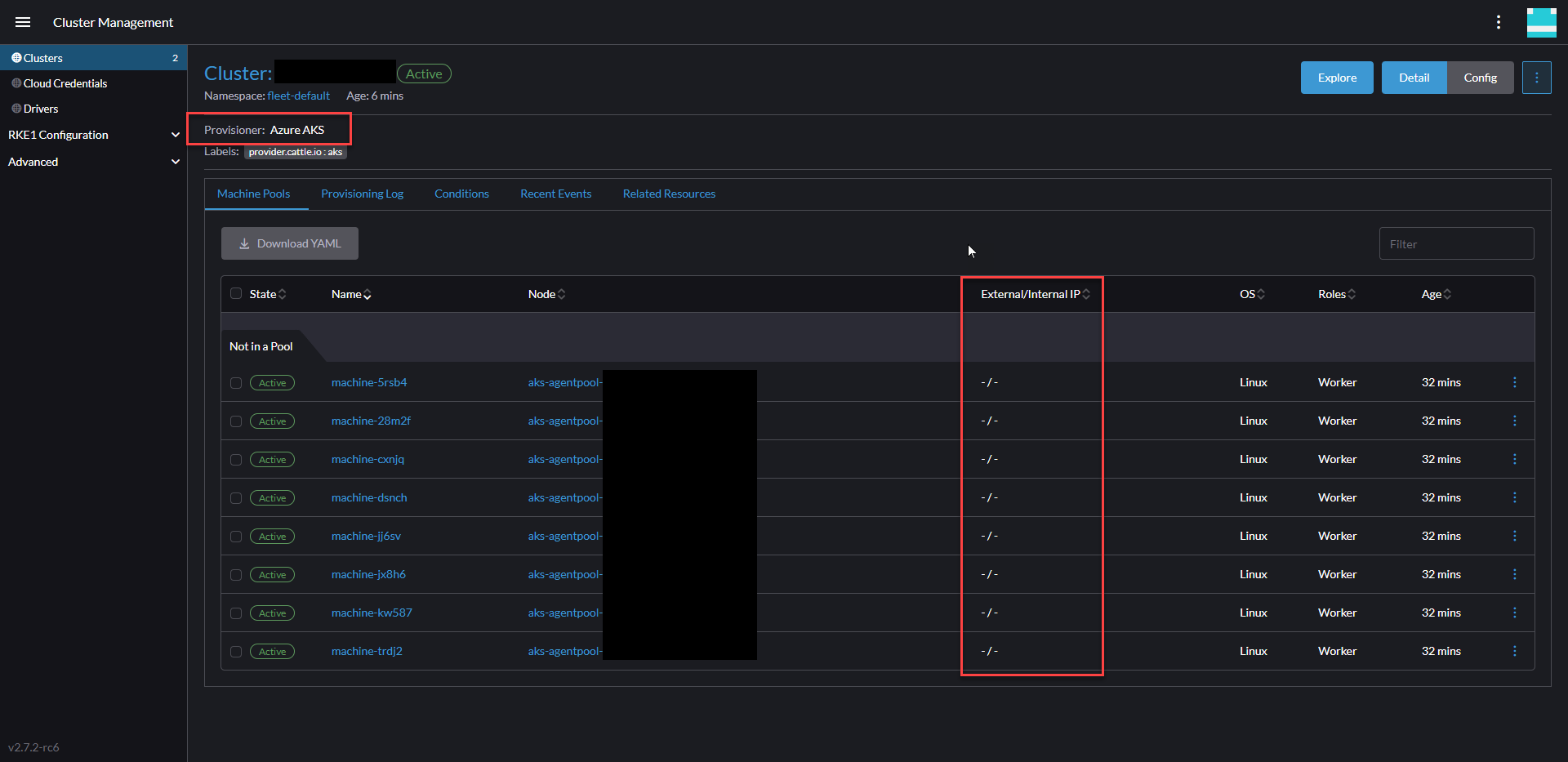

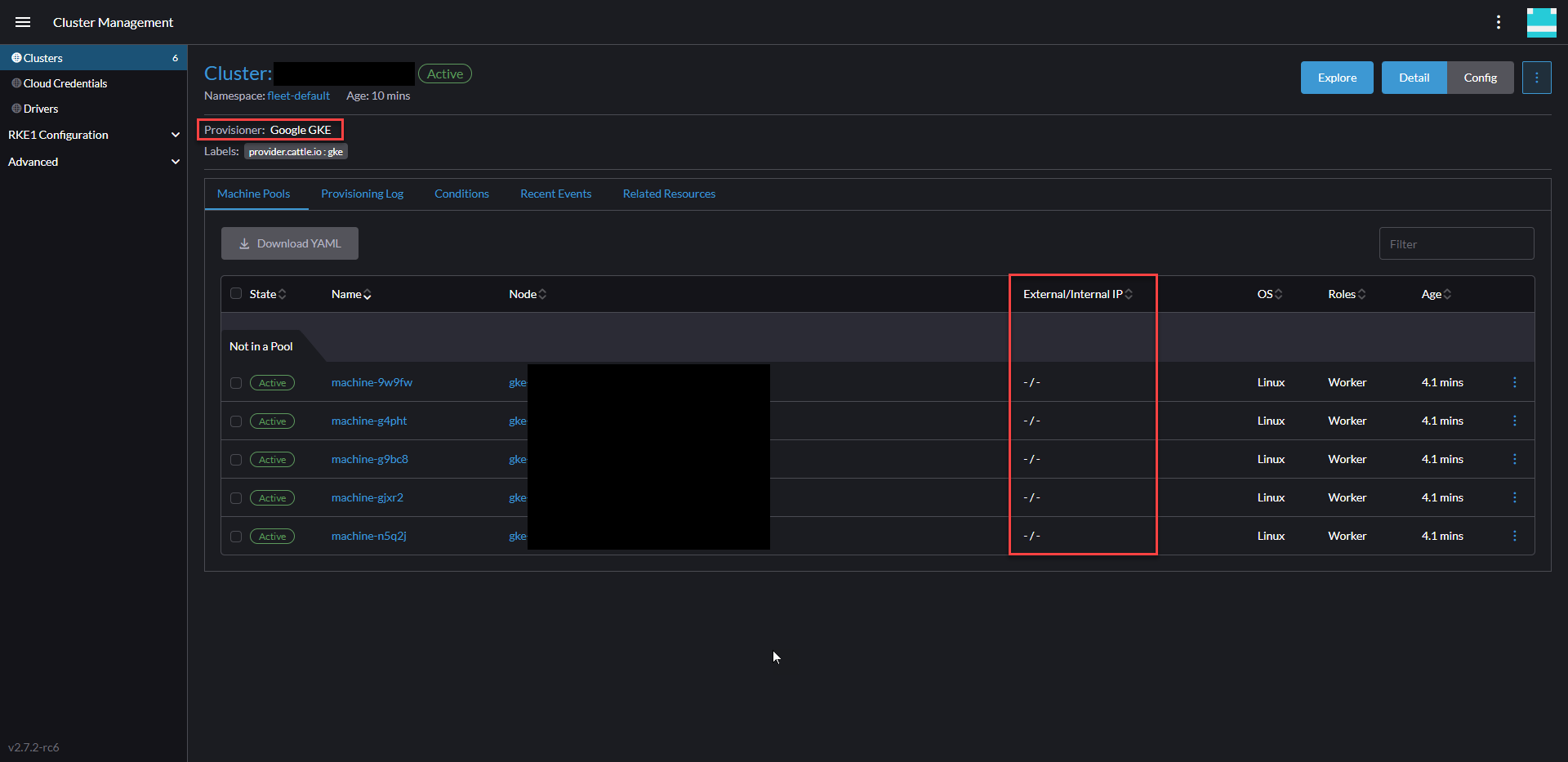
Additional Information: This issue does not reproduce for RKE2, K3s, or RKE1 downstream clusters
This issue is related to issue 7802


I have not been able to reproduce this issue using default values to provision AKS, nor when importing AKS clusters

This seems to be fixed in 2.9 as I was not able to reproduce it using default values to provision AKS cluster.
