

 rancher
[BUG] UI not refreshing when cluster members are added or removed
Rancher v2.6.3
To Reproduce
- Navigate to Cluster -> Explore -> RBAC -> Cluster Members
- Remove a member (Context Menu -> Delete)
- Notice that the resource remains stuck in
Removingstate - While keeping this browser session open, login with another user account in a different browser
- Add a member to the cluster in the second browser session
- Notice that the new member is not dynamically displayed in the first browser session (browser refresh required)
Expected Result UI should be refreshed when resources are added or removed.
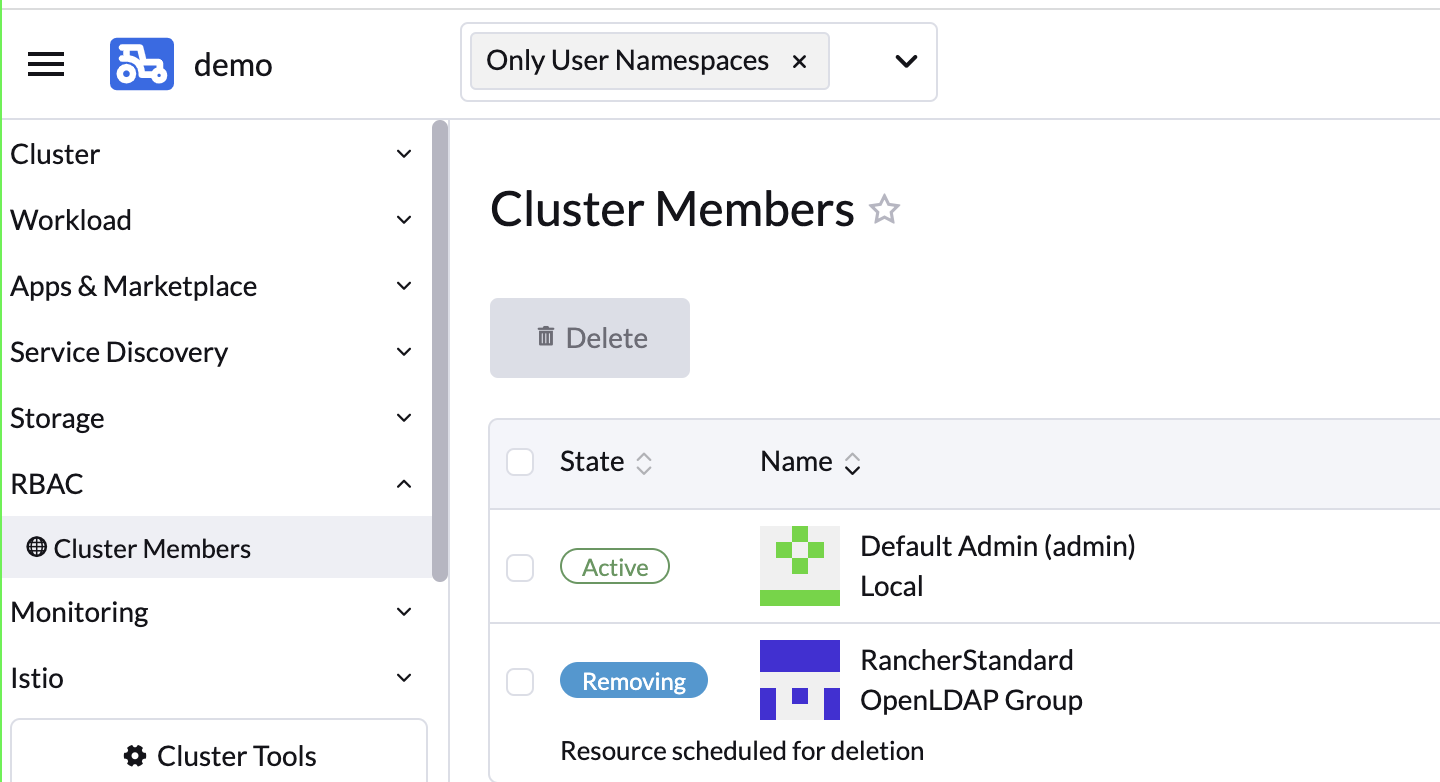


Shavin and I spent ages looking into this - there is something strange in here that is going to take longer to get to the bottom of.
Nancy fixed a similar-sounding issue https://github.com/rancher/dashboard/issues/5497 with this PR - https://github.com/rancher/ui/pull/4824 Maybe a similar change would be needed here.

Steps to Reproduce:
Rancher Version : v2.6.7
- Create a RKE1 cluster
- Cluster explorer -> Cluster Members
- Add couple of users on the same screen
- Delete a Member and check if the user is deleted from the list without a screen refresh
- Add a User from a different screen and check if the added user is listing on the screen without a refresh
Actual: UI is not refreshed and the deleted user is not removed from the list and newly added user is not added to the list in the same screen without a screen refresh

I have validated this issue on v2.7-38979f8ebe5c1ecb0121494d185758741fcb0d5b-head
All the test cases were passed and closing the issue.
Test cases executed:
- Rancher Types : Docker and HA installed
- Clusters : RKE1, RKE2 & EKS clusters
- User types : Admin, Standard and User base
- Browsers : Chrome & Firefox
- Modes : Light and Dark modes
- User Add and User Delete
Steps:
- Create a RKE1 cluster
- Cluster explorer -> Cluster Members
- Add couple of users on the same screen
- Delete a Member and check if the user is deleted from the list without a screen refresh
- Add a User from a different screen and check if the added user is listing on the screen without a refresh
- Open rancher ->Cluster->Cluster Member on TWO browser windows and Run Step 4 & 5
- Make sure the user additions and deletions should reflect on both screens as expected.