
rancher-desktop
 rancher-desktop copied to clipboard
 rancher-sandbox
Rancher Desktop executing wrong tar.exe internally
Actual Behavior
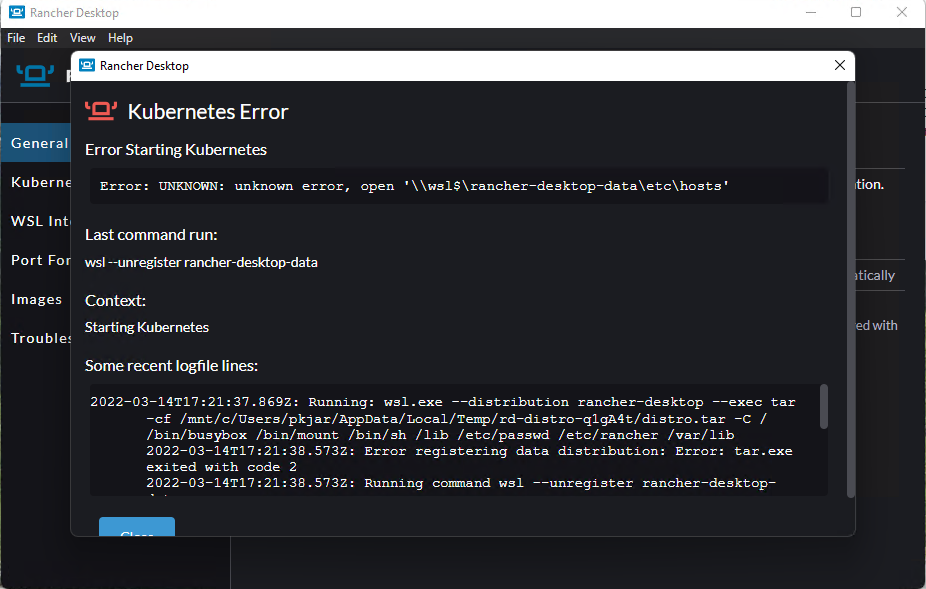
I tried to install Rancher Desktop on a Windows 11 Machine, the install failed
Error:
Error: UNKNOWN: unknown error, open '\wsl$\rancher-desktop-data\etc\hosts'
Recent logfile lines:
2022-03-14T17:09:54.415Z: Running command wsl --distribution rancher-desktop --exec wslpath -a -u C:\Users\pkjar\AppData\Local\Temp\rd-distro-HKdjWz\distro.tar...
2022-03-14T17:09:54.581Z: Running command wsl --distribution rancher-desktop --exec tar -cf /mnt/c/Users/pkjar/AppData/Local/Temp/rd-distro-HKdjWz/distro.tar -C / /bin/busybox /bin/mount /bin/sh /lib /etc/passwd /etc/rancher /var/lib...
2022-03-14T17:09:55.538Z: Error registering data distribution: Error: tar.exe exited with code 2
2022-03-14T17:09:55.538Z: Running command wsl --unregister rancher-desktop-data...
2022-03-14T17:09:55.606Z: WSL failed to execute wsl.exe --unregister rancher-desktop-data: Error: wsl.exe exited with code 4294967295
2022-03-14T17:09:55.607Z: Error setting up data distribution: Error: wsl.exe exited with code 4294967295
at ChildProcess.
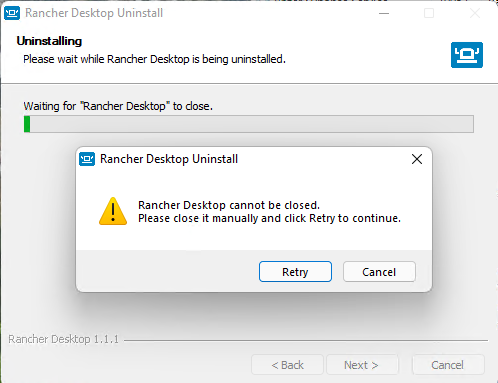
When I tried to uninstall Rancher Desktop the uninstall failed -
Error "Rancher Desktop cannot be closed. Please close is manually and Click Retry to continue"
Windows 11 Pro Version 21H2 OS BUild: 22000.556 Intel(R) Xeon(R) CPU E3-1505M v5 @ 2.80GHz 2.81 GHz RAM 64.0 GB (63.8 GB usable)
Steps to Reproduce
Download installer and run it on Windows 11, - install fails. launch uninstall and get prompted to shutdown rancher
Result
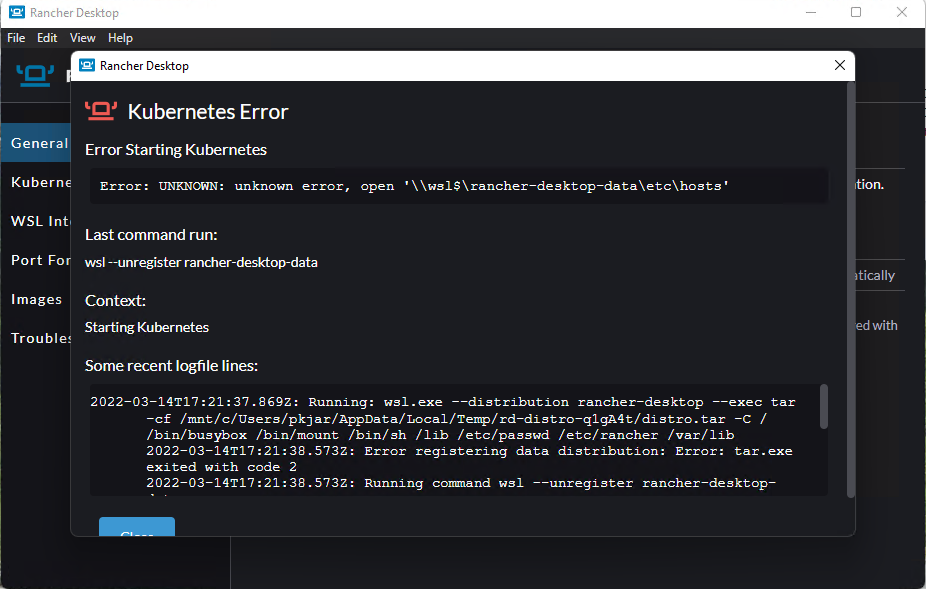
Error: On Install
Error: UNKNOWN: unknown error, open '\wsl$\rancher-desktop-data\etc\hosts'
Recent logfile lines:
2022-03-14T17:09:54.415Z: Running command wsl --distribution rancher-desktop --exec wslpath -a -u C:\Users\pkjar\AppData\Local\Temp\rd-distro-HKdjWz\distro.tar...
2022-03-14T17:09:54.581Z: Running command wsl --distribution rancher-desktop --exec tar -cf /mnt/c/Users/pkjar/AppData/Local/Temp/rd-distro-HKdjWz/distro.tar -C / /bin/busybox /bin/mount /bin/sh /lib /etc/passwd /etc/rancher /var/lib...
2022-03-14T17:09:55.538Z: Error registering data distribution: Error: tar.exe exited with code 2
2022-03-14T17:09:55.538Z: Running command wsl --unregister rancher-desktop-data...
2022-03-14T17:09:55.606Z: WSL failed to execute wsl.exe --unregister rancher-desktop-data: Error: wsl.exe exited with code 4294967295
2022-03-14T17:09:55.607Z: Error setting up data distribution: Error: wsl.exe exited with code 4294967295
at ChildProcess.
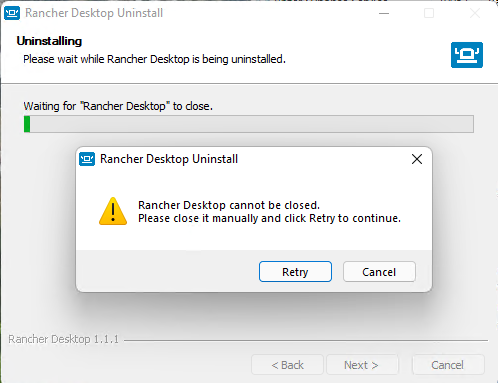
Error on Uninstall
When I tried to uninstall Rancher Desktop the uninstall failed -
Error "Rancher Desktop cannot be closed. Please close is manually and Click Retry to continue
 "
"
Expected Behavior
Clean install and uninstall
Additional Information
No response
Rancher Desktop Version
1.1.1
Rancher Desktop K8s Version
1.22.7
Which container runtime are you using?
containerd (nerdctl)
What operating system are you using?
Windows
Operating System / Build Version
Windows 11 Pro Version 21H2 OS BUild: 22000.556
What CPU architecture are you using?
x64
Linux only: what package format did you use to install Rancher Desktop?
No response
Windows User Only
NordVPn was installed

I actually have the same issue! I wasn't sure what was going on, but at least I'm not the only one lol
Hope someone can help pinpoint and fix the issue! I'm willing to test out new versions if necessary.

I am wondering if the VPN had anything to do with the failure. Do you have a VPN installed?
wsl -l -v
  NAME                                STATE           VERSION
* Ubuntu20.04LTS             Stopped         2
  openSUSE-Leap-15.3      Stopped         2
  rancher-desktop              Stopped         2
No, I don't have a VPN currently running, although I do have OpenVPN installed on the machine.
I've got the same exact issue. I noticed the vm rancher-desktop-data is not created, looks like that is what one of the error msgs reported is about (network path -- the WSL2 vm was never created). I do have a VPN installed and active.
Reproduced the error with Rancher Desktop 1.1.0 also.
2022-03-16T16:43:58.981Z: Running command wsl --distribution rancher-desktop --exec tar -cf /mnt/c/Users/JAY~1.BOY/AppData/Local/Temp/rd-distro-Uightd/distro.tar -C / /bin/busybox /bin/mount /bin/sh /lib /etc/passwd /etc/rancher /var/lib...
2022-03-16T16:44:00.237Z: Error registering data distribution: Error: tar.exe exited with code 2
It gets past this issue on 1.0.1:
2022-03-16T16:56:53.885Z: Running command wsl --distribution rancher-desktop --exec wslpath -a -u C:\Users\JAY~1.BOY\AppData\Local\Temp\rd-distro-Dxn4Lm\distro.tar...
2022-03-16T16:56:54.299Z: Running command wsl --distribution rancher-desktop --exec tar -cf /mnt/c/Users/JAY~1.BOY/AppData/Local/Temp/rd-distro-Dxn4Lm/distro.tar -C / /bin/busybox /bin/mount /bin/sh /lib /etc/wsl.conf /etc/passwd /etc/rancher /var/lib...
2022-03-16T16:56:55.009Z: Running command wsl --import rancher-desktop-data C:\Users\jay.boyd\AppData\Local\rancher-desktop\distro-data C:\Users\JAY~1.BOY\AppData\Local\Temp\rd-distro-Dxn4Lm\distro.tar --version 2...
2022-03-16T16:56:55.520Z: Running command wsl --distribution rancher-desktop-data --exec /bin/busybox [ ! -d /etc/rancher ]...
but then encounters other errors during startup.

Looks like the error reported by OP is due to the fact tar.exe is supposed to be Window's default, but in some cases (like mine) it was replaced by busybox tar.

I do have cygwin with tar which has precedence over the Windows version in my PATH... I can't reproduce a syntax error though using cygwin tar vs windows tar using the command format of tar -cf <some file> -C <some directory> file1 file2 file3 unless I specify non existent files.
Reproduced similar issues on Windows 10 by putting c:\cygwin64\bin first in the path. Suggest you specify full path to tar.exe.
@jboyd01 You fixed the issue for me. Thank you.
Steps to resolve:
- Open Windows Powershell
-
Get-Command tar
- Result "C:\Rtools\bin"
-
sysdm.cpl
- Select the Advanced tab
- Select Environment Variables (Bottom of window)
- Select path (bottom window)
- Move "C:\Rtools\bin" below "C:\WINDOWS\system32"
-
Get-Command tar
- Result "C:\WINDOWS\system32\tar.exe"
- Open Rancher Desktop and factory reset
- Result: Rancher is now runing.
I had to go back to windows 10 for other issues but I agree, changing the path works around the issue. Thanks @Technophobe01
I had this problem as well; for me it was because C:\Program Files\Git\usr\bin was higher than C:\Windows\system32 in my PATH. Since Rancher Desktop clearly wants to use the Windows version, could they look for the whole path?

Turn out to be that I had cygwin installed and it was using its tar exe. Hint found here: https://github.com/rancher-sandbox/rancher-desktop/issues/1807

@sunilarjun since this issue pops up a lot, do you think we should add a troubleshooting step or common problem thing for this error somewhere?

@gaktive I think that's a good idea! I can add a troubleshooting tip in this section of the docs with some steps described here on changing the path to resolve the installation issue.

Thanks @sunilarjun! -- hold off a bit since there's a chance we could fix this but we'd have to discuss and schedule that first. Sounds like a quick one but it's juggling priorities.
