
primitives
 primitives copied to clipboard
 radix-ui
[Select] misbehaving on touch events on Firefox on Android
Bug report
Current Behavior
When using the Radix UI Select in Android Firefox it doesn't respond the same way to touch events as other browsers. To select an item, I have to click it twice. I can't either do the click and drag gesture to select items. This can also be reproduced on MacOS Firefox browser using mobile emulation in the devtools. However, the first click focuses the listbox item. Additionally, I can click anywhere else in the listbox content, and after that the first click on an item works as expected.
https://user-images.githubusercontent.com/36122/200636486-196a20b5-e64e-4b80-979b-ee071ceb711b.mov
Expected behavior
When clicking an item, I expect it to become selected and listbox content should be hidden. Here's an example of Android Chrome running in an emulator.
https://user-images.githubusercontent.com/36122/200637792-439b38e9-f299-4582-a118-645723698412.mov
Reproducible example
The Radix UI Select homepage https://www.radix-ui.com/docs/primitives/components/select
Suggested solution
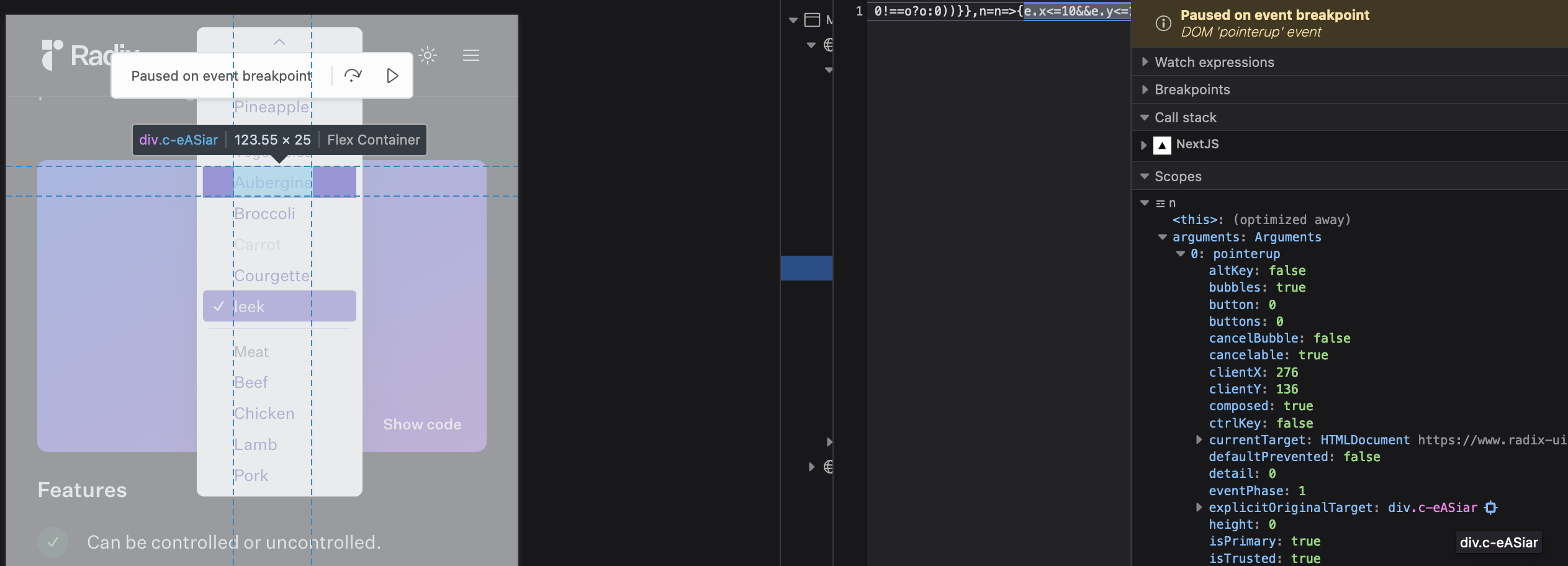
I hope we can get some understanding why the component misbehaves. As I understand it, the onPointerUp event should trigger the onValueChange (select the item) and onOpenChange (close the dropdown). I verified from Firefox devtools that the div with role="option" indeed receives a pointerup event, but the callback doesn't seem to be called since the item is not selected and the dropdown has not closed.
outerHTML: "<div role=\"option\" aria-labelledby=\"radix-1067\" aria-selected=\"false\" data-state=\"unchecked\" tabindex=\"-1\" class=\"c-eASiar\" data-radix-collection-item=\"\"><span id=\"radix-1067\">Aubergine</span></div>"
Additional context
Maybe related to issues reported in https://github.com/radix-ui/primitives/issues/1488, but this seems like a different bug.
Your environment
| Software | Name(s) | Version |
|---|---|---|
| Radix Package(s) | @radix-ui/react-select | 1.1.1 |
| React | n/a | 17.0.2 |
| Browser | Android Firefox (inside AVD emulator Android 11.0 Pixel 2 API 30) | 107.1.0 |
| Assistive tech | touch | |
| Node | n/a | 14.7 |
| npm/yarn | npm | 8.1.4 |
| Operating System | MacOS | 12.6 |

Digging into this a bit more I noticed that the Select component works flawlessly in some configurations in the Storybook, but not in others.
Working:
- Styled
- Controlled
- No Default Value
Not working:
- Cypress
- Within Form
- Required Within Form
What's the difference here? Could it be that wrapping the Select inside a form causes the problem? However, it's not the only way for this bug to manifest, since the Select at https://www.radix-ui.com/docs/primitives/components/select is not wrapped inside a form.
https://user-images.githubusercontent.com/36122/200650645-e6a9a7bb-ea90-40a3-b432-dfb65ac869c0.mov
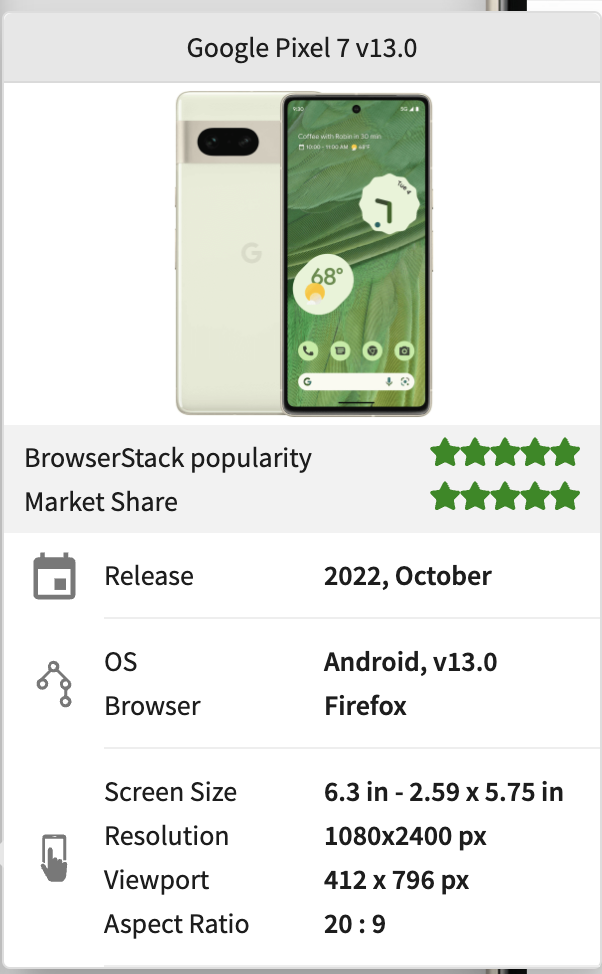
Verified that this is also a bug on a real Android device through Browserstack.
https://user-images.githubusercontent.com/36122/200770629-15705cfb-36c4-495a-bd42-86e8a87671cc.mov
I'm getting weird scenarios too when used in a form. Suddenly after opening the content, all events freeze and the whole page becomes unresponsive.

