
lazarus-exception-logger

lazarus-exception-logger copied to clipboard
 r3code
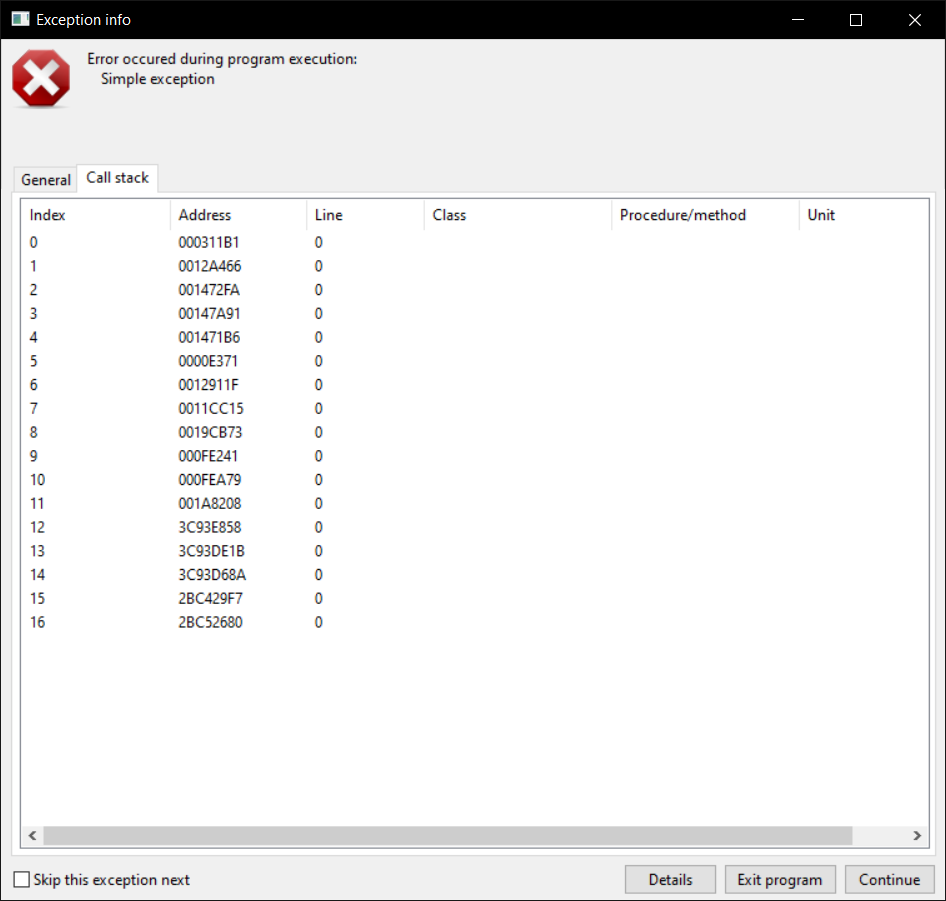
No Call Stack output (64 bit windows)
The General output is fine:
Date/time          : 2021-02-09 07:57:31.128
Operating system   : Windows 10 x86_64
user name          : ANON
program up time    : 0days 0hours 0min 2sec 437ms
free disk space    : 5 GB
Process ID         : 2596
Thread ID          : 4504
Executable         : Demo.exe
App. title         : ExceptionLogger Commponent demo
Version            : 1.1.1.2
Compiled date      : 2021/02/09 at 07:32:53
Build target       : x86_64 - Win64
LCL version        : LCL 2.0.10.0
Widget set         : win32/win64
Exception class    : Exception
Exception message  : Simple exception
But in the call stack output there is just this:
These are my debugging settings:
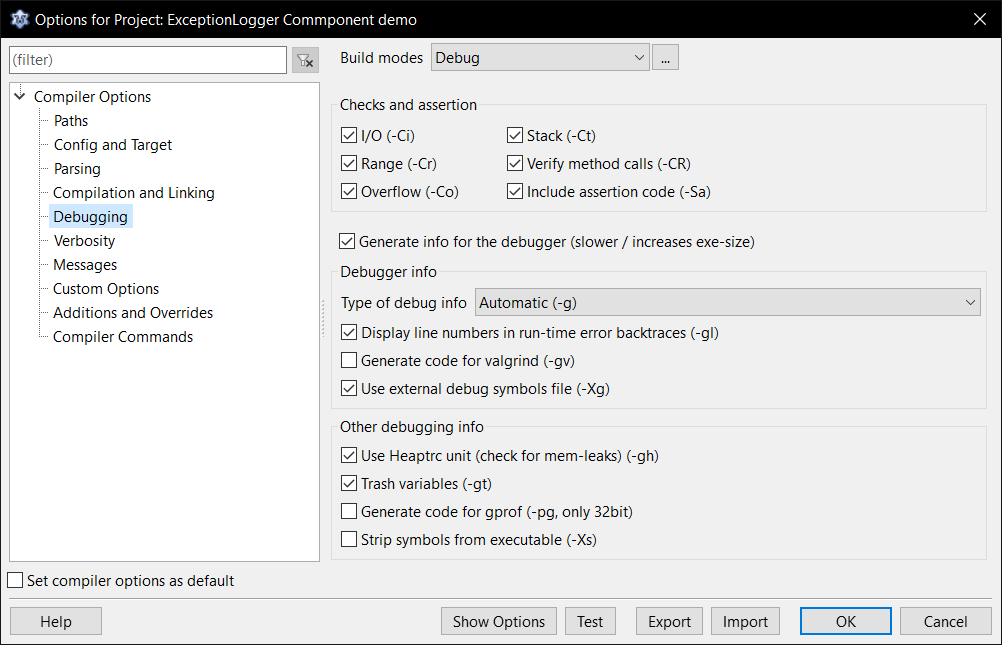


What if you would clear the "-Xg external debug file" tick ?
I have the same situation. I have cleared the "-Xg external debug file" tick, but it's the same. My platform is Windows 7 x64. Lazarus 2.2.6 Date:2023-05-07 I couldn't select Stabs because it says "Warning: The selected debug format is not supported on the current target, not changing the current setting"

