

 r-tmap
Capturing mouse coordinates (probably implemented in tmap 3.2)
A nice and easy to implement feature (thanks to @tim-salabim) is mouse coordinates on the top-left of the (interactive) map, using leafem::addMouseCoordinates:
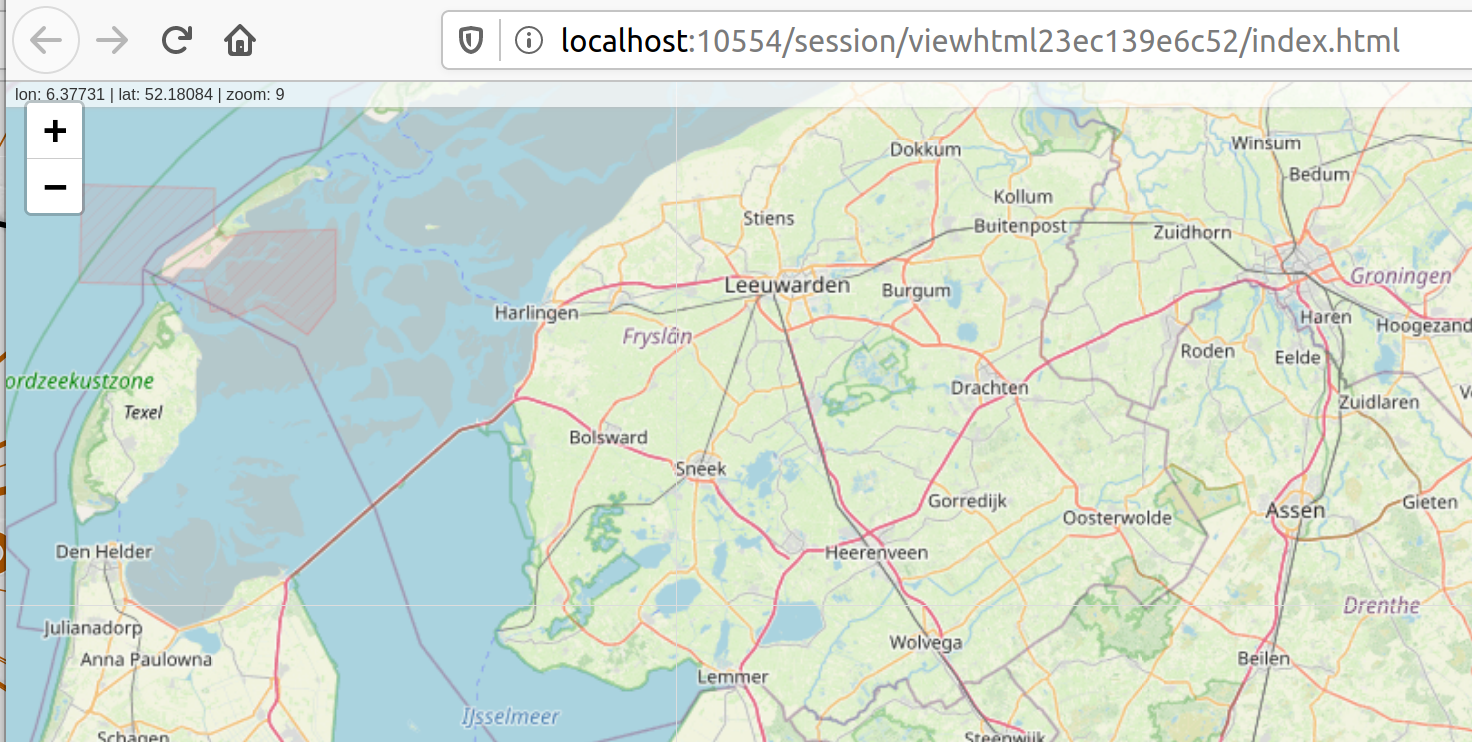
How shall we implement this from a user's perspective?
I think there are two options:
- As a map attribute (similar to
tm_compassandtm_scale_bar)
qtm(World) +
tm_mouse_coordinates()
- As a tmap option, which can locally be set with
tm_view(similar toset.viewandset.zoom.limits)
qtm(World) +
tm_view(mouse.coordinates = TRUE)
similar, but global:
tmap_options(mouse.coordinates = TRUE)
qtm(World)
Both have pros and cons. Which do you prefer? (@Nowosad @zross @Robinlovelace).
If there are there any other handy features from leafem or other leaflet extension packages we would like to use via tmap, let me know. I plan to release a new version of tmap at the end of this week.

@mtennekes just be aware, that I might want to change the default location of addMouseCoordinates around (and maybe also adjust the width of the div when I get a chance to implement https://github.com/GEOF-OSGL/Leaflet.EdgeScaleBar (see the demo there). This will free up space at the bottom for the mousecoords as we don't need the classic scaleBar anymore.
Just so you know...

Thanks @tim-salabim, great feature. Would you place the mouse coordinates still top left, or somewhere else? Bottom left might make more sense with the edge scale bar enabled.
I guess we could still add the mouse coordinates to tmap at this stage, maybe with an 'in development' message in the docs.
Hey Martijn, this will be a really useful feature. Of the two options, that don't have to be mutually exclusive I guess, I would have a mild preference for
tm_mouse_coordinates()
Because its easier to find functionality associated with a specific functionality than to find functionality associated with a specific argument, especially when there are already many arguments in tm_view(). That would make it consistent with tm_scalebar() and friends.
args(tmap::tm_view)
#> function (alpha, colorNA, projection, symbol.size.fixed, dot.size.fixed,
#>     text.size.variable, bbox, set.bounds, set.view, set.zoom.limits,
#>     view.legend.position, control.position, popup.all.data, legend.position,
#>     basemaps = NULL, basemaps.alpha = NULL)
#> NULL
Created on 2020-07-07 by the reprex package (v0.3.0)


What is the con of having this as a default?
Adds a complexity, visual clutter and would change the default behaviour with impacts on shiny apps and other things built with previous versions. I'd suggest not changing the default behaviour.
Thanks for your input @Nowosad and @Robinlovelace
I've added tm_mouse_coordinates (https://github.com/mtennekes/tmap/commit/11affd360459bdd4c9803f1c8a8e3e4b293b0079)
The behavior is similar to the scale bar: it can be added with a map attribute function (so I opted indeed for the first option). Similar to the scale bar and also the minimap, there is a tmap option called qtm.mouse.coordinates which sets the default for creating maps with qtm.
I've set qtm.mouse.coordinates to TRUE, meaning that mouse coordinates (and the zoom level) are shown with qtm, but not with the standard plotting method. In my opinion this fits the philosophy that qtm is 1) typically not used/recommended in reproducible scrips and shiny apps, 2) suffers less from visual clutter since complex maps should not be created with qtm, 3) qtm should be as handy as possible and I often would like to see coordinates in project work myself.
Next up: capture mouse coordinates and optionally feed them to tmaptools::rev_geocode_OSM.
Re capturing, leafem::addMouseCoordinates() provides functionality to copy the mousecoords of the pointer position to the clipboard when pressing and holding Ctrl and the clicking. There's also clip2sfc to convert the clipboard contents to sfc_POINT.
Thanks @Robinlovelace, but very low-hanging fruit for me;-)
Yes, @tim-salabim I noticed clip2sfc, very handy! I also plan to use grid::grid.locator to capture mouse clicks in plot mode. Should be easy (except maybe for facets).