

 quoid
quoid
After Safari 16 upgrade, the interface is not loading properly
As you see in the image, the loading of the Userscripts settings is not working. Sometimes after many clicks it goes further, but normally looks like the image.
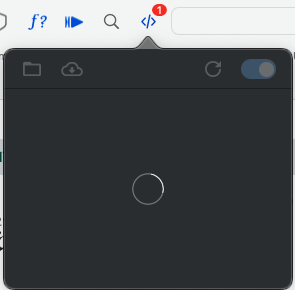
System Information:
macOS or iOS version: 12.5 Userscripts version: 4.2.3 Safari version: 16.0 Is this issue related to script injection? No

It may not be related to Safari 16, I have upgraded to Safari 16 locally and it is no different than before and works fine.
Your problem may be related to #276, but it should be limited to about the first opening of the day, which checks for script updates, such problems may arise.
Could you describe your process in more detail, what scripts have you installed, and if it's convenient, could you record a video showing your process? You could also check the console for error output.

@lparikka Also, are there any log in the consoles?
You could check:
- the browser console
- the popup console (right click popup and click
Inspect Element) console.appand search forUserscriptsand look for errors/faults

Another reason could be that I moved the scripts to iCloud drive. I have 5 css fiels and 2 js files. The files are not very big or complex.
I couldn't find anything in those logs.
I don't do anything special. Just want to open the popup to check what scripts are enabled and to edit those.
@lparikka
Can you move files out of iCloud drive to a local folder, then back into a different iCloud drive folder?
This will help us verify whether or not the issue is with iCloud directory.
My guess without seeing the machine is that there might be a problem with reading the bookmarkUrl or getting the saveLocation - however an error should be printed to console.app if there is. The errors in console.app are easy to miss.
How do I reset the save location to the default? And in which part of the console.app should the errors apper?
@lparikka these instructions should still be valid: https://github.com/quoid/userscripts/issues/174#issuecomment-985052792
Make sure to backup your userscripts before doing any that
And in which part of the console.app should the errors apper?
I usually go into console.app and create an Any filter for the string Userscripts. Once I find a log that is on the process Userscripts, I right click that process and click Show Process Userscripts Extensions and then delete the Any filter.
Be aware, there is a lot of "noise", so that's why I say it is easy to miss messages.
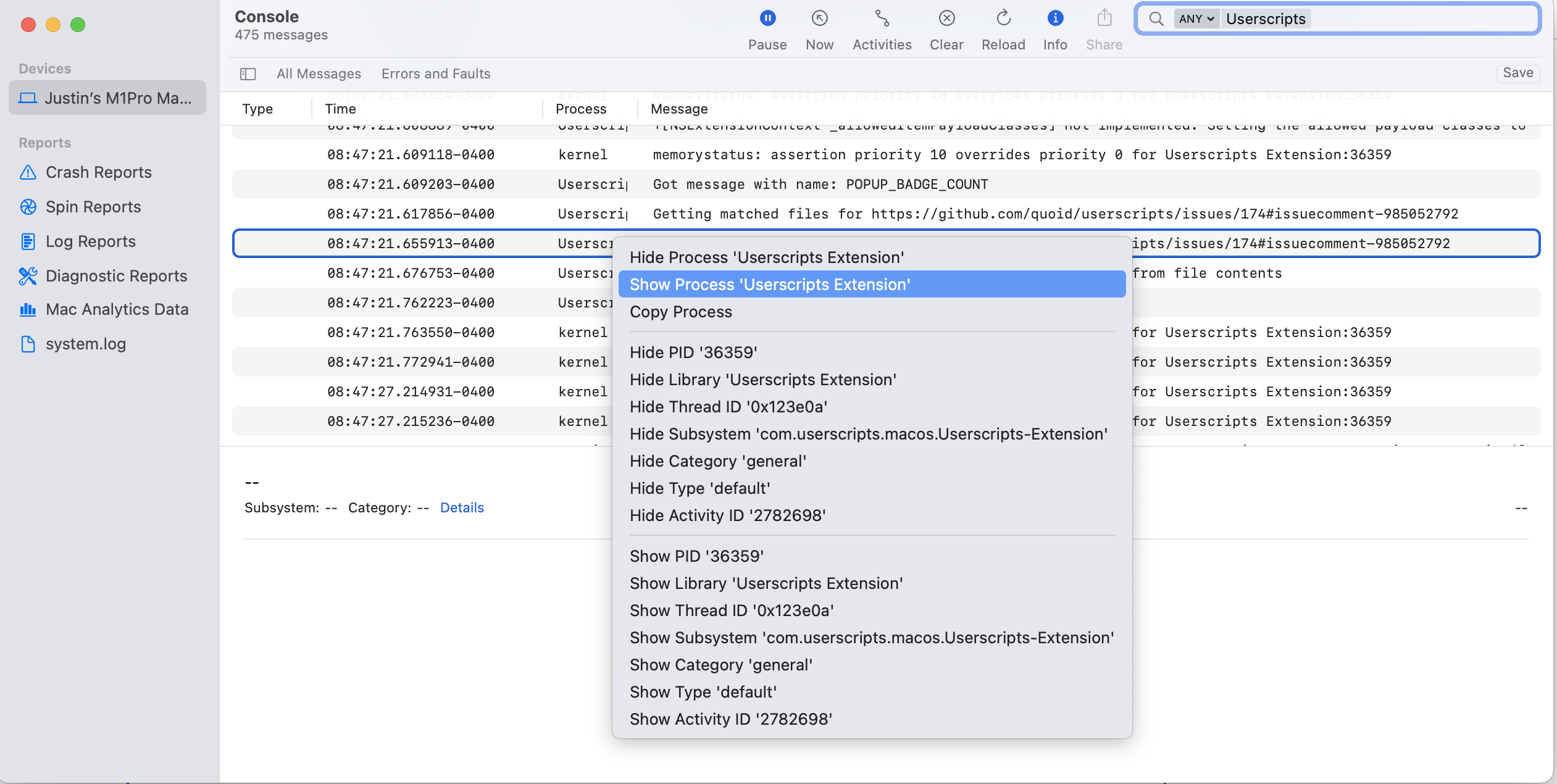
Do I really need to remove and reinstall the plugin? Or is it enough to just move the script location on the local and back to iCloud?
@lparikka
I would first try to just change the directory to local, see how that works (shut down Safari when you do this). Then if that works switch it back to iCloud (again, shut down browser while you do this).
If you see that it is working locally but not on icloud, i do not believe there is a reason to uninstall, but we will have to debug further.
After a Safari restart, the problem is gone. I didn't change the directory yet, so it remains unclear what was the problem. Thak you for your interest and great plugin!