qTox
qTox
Checkboxes are illegible on Linux Mint 19.3
Brief Description
OS: Windows / OS X / Linux (include version and/or distro): Mint 19.3 Cinnamon x64
qTox version (version numbers in menu Settings → About): v1.16.3-888-g0f338f74. (compiled from source, because qTox is not in my repos)
Commit hash: 0f338f749ca7ed5b90e1aacbd319df86719be12b toxcore: 0.2.11 Qt: 5.9.5 …
Reproducible: unclear - see below.
Steps to reproduce
Unclear. For, I started changing Mint's themes but then something went wrong with my password, I created a new account, and qTox disappeared (with this in the terminal: 'core/core.cpp:296 : Critical: 817 Could not resolve hostname, or invalid IP address'). Also, upon creating a new qTox account, I realised how confusing the very first window is (someone else has created a bug report about that) and that there was no 'forgotten password' option; and given all this I am abandoning qTox, I am afraid and so will not be doing further testing. Sorry.
Observed Behavior
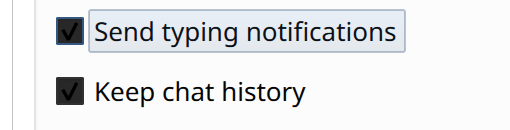
Checkboxes are unreadable in that one cannot distinguish checked from unchecked.
Expected Behavior
Legibility.
Additional Info
(links, images, etc go here)

Since user information is not stored on any server, I'm not sure what a 'forgotten password' would do.
This means that, at this time, if a user forgets their password (which is optional, by the by), they will need to create a new profile.
I guess the checkbox issue could have something to do with the particular Qt version qTox was compiled against. It could be interesting to know if this also happened with the nightly builds [1].
- https://github.com/qTox/qTox-nightly-releases/releases

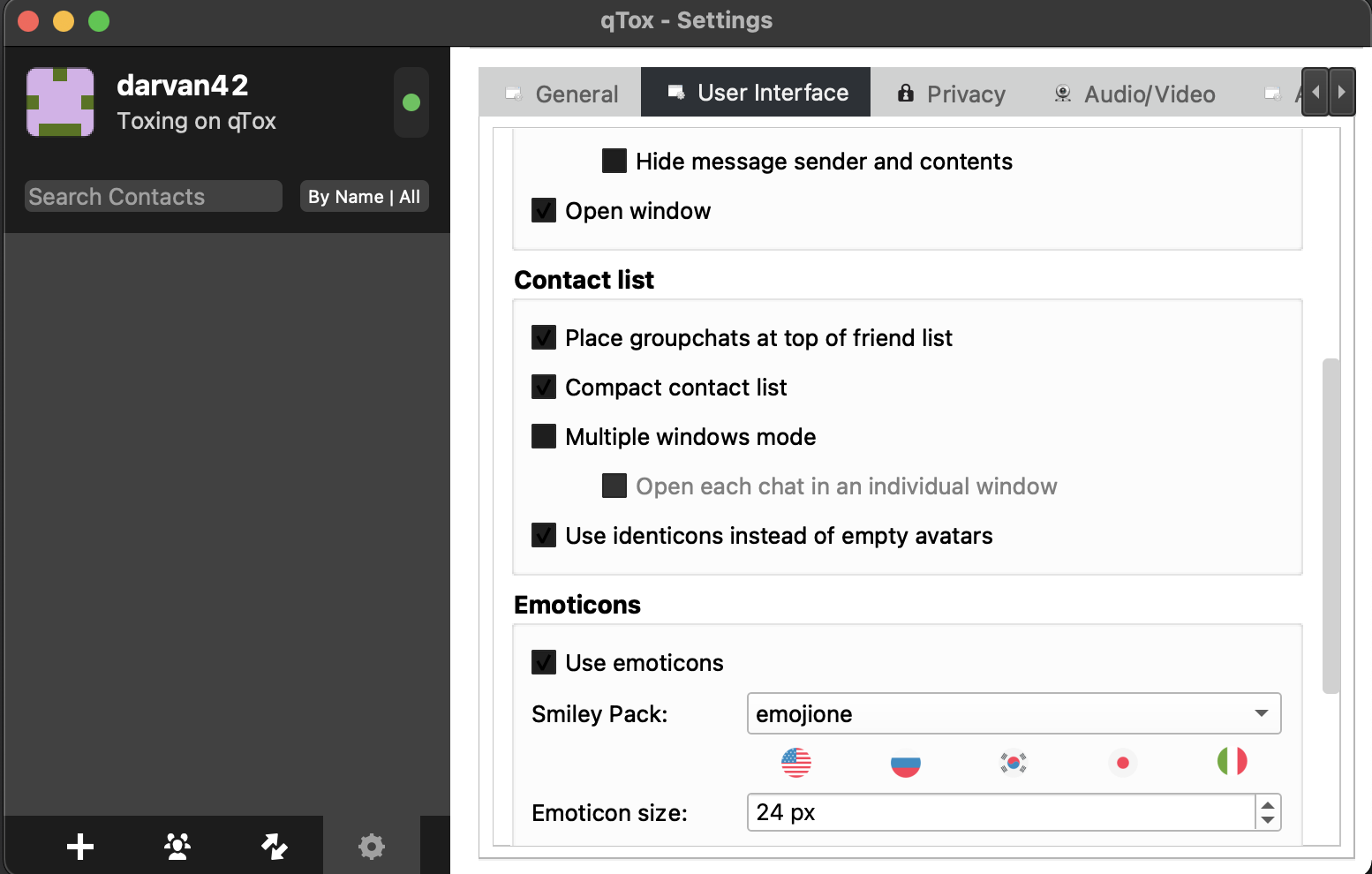
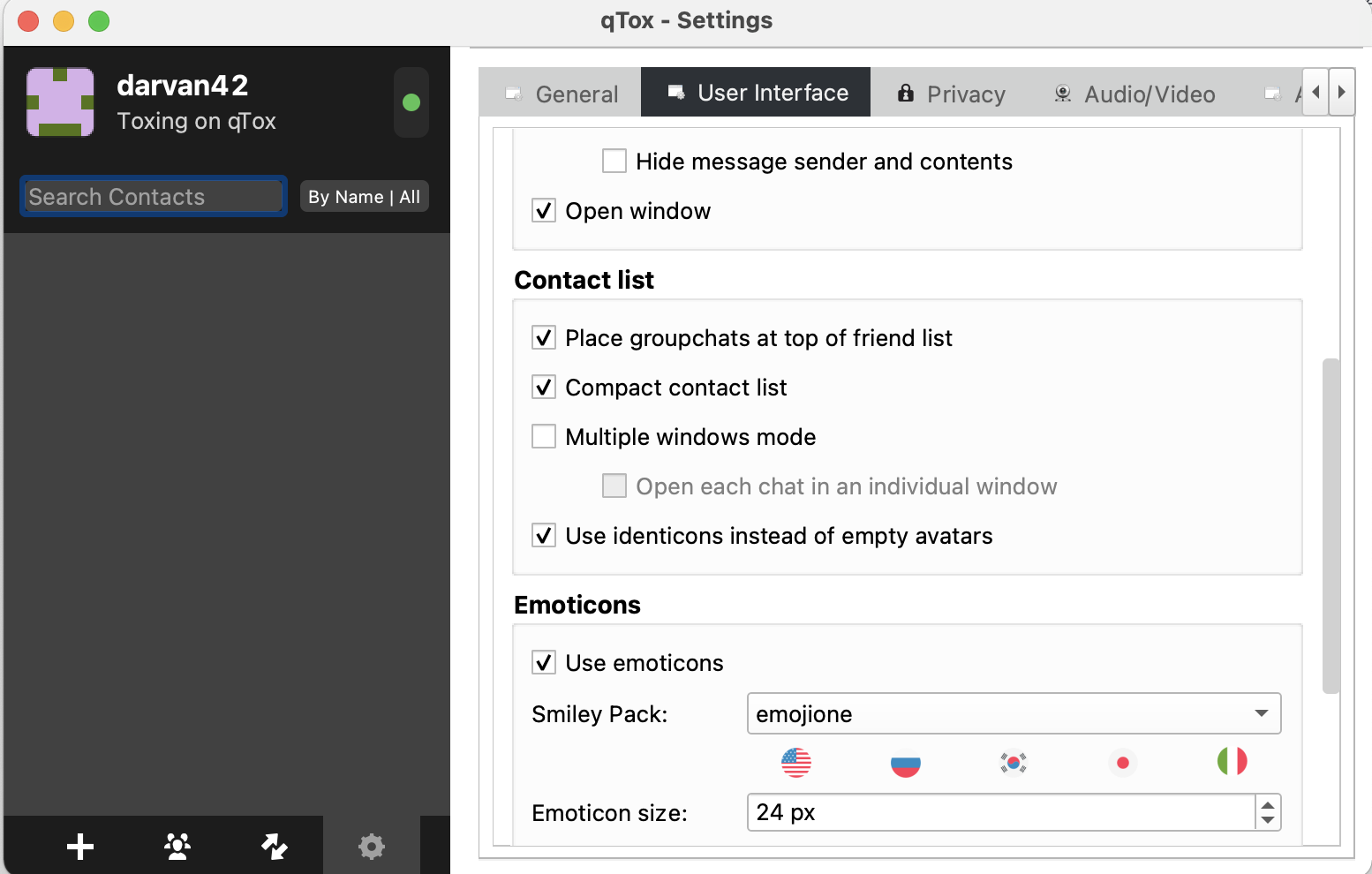
I ran into the same bug on macOS and also tested the mentioned nightly build, which resulted in the same behavior. This behavior only occurs when appearance is set to dark in the system settings. Setting it to light solves the visibility problem. (See attached photos) I could not find any association with a forgotten password. (I created a new account and the problem persists in dark mode and goes away in light mode)
System Info
OS: macOS 12.1 (Monterey) Hardware: MacBook Air (M1, 2020)
qTox Info (1)
Version: 1.17.4 Commit Hash: f0e82c3d90322aaf84b0eb34f56099e8ccca58f7 Toxcore version: 0.2.13 Qt version: 5.15.2 Installation method: Homebrew
qTox Info (2)
Version: 1.17.2-44-gc0e9a3b Commit Hash: c0e9a3b79609681e5b9f6bbf8f9a36cb1993dc5f Toxcore version: 0.2.12 Qt version: 5.15.1 Installation method: Extract from .dmg from github
Reproduction steps
For both described qTox versions:
- Go to system settings -> general -> appearance
- Set to dark
- Start qTox
- Go to settings tab
- All checkboxes are barely readable
Dark Mode
Light Mode

Same issue with black checkboxes on Ubuntu 22.04 (LTS) with KDE and dark theme.