pyvista-support
 pyvista-support copied to clipboard
 pyvista
What is the best way to resolve coincident topology?
I tried to design a simplified version of https://github.com/mne-tools/mne-python/issues/7599#issuecomment-733626871 but basically, I am looking for a robust way to resolve coincident topology. In mne-python, we use a temporary hack but it does not scale considering that multiple surfaces with their own scalar values and colormap can overlap. The current version forces some offset values for the overlay but still some artifacts appear depending on the camera position.
The code to illustrate the issue
import numpy as np
import pyvista
from pyvista import examples
from matplotlib.colors import ListedColormap

surface = examples.download_cow()
points = surface.points
surface_scalars = points[:, 0] > points[:, 0].mean()
surface_cmap = ListedColormap(np.array([(1, 0, 0, 1), (0, 1, 0, 1)]))

overlay = surface.copy()
overlay_scalars = np.sin(points[:, 0] * np.pi) > 0
overlay_cmap = ListedColormap(np.array([(0, 0, 1, 1), (1, 1, 1, 0)]))

plotter = pyvista.Plotter()

kwargs = dict(
    rng=[0, 1],
    opacity=1.,
    color=None,
    rgba=False,
    backface_culling=False,
    smooth_shading=True,
)

plotter.add_mesh(
    mesh=surface,
    scalars=surface_scalars,
    cmap=surface_cmap,
    **kwargs
)

plotter.add_mesh(
    mesh=overlay,
    scalars=overlay_scalars,
    cmap=overlay_cmap,
    **kwargs
)

plotter.show()
Gives the following:
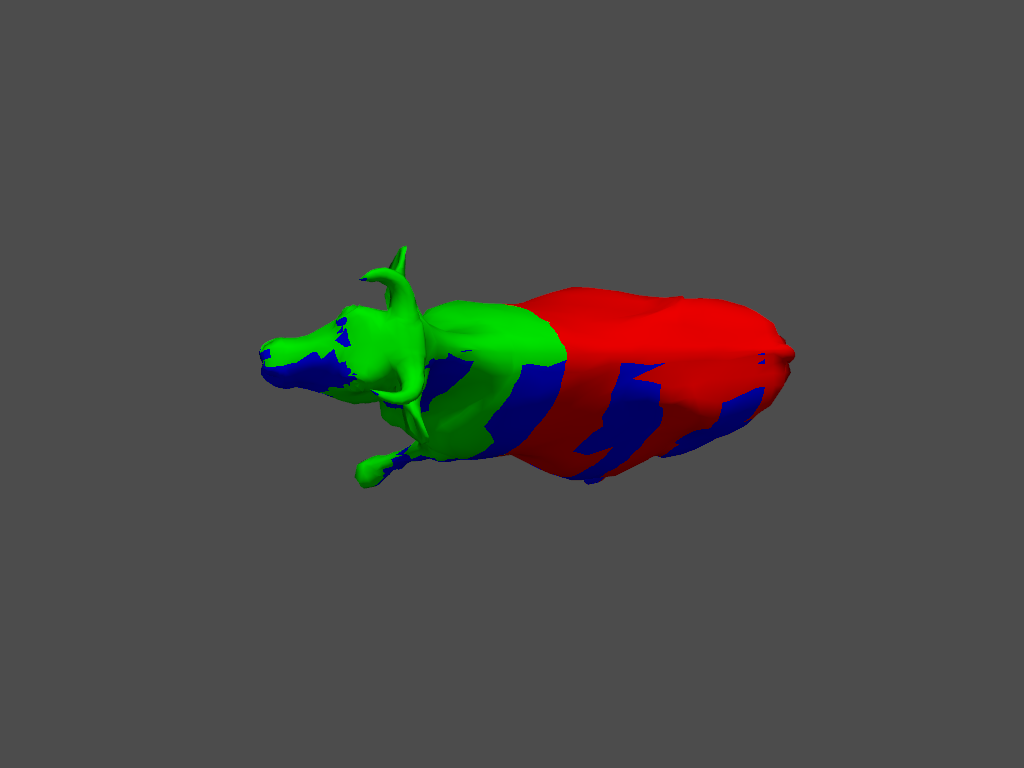

I tried various combinations of of SetResolveCoincidentTopology, SetResolveCoincidentTopologyToShiftZBuffer, ForceTranslucentOn, pyvista.rcParams['depth_peeling']['enabled'] = True but with no luck.
Maybe a vtkAssembly and set everything to translucent (opacity 0.999) or something? https://discourse.vtk.org/t/translucent-assemblies-in-8-2-0/419/10

I just tried on mac os and it works fine for me.
pyvista:       0.27.3 {pyvistaqt=0.2.0, OpenGL 4.1 ATI-3.2.32 via AMD Radeon Pro 5500M OpenGL Engine}
vtk:           9.0.1
PyQt5:         5.15.1