

 pytroll
DayNightCompositor not working in conjunction with crop()
Describe the bug At certain times of day, with both GOES16 and Himawari8, the produced imagery is blank.
For GOES16 it seems to be 1940Z as the first timestep that fails.
The key factors seem to be needing a crop, DayNightCompositor, and weirdly it seems to happen across a broader range of times using reprojected COG's versus than GeoTIFF's.
The crop boundary seems significant too, potentially related to the anti-meridian.
To Reproduce scn.load([composite], generate=False) scn = scn.crop(xy_bbox=(-4100000,-5000000,5000000,5000000)) scn = scn.resample(scn.finest_area(),resampler='native') scn.save_dataset(composite, filename=outname, driver='COG', tiling_scheme='GoogleMapsCompatible', compress="JPEG", overview_quality=90, quality=90, num_threads="32", aligned_levels=8)
goes1930.tiff is correct goes1940.tiff is invalid/blank
http://static2.skysight.io/repro.tgz has a bundle that reproduces the issue, with data.
Expected behavior Imagery should be produced for both times.
Environment Info:
- OS: Ubuntu 20.04
- Satpy Version: git
- PyResample Version: git

Dang this makes me nervous. Does this example "fail" consistently? What about this exact data case and the default geotiff driver?

I see your day/night composite is:
  true_color_daynight_goes:
    compositor: !!python/name:satpy.composites.DayNightCompositor
    standard_name: true_color_daynight_goes
    lim_low: 90.0
    lim_high: 100.0
    prerequisites:
      - true_color
      - night_ir_alpha
Have you tested any other combinations? Specifically something other than the night_ir_alpha?
This case fails consistently. I am not sure offhand if it fails with GeoTIFF but I have observed failures with GeoTIFF.
On Tue, 15 Mar 2022, 11:57 am David Hoese, @.***> wrote:
Dang this makes me nervous. Does this example "fail" consistently? What about this exact data case and the default geotiff driver?
— Reply to this email directly, view it on GitHub https://github.com/pytroll/satpy/issues/2059#issuecomment-1067452818, or unsubscribe https://github.com/notifications/unsubscribe-auth/AACODFYVIIYKHRKUPZP6ELDU77N67ANCNFSM5QW6STJQ . Triage notifications on the go with GitHub Mobile for iOS https://apps.apple.com/app/apple-store/id1477376905?ct=notification-email&mt=8&pt=524675 or Android https://play.google.com/store/apps/details?id=com.github.android&referrer=utm_campaign%3Dnotification-email%26utm_medium%3Demail%26utm_source%3Dgithub.
You are receiving this because you authored the thread.Message ID: @.***>
Yes, I experienced failures with a range of combinations all using DayNightCompositor
On Tue, 15 Mar 2022, 12:02 pm David Hoese, @.***> wrote:
I see your day/night composite is:
true_color_daynight_goes: compositor: !!python/name:satpy.composites.DayNightCompositor standard_name: true_color_daynight_goes lim_low: 90.0 lim_high: 100.0 prerequisites: - true_color - night_ir_alpha
Have you tested any other combinations? Specifically something other than the night_ir_alpha?
— Reply to this email directly, view it on GitHub https://github.com/pytroll/satpy/issues/2059#issuecomment-1067455028, or unsubscribe https://github.com/notifications/unsubscribe-auth/AACODFYLJRZ7UUVRQ4VSUL3U77ORBANCNFSM5QW6STJQ . Triage notifications on the go with GitHub Mobile for iOS https://apps.apple.com/app/apple-store/id1477376905?ct=notification-email&mt=8&pt=524675 or Android https://play.google.com/store/apps/details?id=com.github.android&referrer=utm_campaign%3Dnotification-email%26utm_medium%3Demail%26utm_source%3Dgithub.
You are receiving this because you authored the thread.Message ID: @.***>
I confirmed it fails with simple_image/png and GeoTIFF as well on this case.
It does seem to be related to night_ir_alpha after all - changing 'night_ir_alpha' to 'C01' works at least.
I am not able to test night_ir_with_background because for reasons I don't understand, it always fails with:
cannot convert float NaN to integer The following datasets were not created and may require resampling to be generated: DataID(name='true_color_daynight_goes') Traceback (most recent call last): File "/home/user/.local/lib/python3.8/site-packages/satpy/dataset/data_dict.py", line 169, in getitem return super(DatasetDict, self).getitem(item) KeyError: 'true_color_daynight_goes'
As mentioned on slack, the night background is a geotiff on a different projection. The native resampler does not handle transformation to a new projection, only replicating or aggregating pixels of an existing projection.
I don't remember why that warning/message about NaN shows up, but I think it can be ignored as far as this issue goes. If you want to use that composite you'll need to use the nearest (or other) resampler to remap at least the background image to the ABI projection or resample all data (ABI and the background) to a new projection (new AreaDefinition). There are a couple different ways to do this most efficiently, but we can talk more about that on slack if you're really curious or if this issue is only a problem for the night background composites.
Using your true_color_daynight_goes with the data you provided I'm able to make an image for 1940 with my Geo2Grid software using the native resampler.
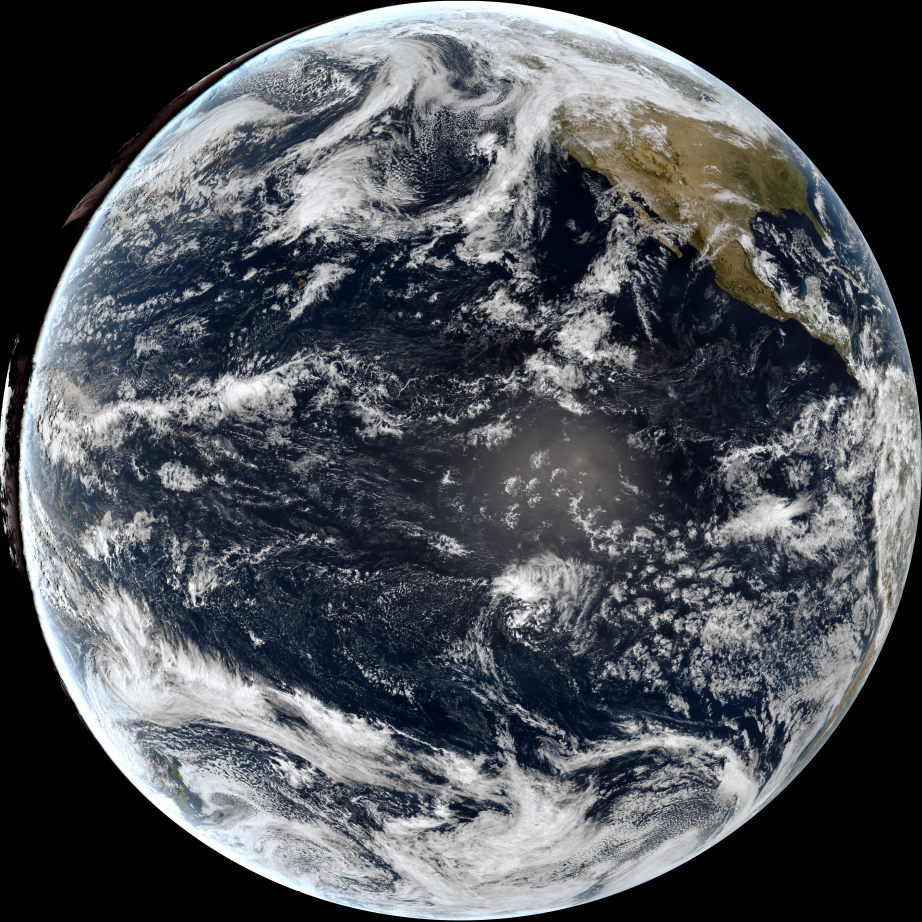
Given what I just said about resampling being needed...I don't know how this was possible.
Ah I see, you had switched it to the night IR with a background image. :man_facepalming: Original statements stand and it seems I am able to make this image composite from your original YAML that you shared for the 19:40 data.
Are you also cropping with Geo2Grid though?
The problem does not occur if don't crop, or if I change night_ir to 'C01'.
Ok so I tried with cropping and no matter what I do I get an error from the resampling step:
ValueError: Expand factor must be a whole number
Now I am using satpy main where in the last month or two there were small changes to the native resampler but I don't think I changed any of the logic for determining how many times pixels should be replicated. So step one on my side is to figure out why we get different results (an actual image versus me getting an exception). The other thing you can check is what you get when, after the crop call, you do:
print([x.shape for x in new_scn])
I get the following:
[(9980, 9082), (19960, 18164), (19960, 18164), (9980, 9082), (4, 4990, 4541)]
These numbers make sense to me (all a factor of 2) but for some reason the resampler decided that the ratio for C01 was 2.173947895791583 and 2.3889011231006387.
This will be fun... :cry:
Ah! I was renaming each of my Scene's to new_scn for the cropped scene, and resampled_scn for the resampled one. I used your code but forgot to update the area used in the resample call.
Edit: I get a black image!
If I plot the cos(SZA) before it is linearly scaled in the DayNightCompositor I get:
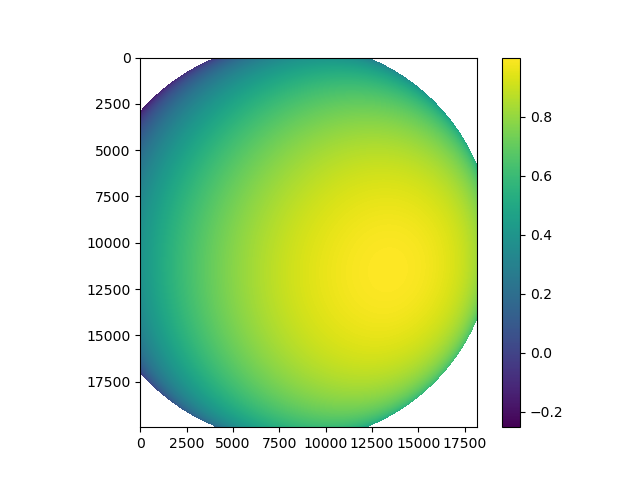
If I then let it be scaled based on your limits (90 and 100 degrees) I get:
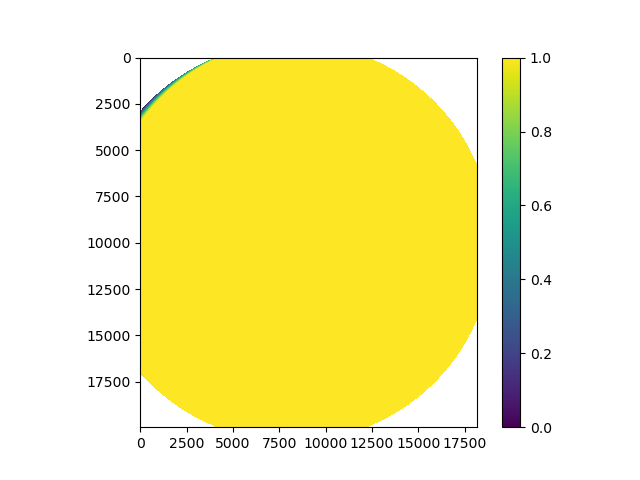
This is as far as I could get tonight. I'll have to look harder tomorrow.
Edit: Sorry, I should have said, this all looks fine to me as far as SZA stuff. The clipped/scaled cos(SZA) is almost all 1s to signify all day data.
Ok so some updates on this, if I use data_array.plot.imshow() on the various arrays inside the DayNightCompositor then I get the expected images, so the compositor doesn't seem to be the problem (so far). If I also specify a custom enhancement:
 true_color_daynight_goes:
   standard_name: true_color_daynight_goes
   operations: []
then the result is fine. If I don't have the custom enhancement then the resulting RGBA geotiff is black, but if I remove the alpha channel then the image is fine:
$ gdal_translate -b 1 -b 2 -b 3 true_color_daynight_goes_20220302_194032.tif true_color_daynight_goes_20220302_194032.rgb.tif
Input file size is 4541, 4990
0...10...20...30...40...50...60...70...80...90...100 - done.
So my guess is the default stretch in trollimage is doing something weird with the alpha...or maybe .imshow isn't using the alpha when I plot the data.
...just wanted to provide an update.
Ok, I figured it out. At least I think I did. The alpha bands reaches the final save_dataset step and performs the default dynamic linear stretch. Put simply, this enhancement will take the min and max of the data and normalize the data based on those limits to 0-1. For the 19:30 (good) case, the Alpha channel has some less than 1 values (partial transparent) so there is a min and a max and the data gets normalized. In the 19:40 (bad) case, the Alpha channel is all 1s (fully opaque) so the min/max end up equaling the same thing which results in the Alpha data being all fills (fully transparent).
Now normally I would say "this is a bug in the linear stretch not handling Alpha channels, it shouldn't touch the Alpha band", but while investigating this I realized that some composites actually depend on the Alpha channel being stretched. For example, the night_ir_alpha composite used in this example case uses the 10.3um band as the Alpha channel and scales it using the dynamic linear scaling. So we can't change this behavior, but could have it be configurable. However...
The real solution is that you should define a custom enhancement for your custom composite as I did above. The DayNightCompositor pre-enhances the day and night images that it uses so they should already be on the 0-1 scale that trollimage expects. No additional scaling should be done. It is a big waste of processing time/memory and is likely producing a worse image than it should.
 true_color_daynight_goes:
   standard_name: true_color_daynight_goes
   operations: []
If someone disagrees then let's discuss. Otherwise, let's close this.