

 pythonarcade
Text in PerfGraph has transparent fringes that show screen under the graph
Bug Report
System Info
Arcade 2.7.0
------------
vendor: Intel
renderer: Mesa Intel(R) UHD Graphics 620 (KBL GT2)
version: (4, 6)
python: 3.9.2 (default, Feb 28 2021, 17:03:44)
[GCC 10.2.1 20210110]
platform: linux
Actual behavior:
Text renders as partially transparent at the fringes, showing parts of the background.
On the tip of development:
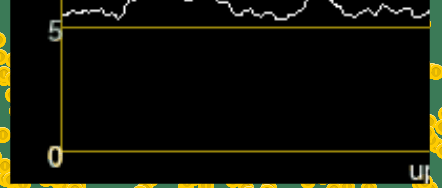
On #1265 :
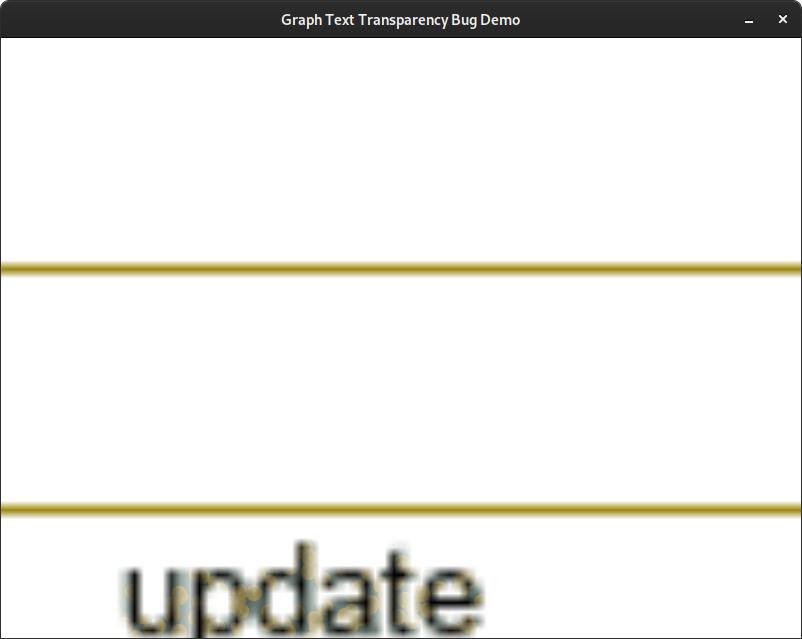
The example images above each have their PerfGraph instance's scale increased to highlight the issue. No other part of the graph seems affected.
None of these alter the behavior:
- Passing a 4-byte color with full alpha to the
font_colorargument - Changing the graph background color
- Changing the scale on the PerfGraph instance (see example code)
My hunch is that the underlying text drawing somehow sets the alpha channel of the fringes directly instead of properly blending while in the render_into context. I do not know enough about how text renders to be sure if this is a bug in our code or in pyglet.
Expected behavior:
Text fringes do not render as transparent for performance graphs and other contexts.
Steps to reproduce/example code:
- Install arcade from the tip of development
- Launch this example
- Press space to increase the scale of the PerfGraph
- Press shift + space to decrease the scale
- Observe that neither changes the behavior

I updated the ticket with example code and better screenshots to demonstrate the issue. GUI widgets should be examined closely to see if they also have a similar problem. If they don't, there may be a bug somewhere in the PerfGraph rendering code rather than elsewhere in arcade or pyglet.
Pyglet text will enabled blending and use alpha. We just need to make sure the background is (0, 0, 0, 255)
