

 python-pillow
TIFF UnidentifiedImageError
Hi team,
I have some images in tiff format that came from many different people and that I need to convert do JPG.
Both images are ok and visible without problems on all image viewer I could check, and using Image Magick I can sucessfully convert them, but, when I try to use PIL to do the same result in Python, some images are not converted, raising the "UnidentifiedImageError: cannot identify image file".
Using convert
#IMAGE 1 TEST OK
convert -verbose FLOR0017314_02.tif FLOR0017314_02.tif.jpg
FLOR0017314_02.tif TIFF 3664x2748 3664x2748+0+0 8-bit TrueColor sRGB 28.8278MiB 0.050u 0:00.039
FLOR0017314_02.tif=>FLOR0017314_02.tif.jpg TIFF 3664x2748 3664x2748+0+0 8-bit TrueColor sRGB 1.72944MiB 0.140u 0:00.150
#IMAGE 2 TEST OK
convert -verbose ../rb-back/so_tif/00082851.tif 00082851.tif.jpg
../rb-back/so_tif/00082851.tif TIFF 6412x10261 6412x10261+0+0 8-bit TrueColor sRGB 137.123MiB 1.510u 0:01.350
../rb-back/so_tif/00082851.tif=>00082851.tif.jpg TIFF 6412x10261 6412x10261+0+0 8-bit TrueColor sRGB 21.7932MiB 1.280u 0:01.280
Using Python + Pillow
My env test is:
- Ubuntu 20.04
- Python 3.8.5
- Pillow-8.0.1
To open my images I tried this minimal piece of code:
#IMAGE 1 TEST OK
In [1]: from PIL import Image
In [2]: filename = '../rb-back/so_tif/00082851.tif'
In [3]: image_tif = Image.open(filename)
In [4]: image_tif
Out[4]: <PIL.TiffImagePlugin.TiffImageFile image mode=RGB size=6412x10261 at 0x7FAAED2CE310>
#IMAGE 2 BUGGED TEST
In [1]: from PIL import Image
In [2]: filename = 'FLOR0017314_02.tif'
In [3]: image_tif = Image.open(filename)
---------------------------------------------------------------------------
UnidentifiedImageError                    Traceback (most recent call last)
<ipython-input-3-49b4a2ebb92e> in <module>
----> 1 image_tif = Image.open(filename)

/usr/lib/python3/dist-packages/PIL/Image.py in open(fp, mode)
   2859     for message in accept_warnings:
   2860         warnings.warn(message)
-> 2861     raise UnidentifiedImageError(
   2862         "cannot identify image file %r" % (filename if filename else fp)
   2863     )

UnidentifiedImageError: cannot identify image file 'FLOR0017314_02.tif'

In [4]: image_tif
Out[4]: <PIL.TiffImagePlugin.TiffImageFile image mode=RGB size=6412x10261 at 0x7FAAED7ADA30>
I've tried to compare the difference between them but I couldn't note anything that is causing this. Maybe it is a bug in Pillow or my brain, I sincerely don't known. Can you help me, please?
I'm attached the returned exit of "identify -verbose" for each image file: identify-verbose-bugged-image.txt identify-verbose-ok-image.txt


One image is approximately 30MB (the problematic) and another is more than 140MB but Github limit the size of attachment to 10MB, only.
Is there another way to share them?
I wouldn't necessarily worry about the ok image, just the broken one. You could create a GitHub repo and use the command line to commit and push the 30mb image. If you use Google Drive or Dropbox you could upload them and then create a shareable link. There are likely other ways as well, but those are my thoughts.
Thanks your attention. I've put three of them in a Google Drive shared folder.
I hope it can help you to help me.
Debugging further, I get
Traceback (most recent call last):
  File "PIL/TiffImagePlugin.py", line 1263, in _setup
KeyError: (b'II', 2, (2, 2, 2), 1, (8, 8, 8), ())
All three images have the same information. So it is an image mode (RGB;S ?) that we don't support yet.
For posterity, here is a zip of one of the images - FLOR0017314_02.tif.zip
Thanks @radarhere , but I didn't understand how they could have the same informations. If you open in a image viewer you see they are different pics. What happen to cause this, do you know? This information could help me to minimize this trouble in future.
Oh, I didn't mean the images were exactly the same. I meant they all have (b'II', 2, (2, 2, 2), 1, (8, 8, 8), ()). And I don't want you to think the images are broken. There are just many ways to save images, and these have been saved in a way that Pillow hasn't added support for - they have 3 samples per pixel of two's complement signed integer data, and Pillow doesn't support that yet.
Hi @radarhere , Thanks your answer. This is one of my thousands curious cases in a set with with 5.5 milions images. I'd like to use just one lib to process it, but I couldn't and adjust my tools to use "Wand" (https://pypi.org/project/Wand/ - a ImageMagick binding for Python) as a fallback when Pillow fail and it solved for me.
I also encounter this with some satellite images that I want to process.
These have (16 16 16) bits per sample, according to exiftool.
As a workaround, I have to resort to using tifffile.imread(), but I would also like to use Pillow for all my image operations.
ExifTool Version Number         : 10.80
File Name                       : mexico-earthquake_00000000_post_disaster.tif
Directory                       : /home/data/xbd/geotiffs/tier1/images
File Size                       : 6.0 MB
File Modification Date/Time     : 2020:08:03 22:15:48+00:00
File Access Date/Time           : 2021:06:08 15:31:03+00:00
File Inode Change Date/Time     : 2021:06:08 15:30:57+00:00
File Permissions                : rw-r--r--
File Type                       : TIFF
File Type Extension             : tif
MIME Type                       : image/tiff
Exif Byte Order                 : Little-endian (Intel, II)
Image Width                     : 1024
Image Height                    : 1024
Bits Per Sample                 : 16 16 16
Compression                     : Uncompressed
Photometric Interpretation      : BlackIsZero
Strip Offsets                   : (Binary data 8012 bytes, use -b option to extract)
Samples Per Pixel               : 3
Rows Per Strip                  : 1
Strip Byte Counts               : (Binary data 5119 bytes, use -b option to extract)
Planar Configuration            : Chunky
Extra Samples                   : Unknown (0 0)
Sample Format                   : Signed; Signed; Signed
Pixel Scale                     : 4.49466028913751e-06 4.49466028913751e-06 0
Model Tie Point                 : 0 0 0 -99.228625156624 19.326981105618 0
GDAL No Data                    : -99
Geo Tiff Version                : 1.1.0
GT Model Type                   : Geographic
GT Raster Type                  : Pixel Is Area
Geographic Type                 : WGS 84
Geog Citation                   : WGS 84
Geog Angular Units              : Angular Degree
Geog Semi Major Axis            : 6378137
Geog Inv Flattening             : 298.257223563
Image Size                      : 1024x1024
Megapixels                      : 1.0
And the image (zipped):
mexico-earthquake_00000000_post_disaster.tif.zip

@cipri-tom if I deduct the 2 extra samples from the 3 samples per pixel, then I get one channel left. Is the image grayscale? I tried loading it as I;16S, but it was still black. Could you attach a copy of what the image should look like?
@radarhere No, the image is colour, RGB, 1024 x 1024 x 3.
Here's what is looks like
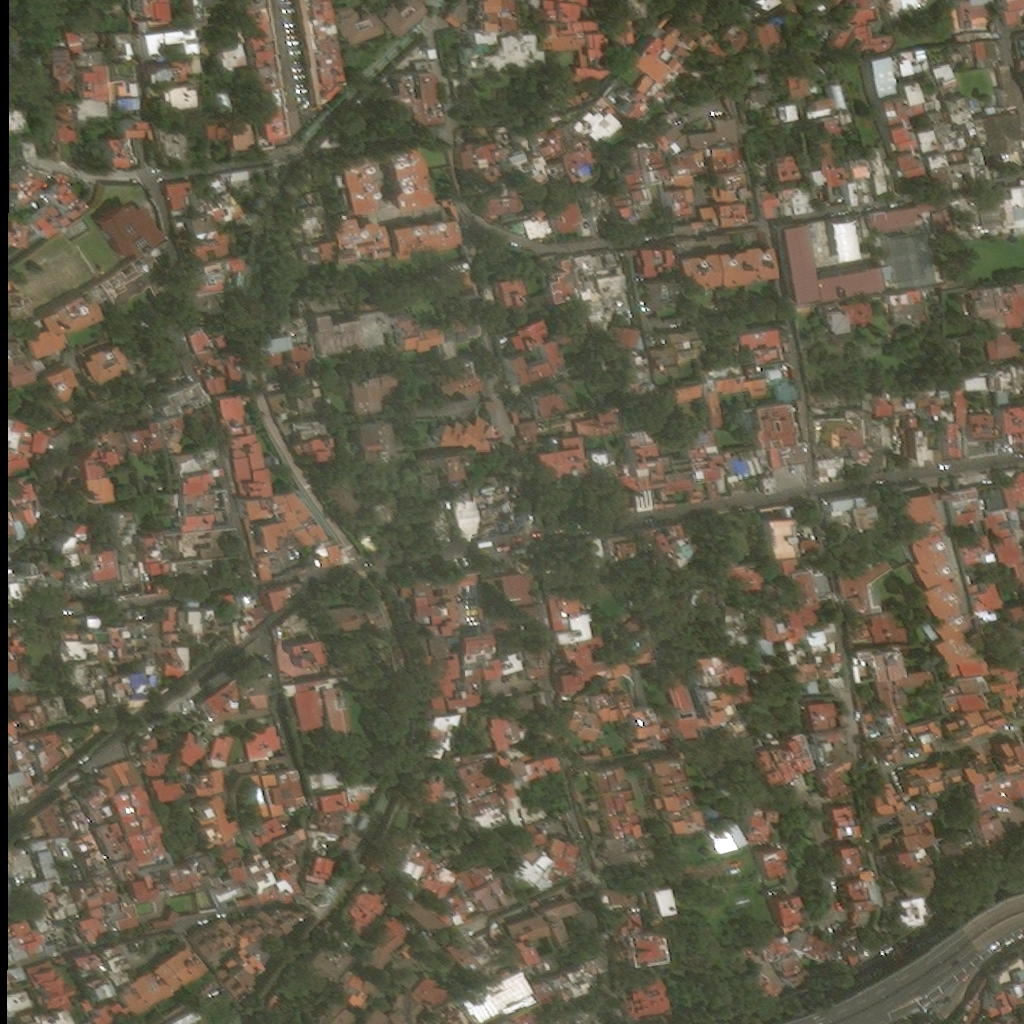
Obtained by simply resaving it as png (all values were in 0-255, although original had 16 bits per sample).
I've come to the conclusion that these images fall into the category of #1888.