

 pytest-dev
Refresh HTML Report View During A Build
Hi, I am using HTML Publisher plugin to display test results report as HTML. the tests run-time is about 4 hours and the HTML report is been updated with the tests results during running. I have the first part of test results after an hour and I want to display it immediately. After I get the other parts of the report I want to refresh the report view during running. When I run both tasks in parallel I get a new tab to a new report for each time I run the publisher command when I wanted just to update the existing report view.
Any idea how to solve it?

Hi @rivky9505
I'm going to need more info to help you.
I am using HTML Publisher plugin to display test results report as HTML
Is this the Jenkins plugin?
When I run both tasks in parallel I get a new tab
When you say "tasks in parallel" do you mean using xdist or two parallel processes running pytest?
Let's start there.

Is this the Jenkins plugin? Yes, It's a jenkins plugin. When I run both tasks in parallel - I mean this code:
def runRegressionTestsInRemoteServer(globals, testMode, pcapsToRun) {
    echo '*** Run-Regression-Tests ***'
    def tasks = [:]

    tasks["Regression-Test"] = {
        stage ('Run-Regression-Test'){
                tests_function()
        }
    }
    tasks["HTML-Publisher"] = {
        stage ('HTML-Report'){
                while (! finishRegressionTests){
                    DownloadHTMLReport()
                    DisplayHTMLReport()
            }
        }
    }

    parallel tasks
}
def DisplayHTMLReport(){
    publishHTML([
            allowMissing: false,
            alwaysLinkToLastBuild: false,
            keepAll: true,
            reportDir: '',
            reportFiles: 'report.html',
            reportName: 'HTML Report',
            reportTitles: ''])
}
this is the result I get:
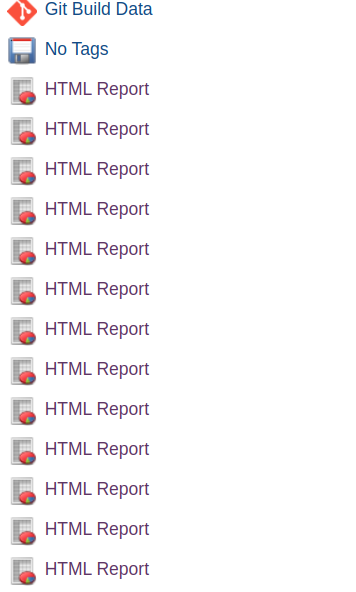
I think this is an issue with your pipeline code. Everytime you call DisplayHTMLReport(), it uploads a new report to the pipeline. If I understand the parameter correctly, changing the
keepAll: true, to keepAll: false, might solve the issue.

Thanks for your response.
the keepAll: true parameter causes the plugin to show the report per build and not per pipeline, I mean , when it was keepAll: false I couls watch only the last build report from the pipeline main window, and now I can go into a build and get a special report for this build.
I know that the fact that I call DisplayHTMLReport() several times uploads a new report every time, this is the reason I am looking for another solution, maybe a way to delete the last report and keep only the latest?
Hello I am also trying to do exactly the same thing in my jenkins pipeline, has anyone figured out a solution?
