

 pyrevitlabs
PyRevit fails to load
On opening Revit the following error message appears and PyRevit plug in fails to load
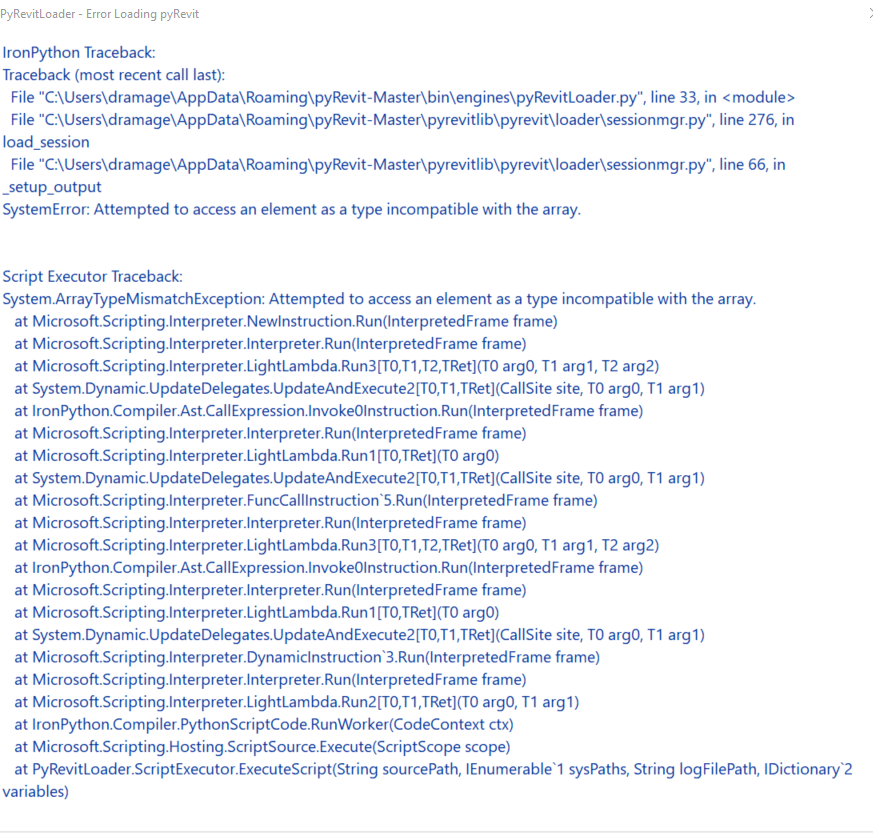
To Reproduce Steps to reproduce the behavior:
- Open Revit
Expected behavior Revit opens with PyRevit plug in menu tab

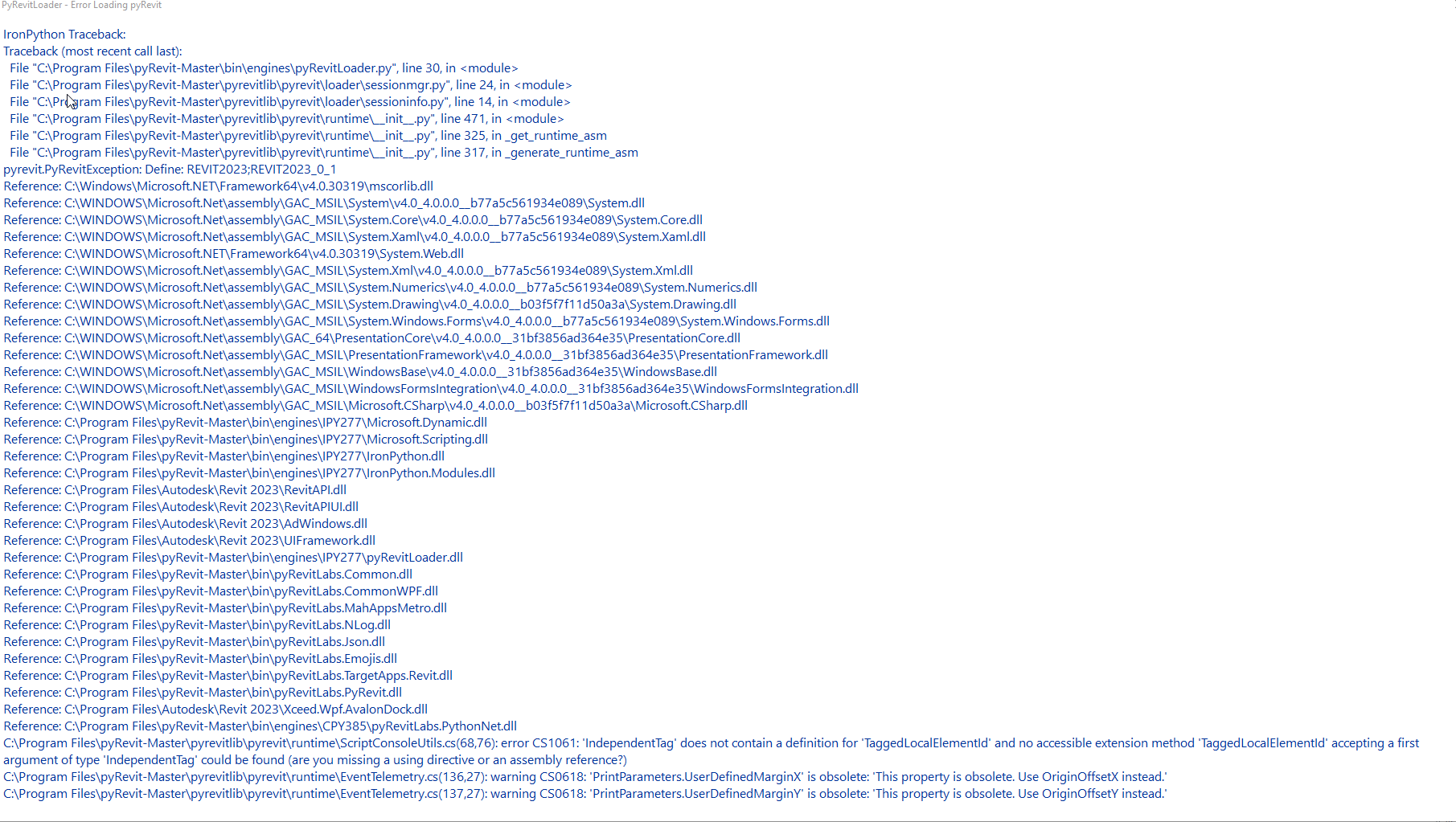

I have the same exact errors as OP for Revit 2022.1. PyRevit was working fine when I was using it last week but then started to give an error recently. I also had no updates to my computer or software. I tried using the command prompts in other posts but it did not work.
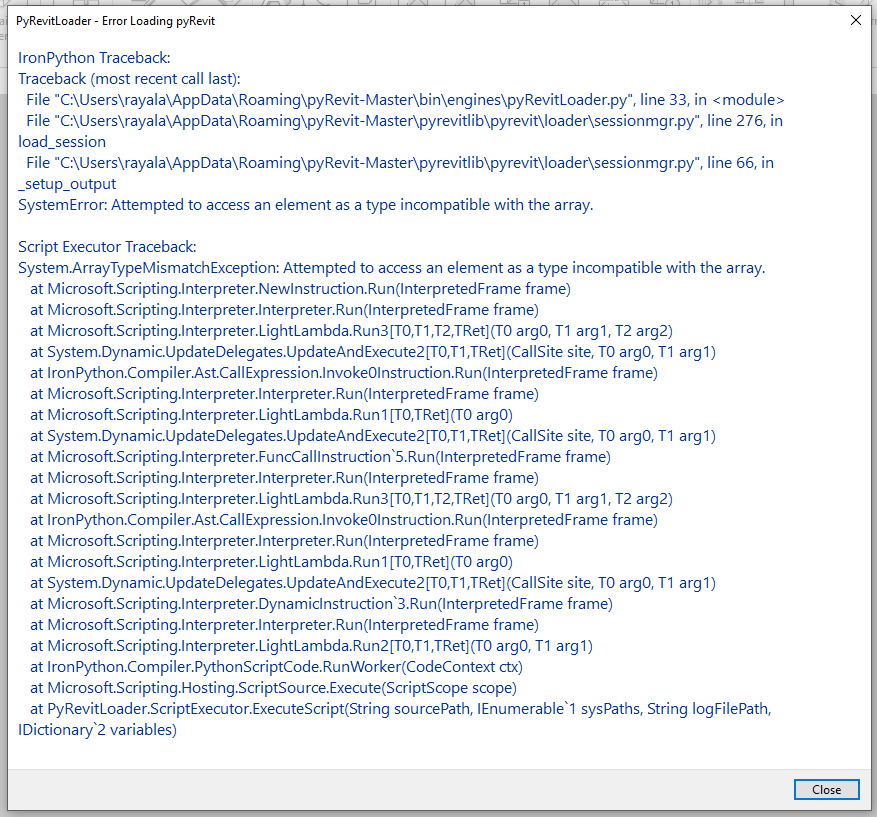

 What should i do ?
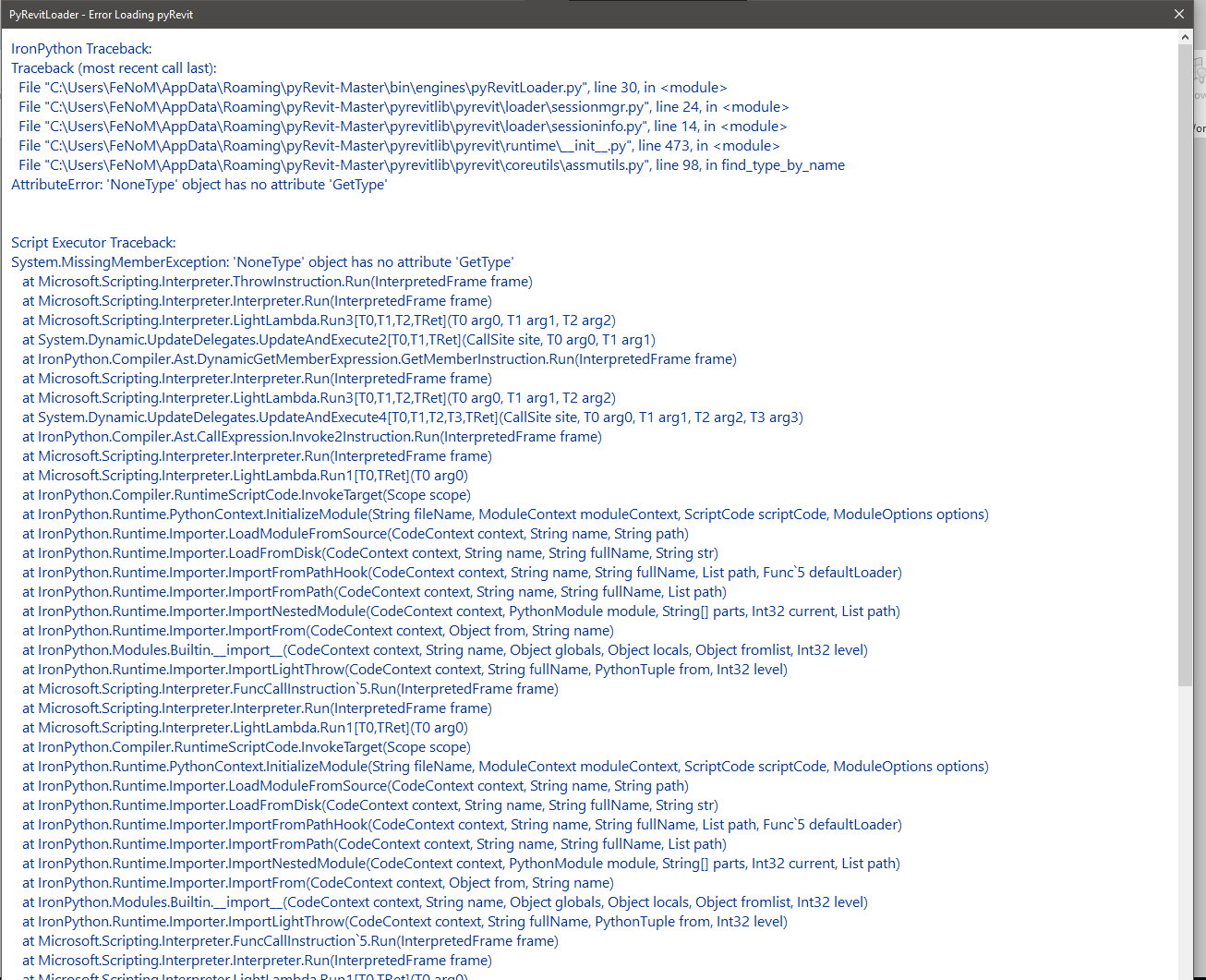

I'm getting the same issue for Revit 2023. Hope there is a solution soon.

@jnicho2408 , I hope so too, no idea what caused it, I'm hoping someone cleverer than me can figure it out and help

Are you all using the latest version of pyRevit 4.8.11? I believe it is the first one to support Revit 2023

Where can I download version 4.8.11? The latest release shown is 4.8.10. Thank you
You are right, I don't know why the Release hasn't been created automatically. @eirannejad might have to help here, I am not too familiar with github actions. In the meantime, you can download the installers from the automated build for this commit under Artifacts here: https://github.com/eirannejad/pyRevit/actions/runs/2412393932
I'm getting the same/similar errors:
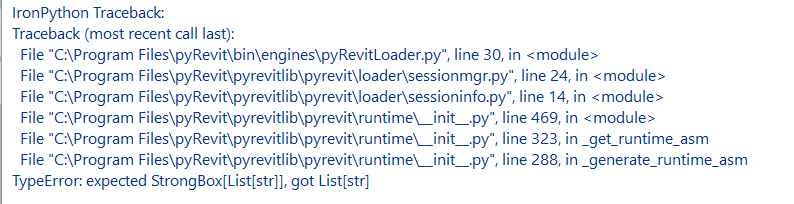 There's more to the screenshot, but it won't fit on the one screen.
Fresh install of v4.8.12 and get the same one with Revit 2023, 2022, 2021, 2020, 2019 & 2018.
There's more to the screenshot, but it won't fit on the one screen.
Fresh install of v4.8.12 and get the same one with Revit 2023, 2022, 2021, 2020, 2019 & 2018.

I am also getting this error as is one of my coworkers. I have installed 4.8.11 and this did not solve the issue.
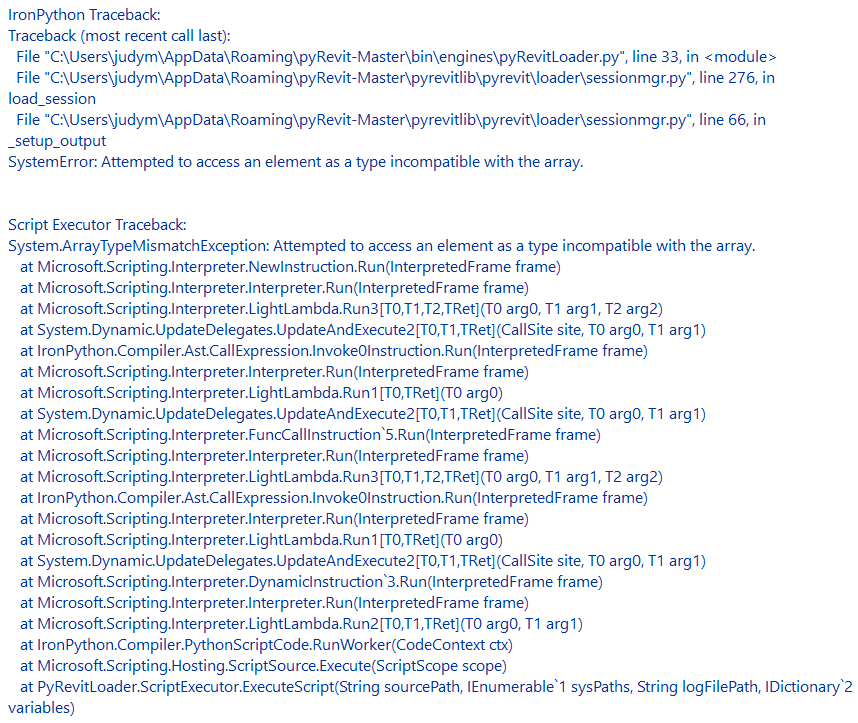

I have the same issue as @jerlisep after installing 4.8.11. I'm running Revit 2023
same error message across multiple versions. Ran the 4.8.11.22151 installer but did not fix anything. pyRevit works if I disable the Environment site/landscape plugin and breaks if I enable it. Their developer is looking into it.


I tried the command prompts from previous posts too, I'd thought it was Microsoft update related as we'd had updates before it failed
On Thu, 23 Jun 2022, 15:50 rayala30, @.***> wrote:
I have the same exact errors as OP for Revit 2022.1. PyRevit was working fine when I was using it last week but then started to give an error recently. I also had no updates to my computer or software. I tried using the command prompts in other posts but it did not work.
[image: Loading Error Message] https://user-images.githubusercontent.com/108031113/175327965-c7ade1ca-3409-4d21-ba9f-d36af0e72149.PNG
— Reply to this email directly, view it on GitHub https://github.com/eirannejad/pyRevit/issues/1551#issuecomment-1164507498, or unsubscribe https://github.com/notifications/unsubscribe-auth/AZYPDDCOMHVLY7NTVKOXMETVQR2ULANCNFSM5ZT4MMPQ . You are receiving this because you authored the thread.Message ID: @.***>